
Meet every deadline. Defend every decision. All in your own tenant.
One Microsoft 365-native platform for FOI and ATIP requests, privacy and AI assessments, breach response, complaints, and risk. Deadlines are computed from your legislation, and every decision sits on a tamper-evident audit trail.
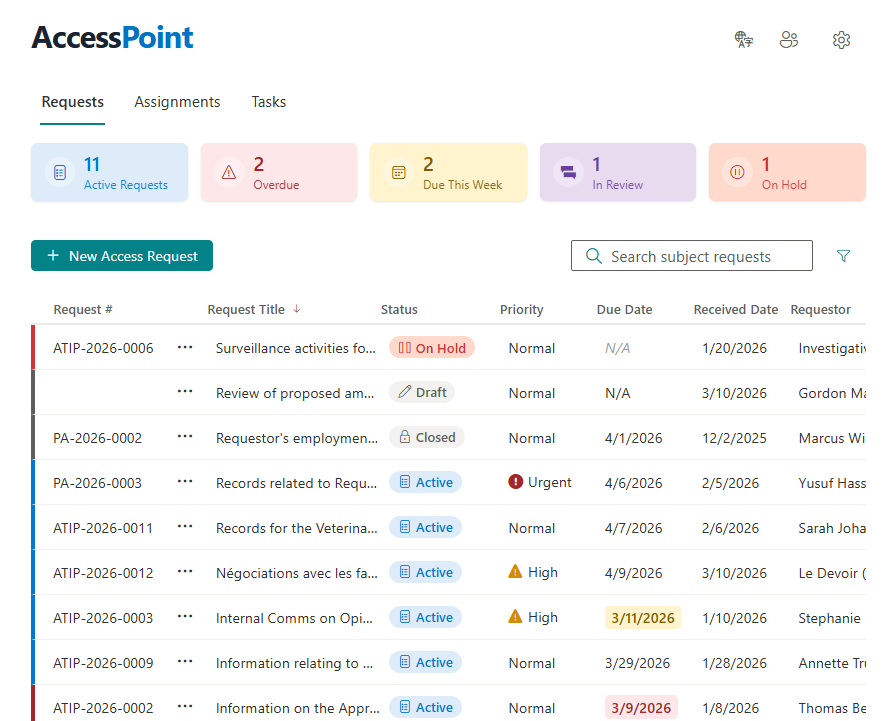
Where Access Programs Actually Break
Whether you run on spreadsheets or a legacy system, the failure points are the same three — and each one is something AccessPoint was built to retire.
The real status lives in someone's inbox
The tracker says one thing; the truth is in email — custodian chases, half-answered threads, attachments nobody logged. A statutory deadline surfaces only when it's already a deemed refusal.
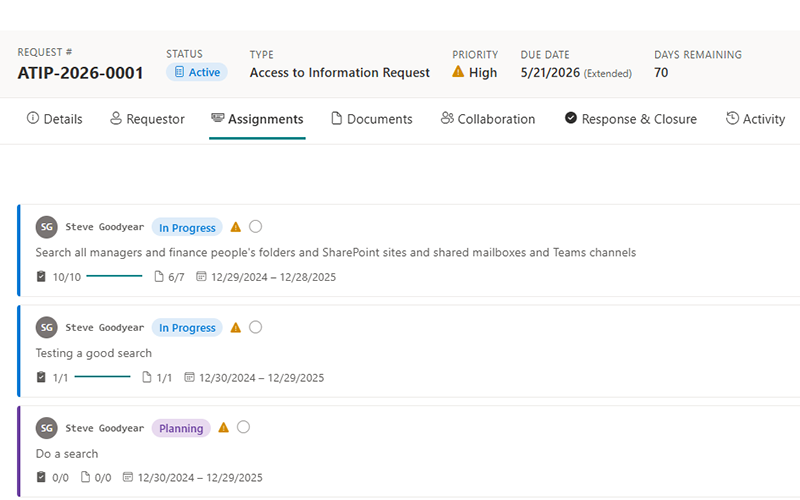
The live requests dashboard and My Day are the status, and an intake email becomes a request in one step, so nothing lives only in a mailbox.
See it in the product tour, steps 1–2 →A third system for your documents
Records live in Microsoft 365, but the tool wants downloads and re-uploads — so every request pays an export tax going in, and your most sensitive working copies pile up outside the system on the way out.
Responsive records are collected straight from SharePoint, OneDrive, Outlook and Teams into the request and redacted in the browser. No export, no re-upload.
See it in the product tour, steps 4–5 →Your records in someone else's cloud
Requester identities and unredacted records, hosted on a vendor's servers — a data-sovereignty question your office answers for on every security review.
AccessPoint runs inside your own Microsoft 365 and Azure tenant. Requester identities, records and the audit trail never leave it.
See the security architecture →See AccessPoint in Action
A 90-second tour — one Microsoft 365-native platform for access requests, privacy and AI assessments, breach response, and risk.
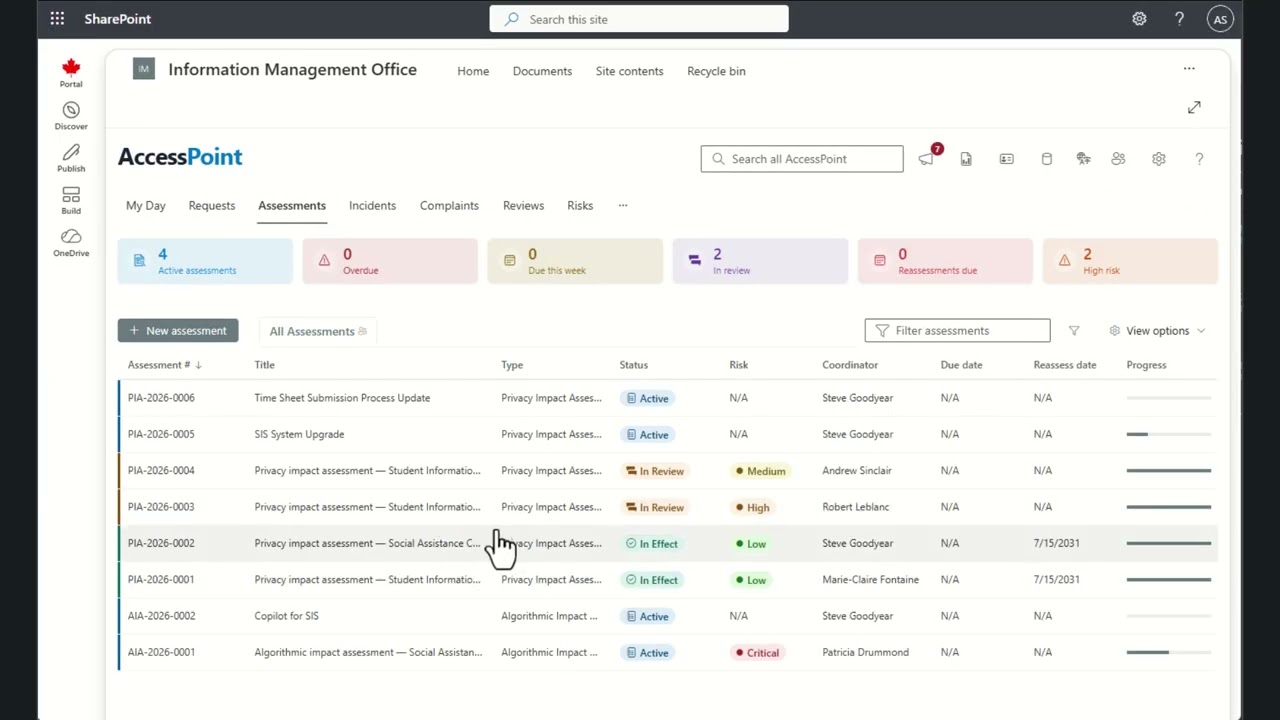
Prefer to explore at your own pace? Take the ten-step product tour →
One Platform for Access, Privacy & Responsible AI
Six connected capabilities in one Microsoft 365-native system, so the same office runs requests, assessments, breaches, and risk without switching tools.
Access to Information
Intake to response: a public request portal with online fee payment, records collected from Microsoft 365 and the records systems you already run, documents and recordings redacted in the browser with the exemption cited, and deadlines computed for you.
Score your FOI workflow in a two-minute check →Privacy Impact Assessments
Screeners, questionnaires, an embedded risk register, and a regulator-ready summary, configured to the assessment rules that apply to your organization.
Test your PIA program the way a commissioner would →AI Assist
Optional AI in your own tenant: it drafts letters and rationales, proposes redactions, and triages intake. Every output is a suggestion a person decides on; nothing trains an outside model.
Breach & Incident Response
Log a breach, assess real risk of significant harm, and get a live checklist of who must be notified and by when, computed from the governing legislation.
Privacy Risk Management
An ISO 31000 privacy risk register with inherent and residual scoring, key risk indicators, treatment plans, and risk acceptance that expires.
Native to Microsoft 365
Built inside your Microsoft 365 and Azure tenant, not bolted onto it. Responsive records come straight from SharePoint, OneDrive, Outlook, and Teams — and from GCdocs, OnBase, Laserfiche, and file shares through repository connectors — and nothing leaves your control.
See every repository connector →Explore all features → Built for FOI & ATIP professionals, privacy officers, CIOs & Microsoft 365 leaders, and records managers. How it compares to the alternatives →
Flat Rate Pricing
Simple, transparent pricing with no per-user fees and no module fees. One flat annual rate gives your entire organization full access to every feature—just pick the size that matches your covered population.
Under 500 employees
For smaller organizations and municipal teams.
500–1,999 employees
For mid-sized departments and agencies.
2,000–9,999 employees
For large, high-volume government organizations.
10,000+ employees
For the largest ministries, departments, and public bodies.
Your size is your covered population — the employees of the organization, or organizations, whose records AccessPoint processes in your Microsoft 365 tenant. It is not a count of users: everyone who works in AccessPoint is included. Each price covers one Microsoft 365 tenant.
Several Microsoft 365 tenants? A custom offer.
For a government that wants to cover all of its departments across several Microsoft 365 tenants under one agreement, we put together a custom offer, delivered as a private offer through the Microsoft commercial marketplace.
No call for quote and nothing behind a sales call: every price, the full documentation, the security architecture, and the public roadmap are on this site. Your own Azure costs start at about $175 a month, with no vendor markup.
From Install to Live in an Afternoon
AccessPoint deploys into your existing Microsoft 365 and Azure environment and configures to your jurisdiction from a pack. No new infrastructure, no lengthy implementation projects — and when you're ready, your history arrives in one validated Excel import.
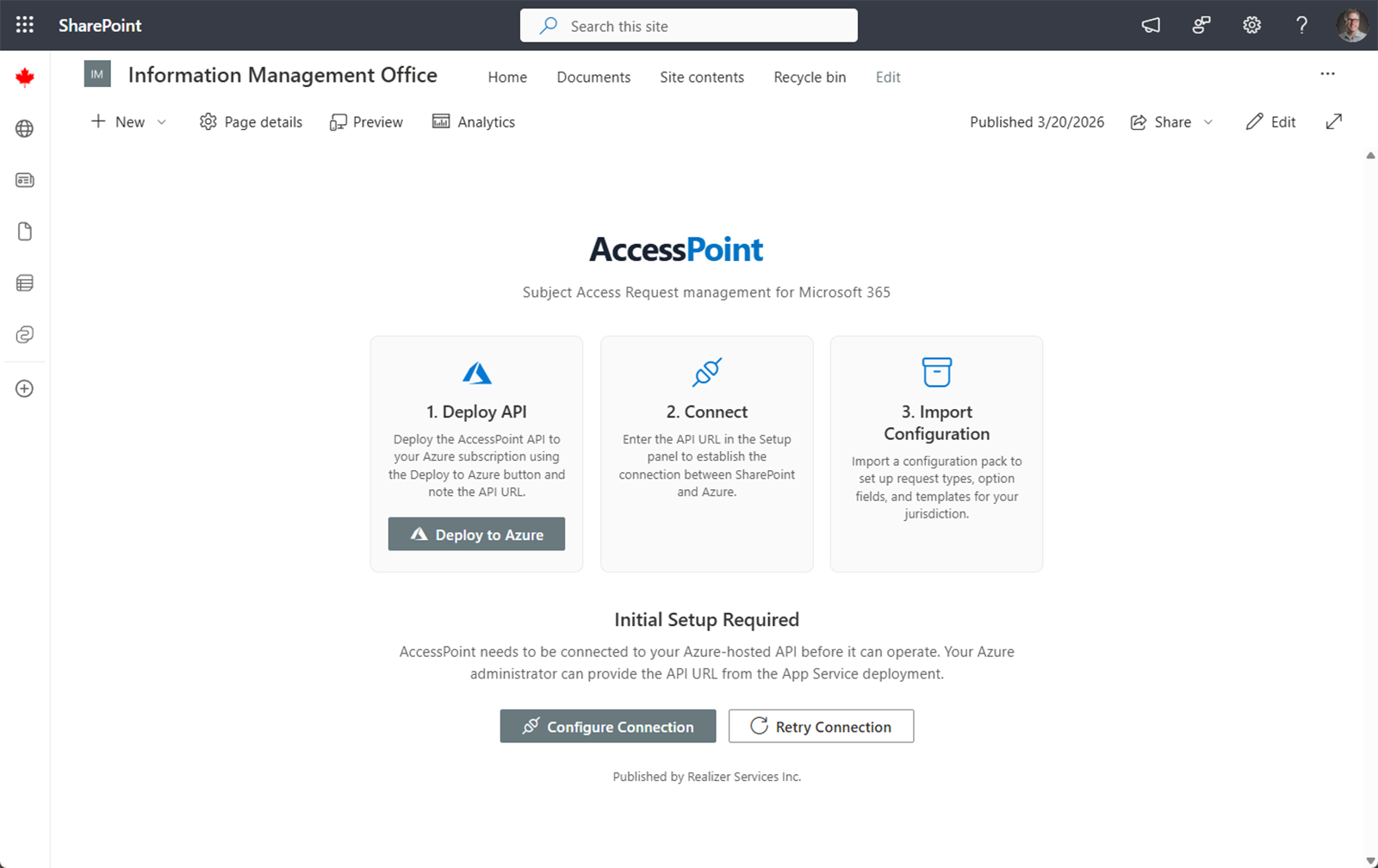
Deploy to Microsoft 365
Install AccessPoint into your SharePoint Online, Teams, and Azure environment from the Microsoft Marketplace — the Azure backend deploys from a one-click template in minutes. No new servers, no external hosting.
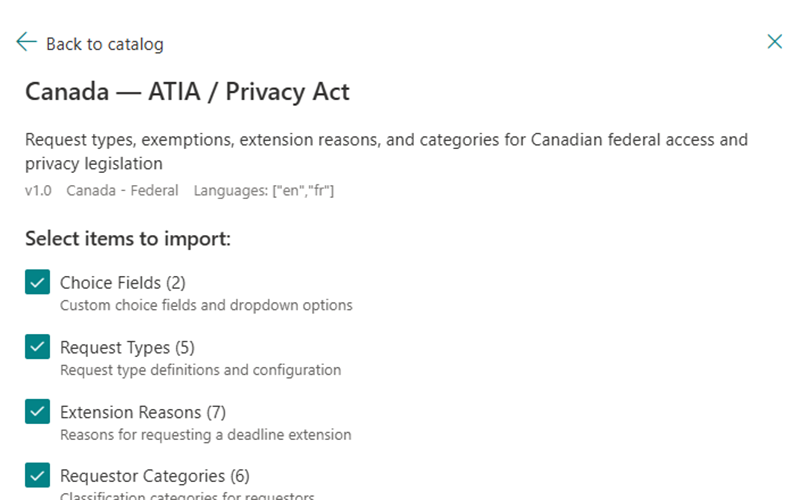
Configure Your Jurisdiction
Import a jurisdiction pack for your regime — deadlines, exemptions, assessment templates, notification rules, and languages — then adjust anything to match how your office works, and let your team practise on fictional cases in train mode before the first real one.
Run Your Whole Program
Process requests, run PIAs and AIAs, respond to breaches and complaints, and monitor privacy risk — every action captured in one hash-chained audit trail.
Switching from a legacy system or a spreadsheet? The migration path →

“When you book a demo, you're talking to me — the person who builds AccessPoint, not a sales team. Bring your jurisdiction's rules and your hardest questions.”
Steve Goodyear — Founder, Realizer · former Microsoft consultant · About Realizer →
Your Tenant. Your Data.
Live in an Afternoon.
Try AccessPoint free for 30 days — no credit card, no sales call. When you're ready, your history arrives in one validated Excel import.