
Your law. Your language.
Without leaving Microsoft 365.
Not a template library — an operating platform. AccessPoint runs access requests, privacy and algorithmic impact assessments, breach response, complaints, and your privacy risk register: deadlines computed from your legislation, every action on a hash-chained audit ledger, one published price, and nothing leaving your control.
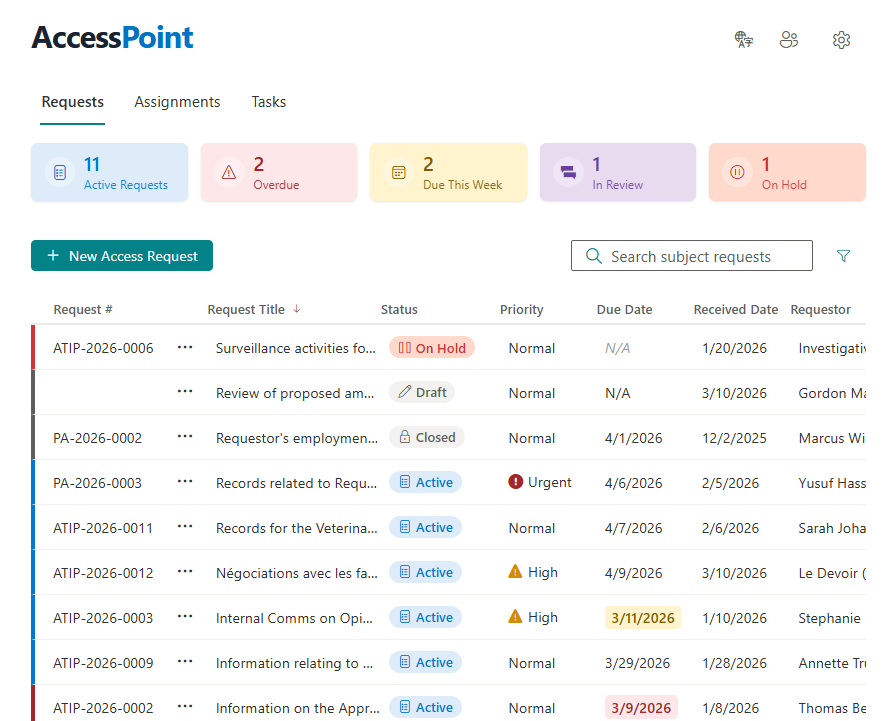
Want to see it before reading about it? Take the ten-step product tour →
Flat annual pricing, published in full. Every feature in every size — access requests, privacy impact assessments, breach response, complaints, video & audio redaction, the public portal, repository connectors, and AI Assist. No per-user or per-module fees.
- Under 500 employees$2,990/yr
- 500–1,999 employees$7,990/yr
- 2,000–9,999 employees$14,990/yr
- 10,000+ employees$29,990/yr
One Platform, the Whole Mandate
Access requests, privacy assessments, breach response, complaints, and risk — every module configuration-driven on one shared foundation: the same identity, hash-chained audit ledger, review engine, and reporting. One system to learn, govern, and report on, with no per-user fees.
Access to information requests
The original strength: intake to response for ATIP, FOI, and GDPR requests, built on Microsoft 365 — with a browser-native redaction studio at its core.
Redaction & Exemptions
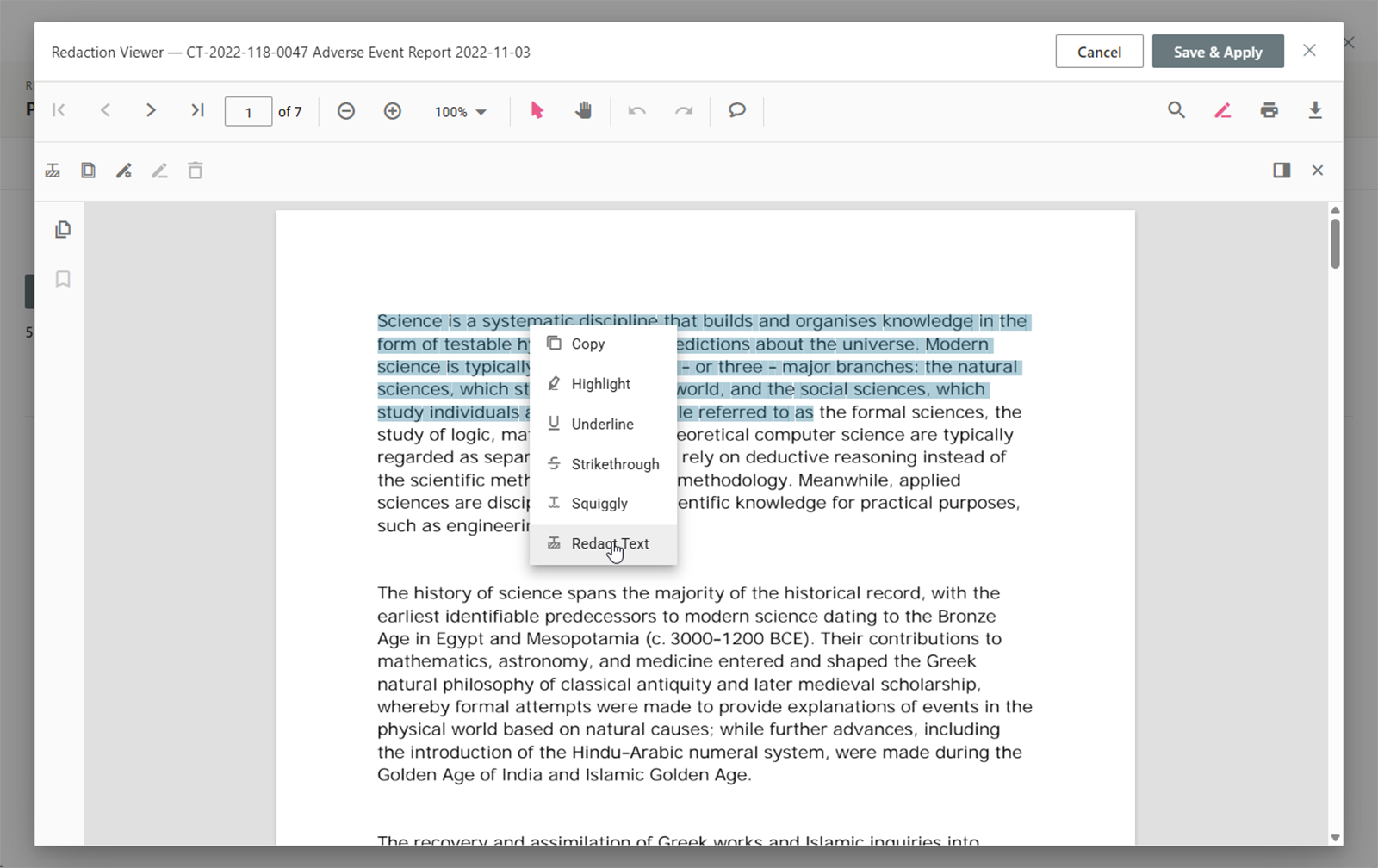
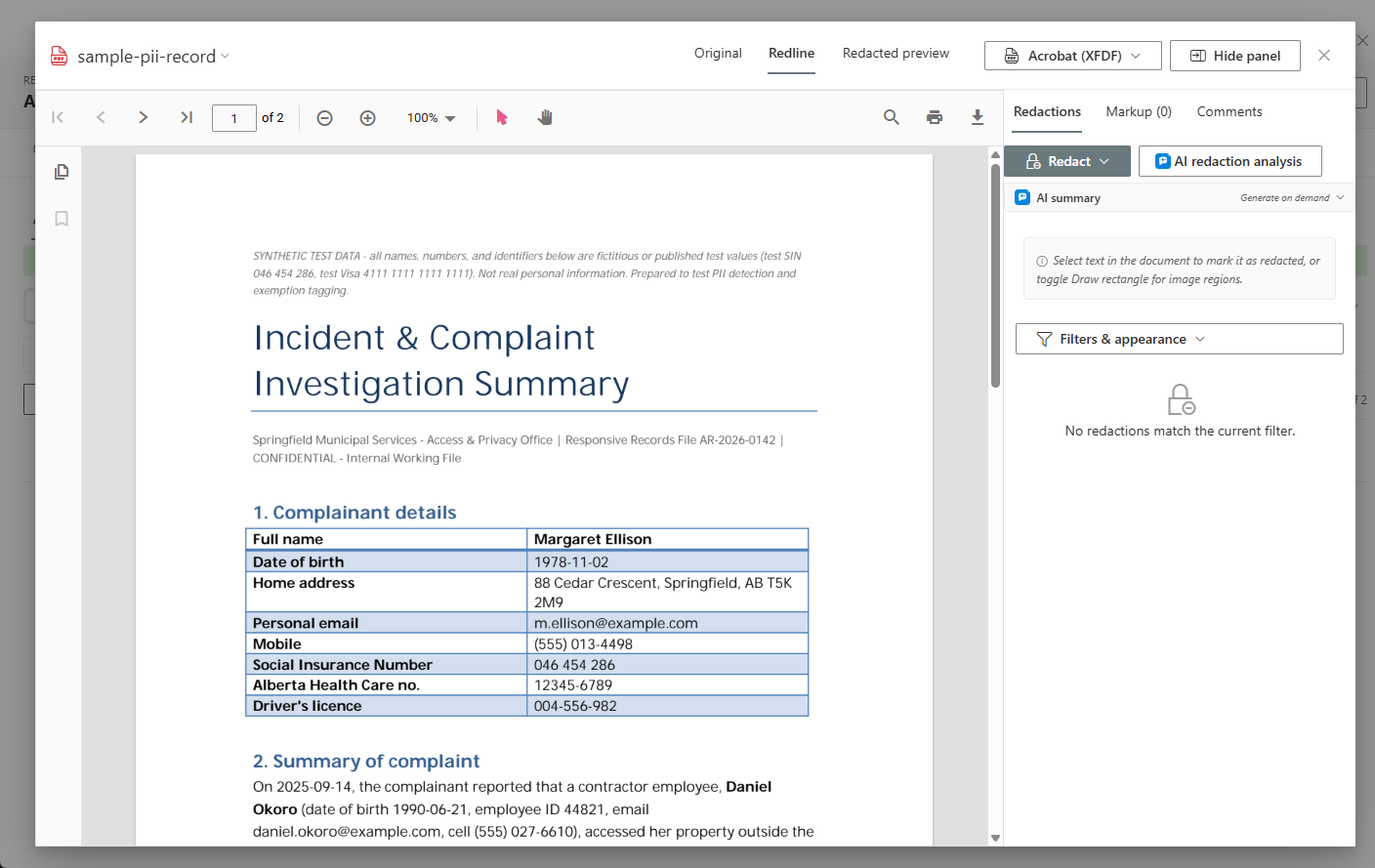
A full redaction studio in the browser — no desktop tools required. Select text to sever, find-and-redact every occurrence at once, keep live patterns running on newly arriving documents, and import redactions from an earlier request that already processed the same document. Every mark carries its statutory exemption — primary and fall-backs — and the disclosure package ships with a defensible exemption manifest.
Video & Audio Redaction
Body-worn camera, CCTV, 911 audio, and Teams recordings are reviewed and transcribed in the browser, beside the documents. Blur a face, box an area, or mute or distort a voice — every mark carries its exemption. Face detection runs in your own tenant and only proposes; a person decides. The release ships with a time-based redaction log.
Watch it work in the two-minute video redaction demo →
Integrated with Microsoft 365
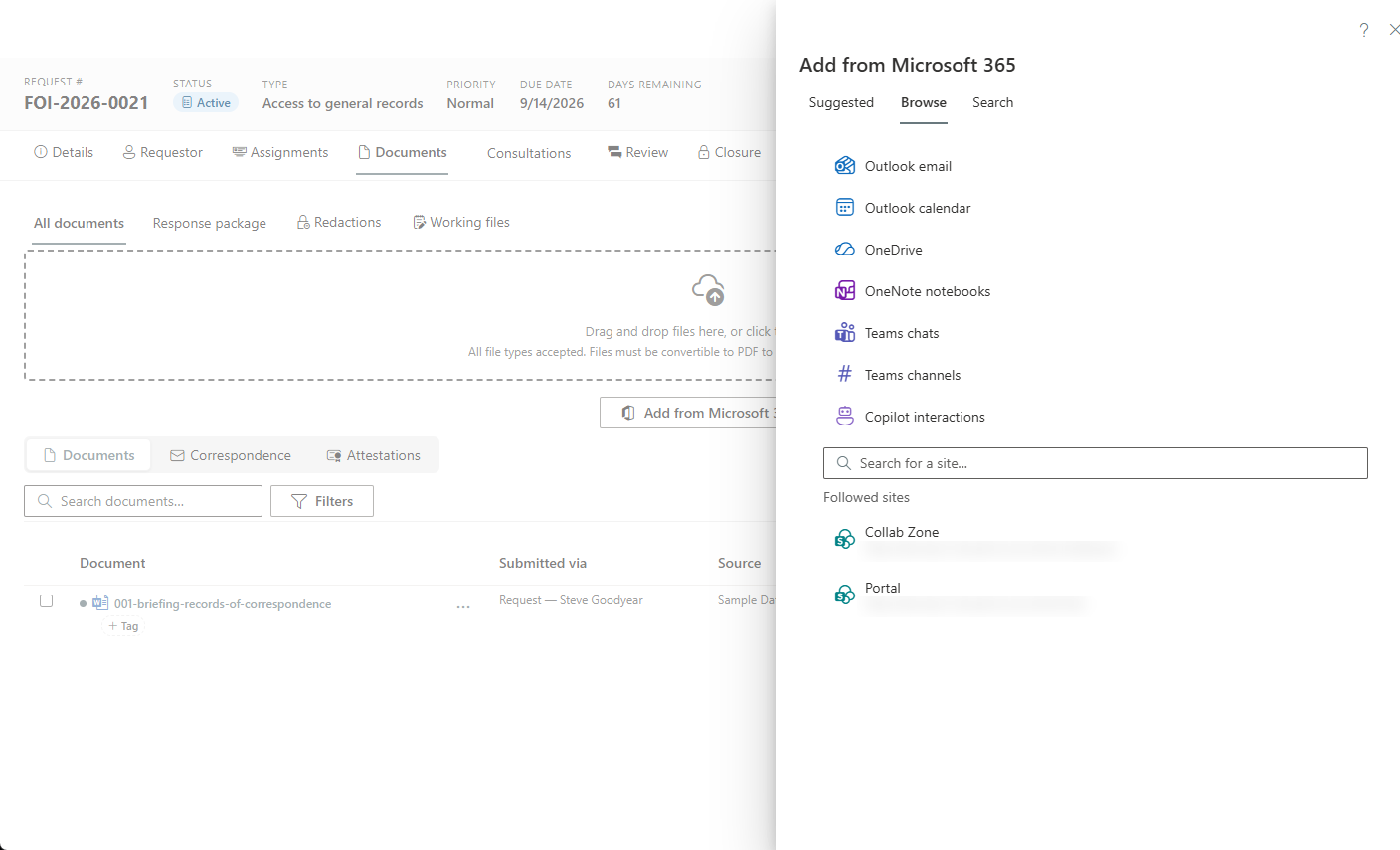
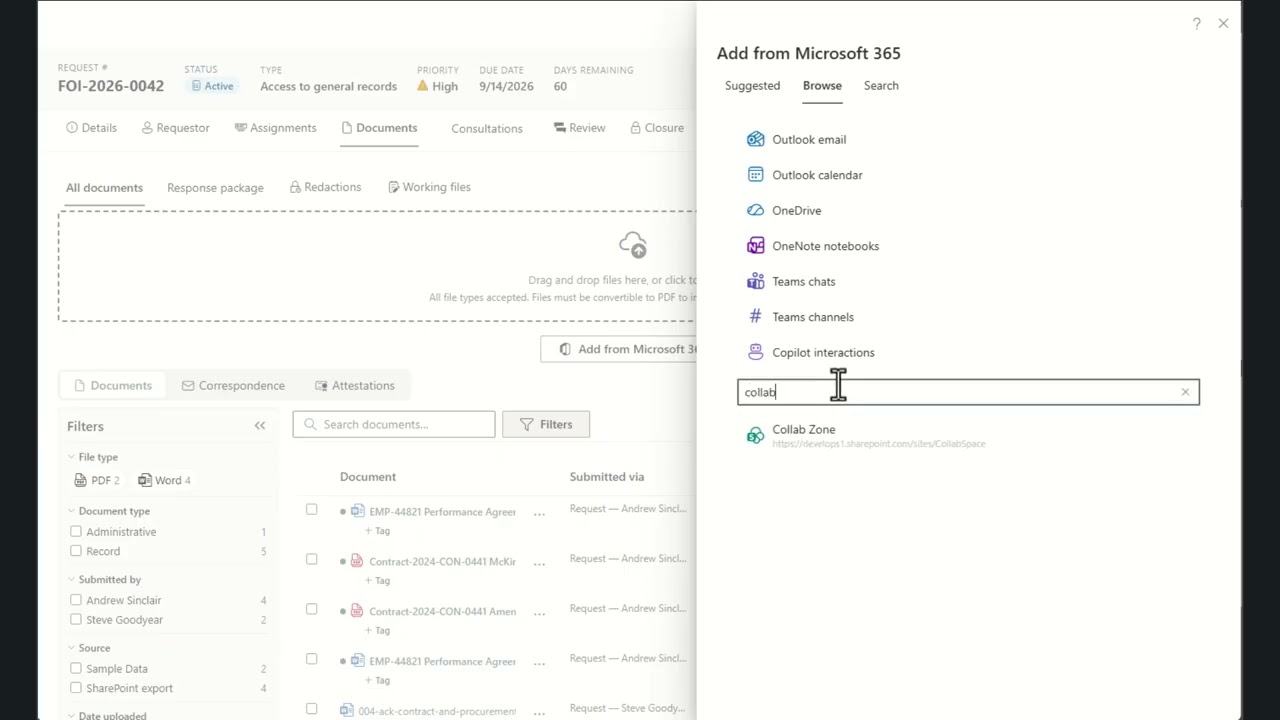
Search SharePoint, OneDrive, and Outlook and add records straight to a request — and capture Teams chats, Teams meeting recordings with their transcripts, OneNote pages, calendars, and even Copilot interaction history the same way. An email in your intake mailbox becomes a fully-formed request in one step, with the message attached as its first document.
Repository Connectors
Records outside Microsoft 365 come into the same picker: GCdocs (OpenText Content Server), Hyland OnBase, Laserfiche, Axon Evidence, network file shares, CMIS repositories, SQL databases, Azure Blob storage, and MCP search servers. AccessPoint fetches each record server-side, verifies its hash, and records where it came from — and reaches on-premises systems through Azure Hybrid Connections, with no VPN or inbound firewall rule.
See every repository connector →
Public Request Portal
An optional public portal, deployed in your own Azure subscription, takes requests, complaints, and privacy concerns through guided, accessible forms in the languages you offer. Requestors track status, reply, answer fee estimates, and download released records securely, and approved releases can be published to a searchable reading room. Every submission lands in a Portal inbox for triage — nothing becomes a request on its own.
Explore the public portal →
Online Fee Payments
Requestors pay fees online through your own payment provider — Stripe, Paymentus, or another processor's hosted payment page. Card details never touch AccessPoint, a payment is recorded only from the provider's verified confirmation, and a reconciliation view and a Fees collected report keep finance and the request file in agreement.
How online payments work →
Deadline & Extension Management
Automatic due-date calculation on statutory business-day calendars, with clock pauses, holds, and extension tracking. When a due date passes unanswered, the statutory consequence — deemed refusal — is recorded automatically, and a built-in abandonment workflow handles requestors who stop responding.
Try the date math yourself in the free FOI deadline calculator →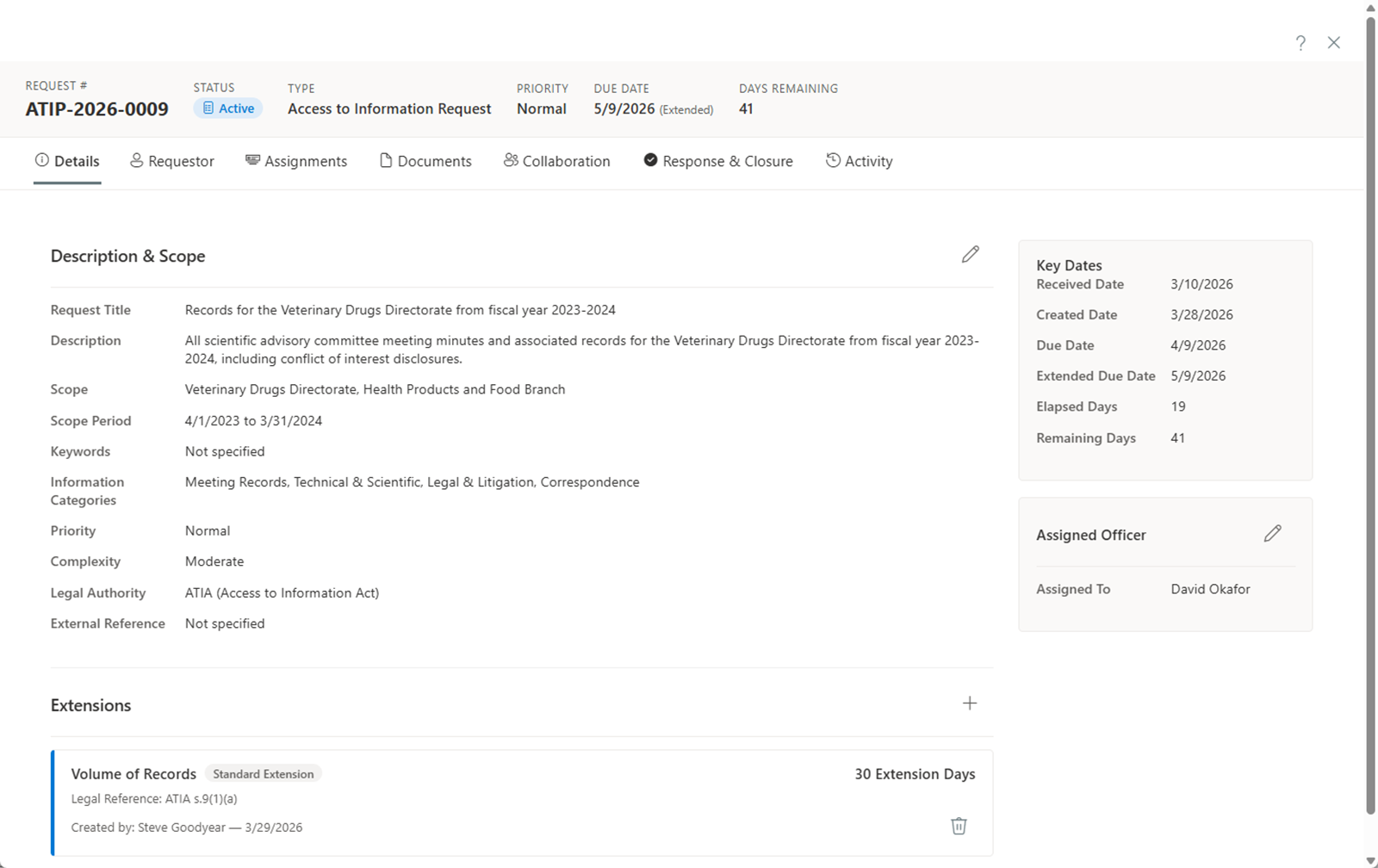
Document Collection & Review
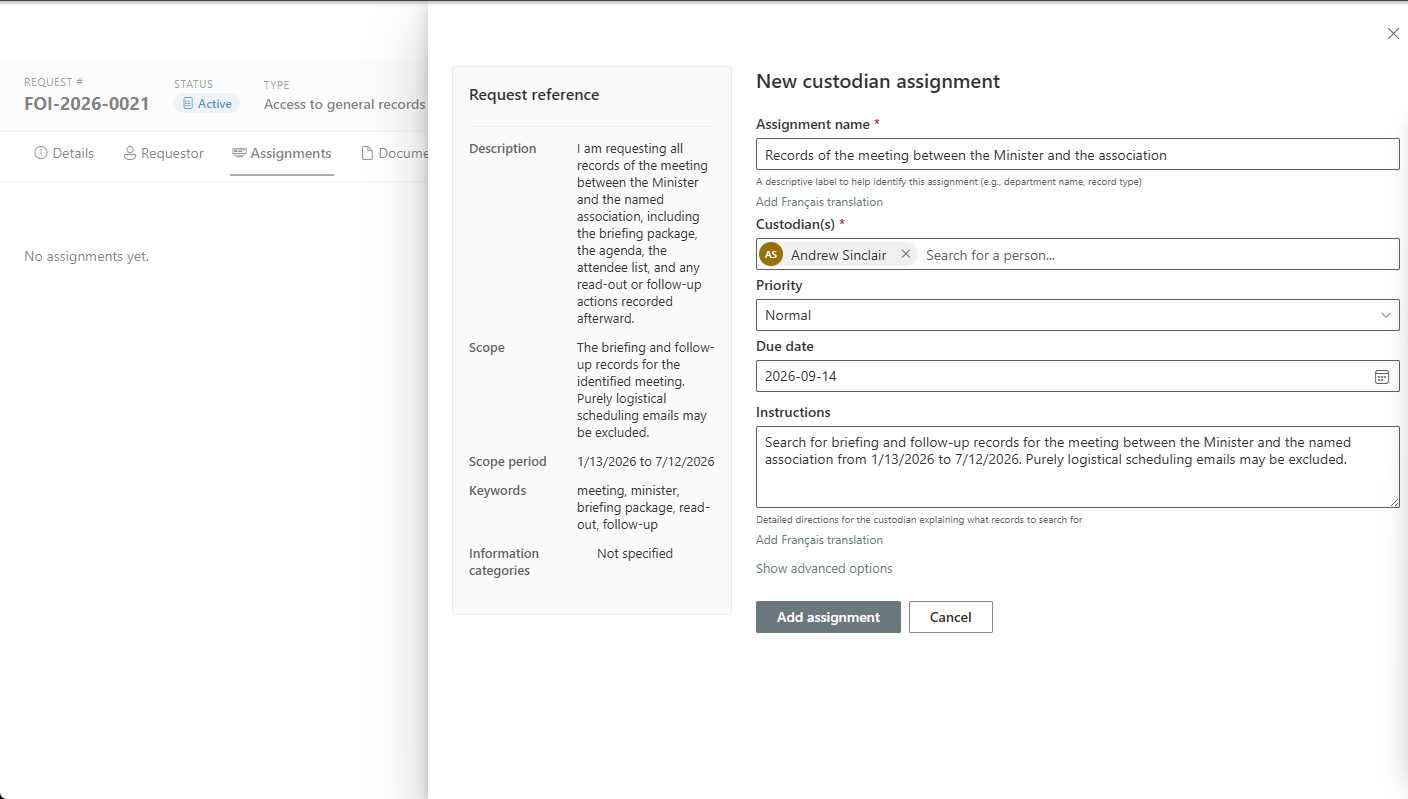
Assign collection tasks to custodians, classify records by relevance, tag and de-duplicate with per-copy decisions that stand up to review, and track read-through — documents up to 2 GB and recordings up to 50 GB — all in a single faceted workspace with full-text search that reads even scanned paper records (optional OCR).
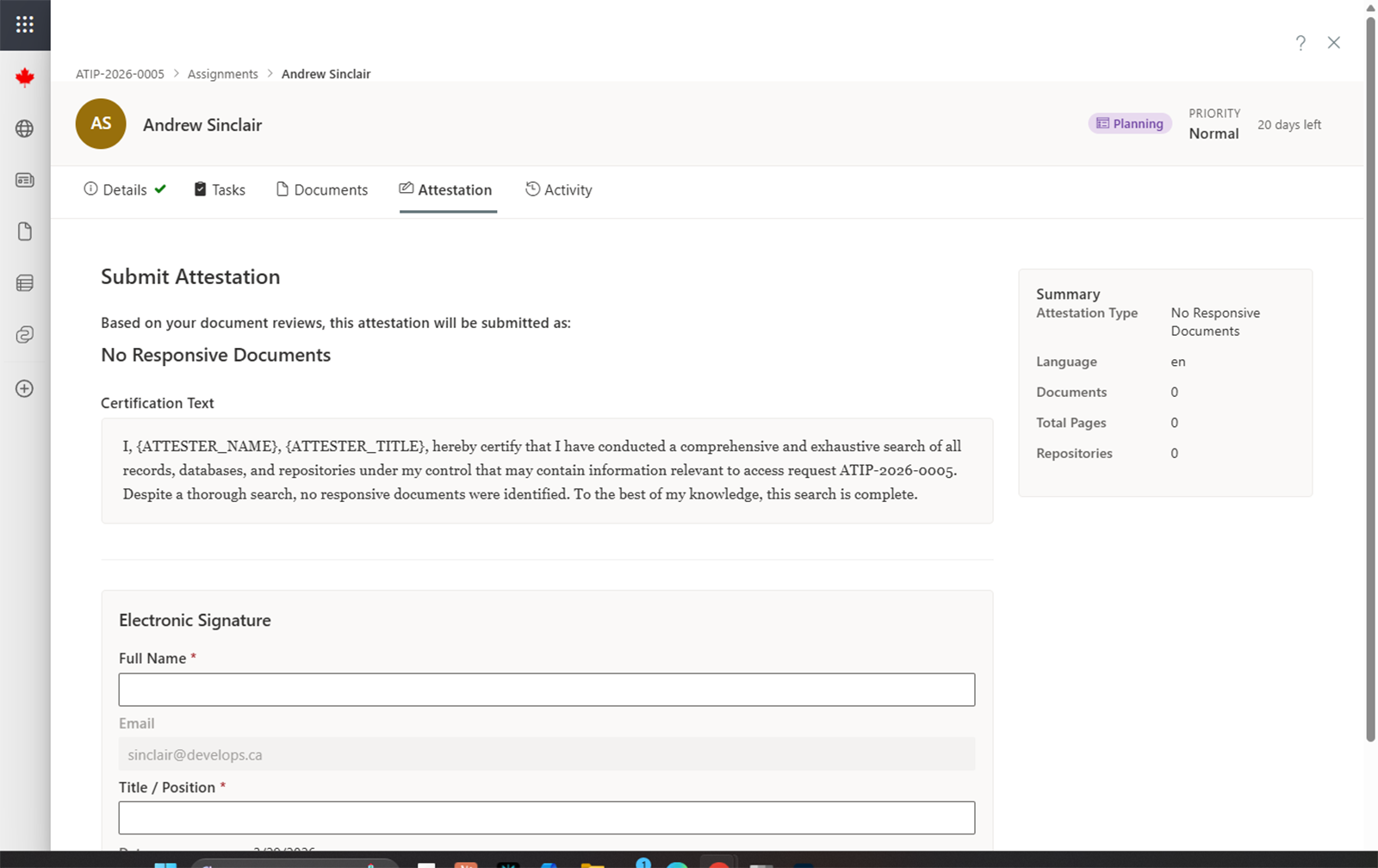
Digital Attestations
Custodians certify their searches and production with legally-defensible digital attestations, captured against the record and backed by the audit ledger.
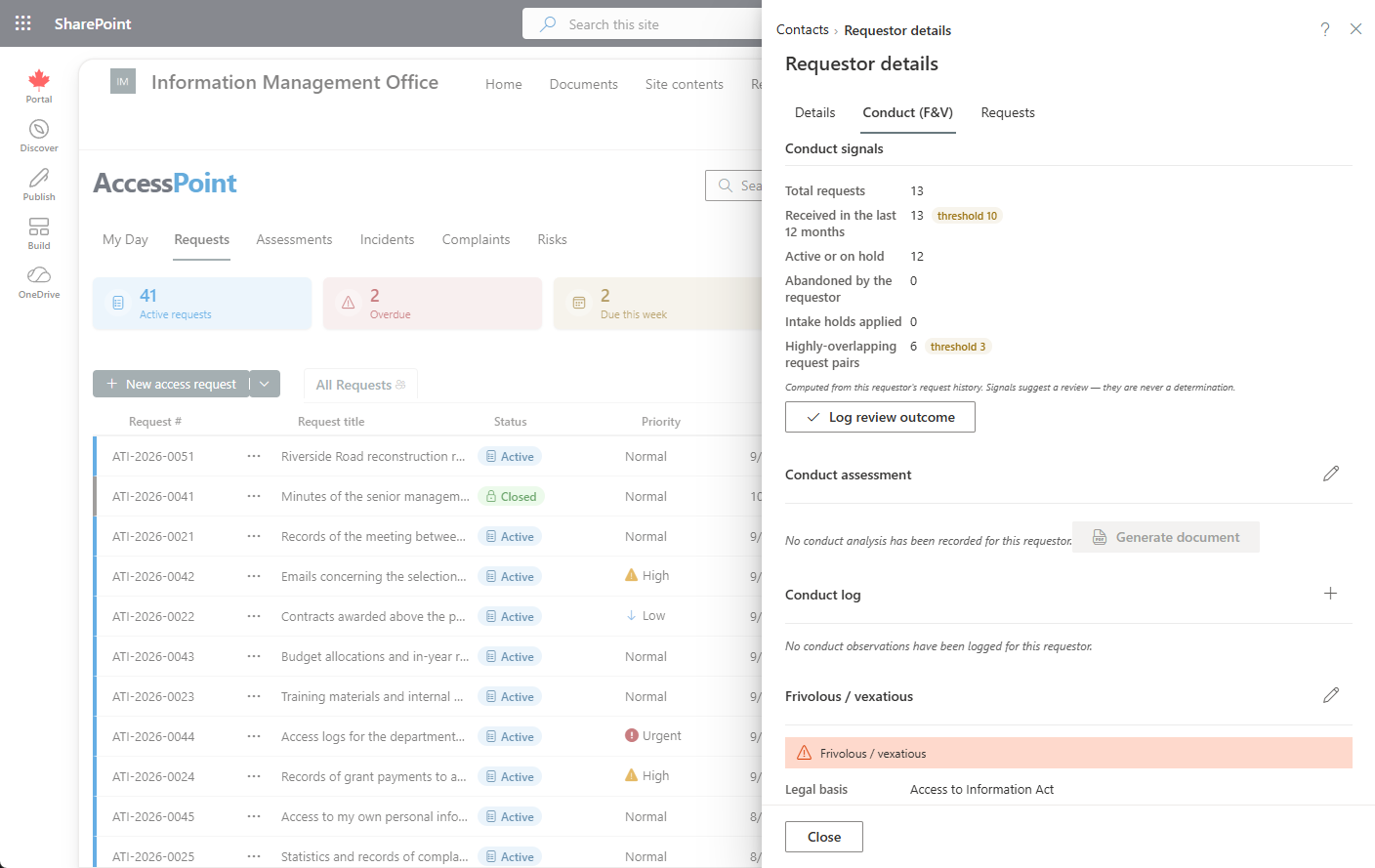
Frivolous & Vexatious, Defensibly
When a requestor's conduct becomes the issue, build the record that survives a commissioner's challenge: computed conduct signals from their own filing history, a balanced analysis memo, an append-only conduct log, and a formal determination with its legal basis — evidence first, determination last.
AI Assist
Optional AI that runs on Azure OpenAI in your own tenant — Microsoft never trains on your data, nothing is stored, and a person always decides. Every feature is individually switchable.
AI Redaction Analysis
Beyond pattern rules, the AI reads documents in context and proposes redactions for personal, advice, privileged, and commercial content — each with a confidence score and reason — into the same human review pipeline as every other suggestion.
AI Intake Triage
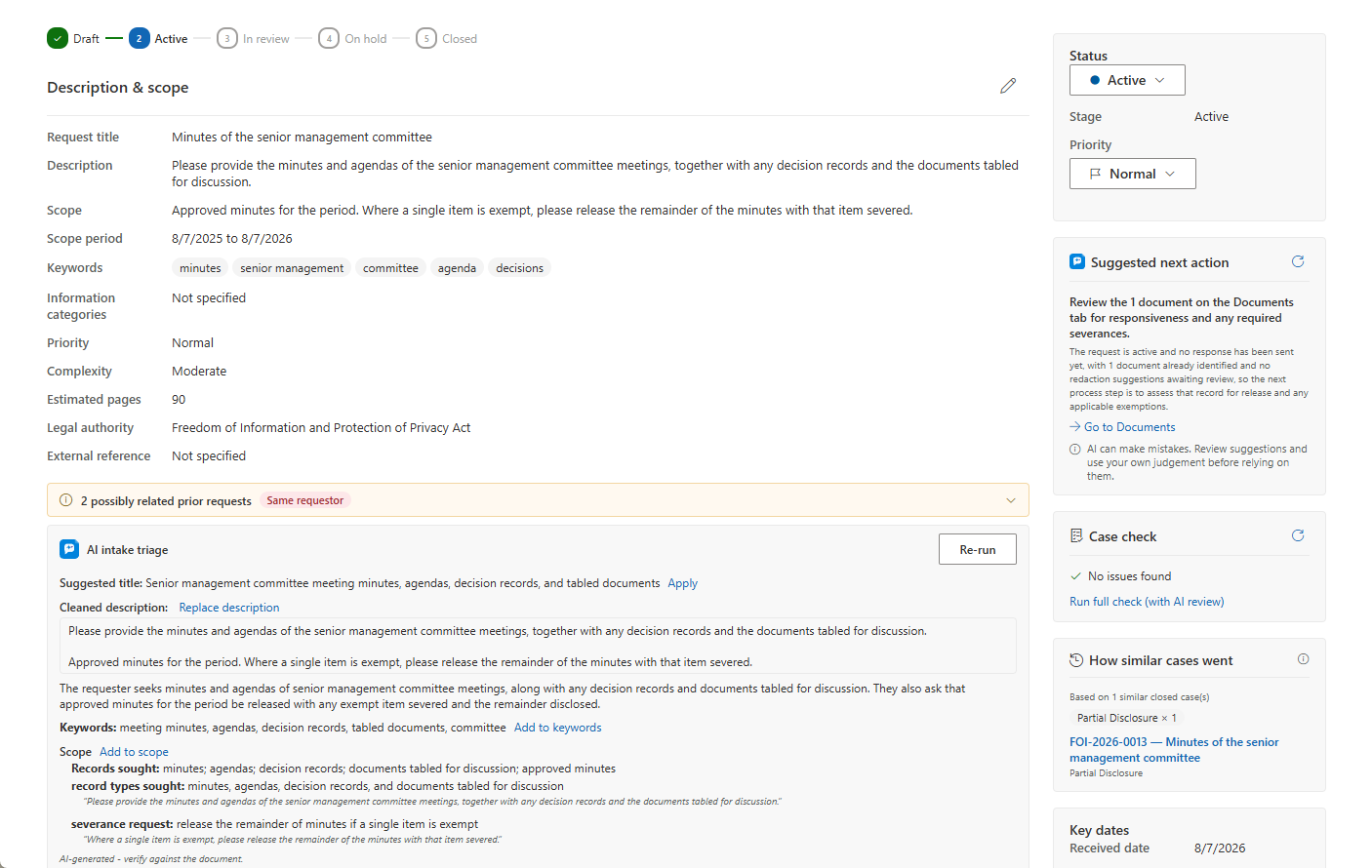
An AI triage card reads the intake text on a request, incident, or complaint and suggests a title, a plain summary, key topics, a ready-to-append scope, third parties whose interests may need consulting, and clarification questions worth asking — every suggestion is one click to apply, and nothing is applied automatically.
Ask AccessPoint
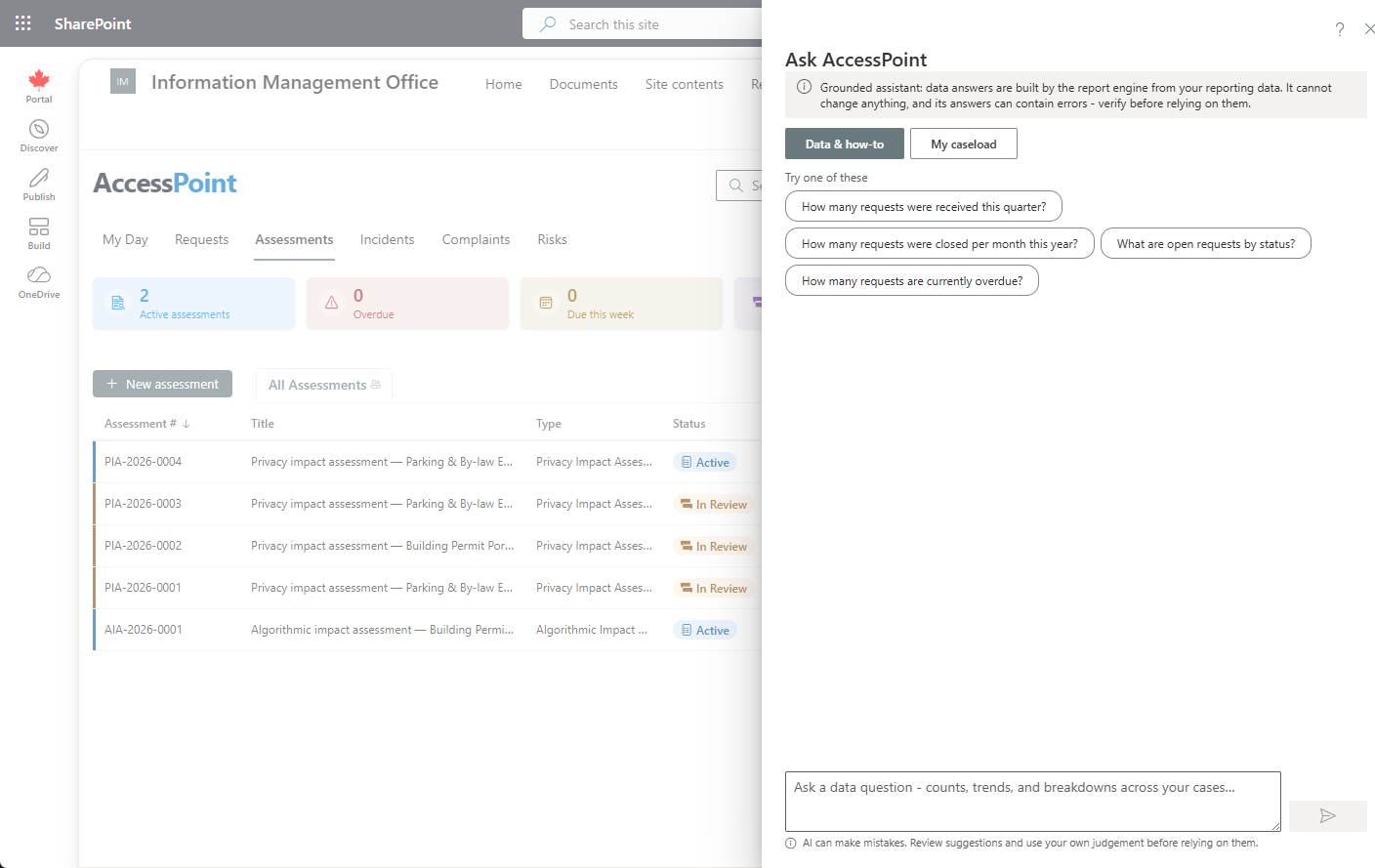
A read-only assistant answers questions about the case in front of you — "what's outstanding before I can close?" — with clickable citations back to the record and statute-aware answers that cite the governing legislation, never invented section numbers. A My caseload mode answers across your own open work, and it never changes anything.
Ask AccessPoint for Reporting
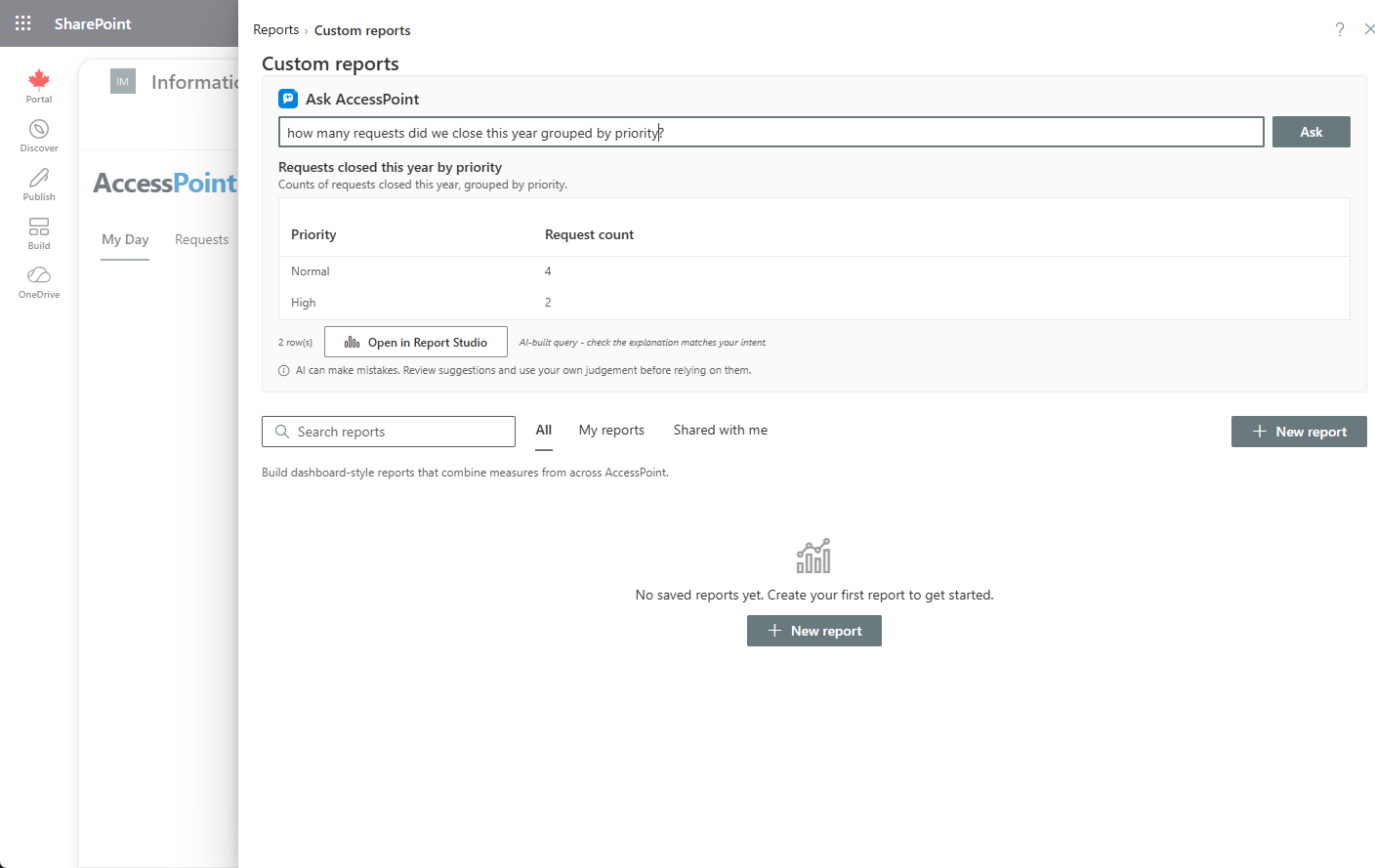
Ask a reporting question in plain language and get a report built against the same field catalog as the Report Builder — it never writes SQL, personal-data fields are never offered to it, and every result opens in the builder to refine. A wrong answer is a wrong chart, never a data leak.
AI-Assisted Drafting
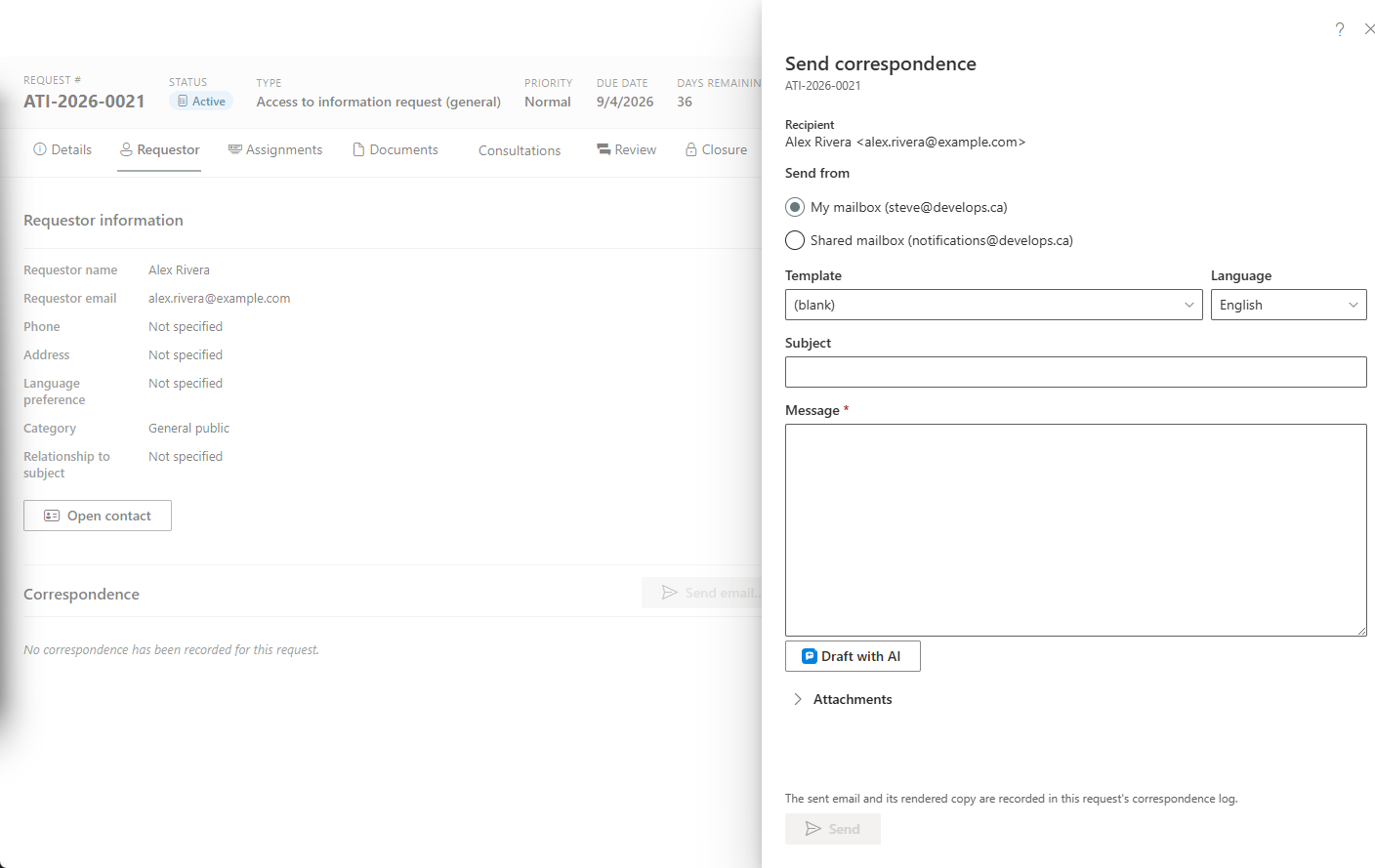
A Draft with AI button appears wherever a narrative is written — requestor letters, breach-notification rationales, assessment summaries, and custodian search instructions drafted from the request's own scope, behind the PII firewall by construction. Drafts are grounded strictly on the record's facts; anything unverifiable is flagged [VERIFY] rather than invented, and lands in the editor for a person to review, edit, and save.
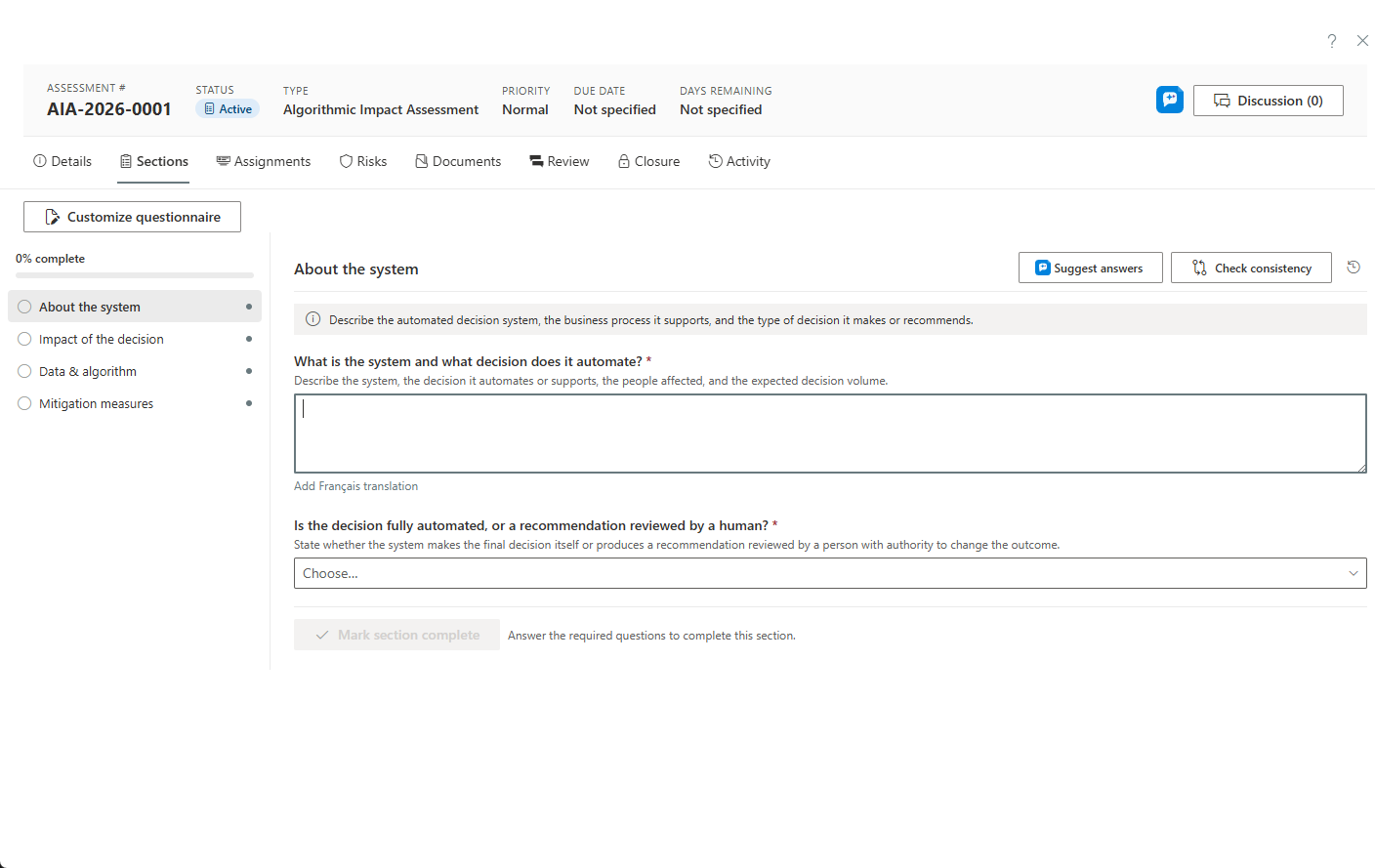
Assessment Answer Suggestions
In a PIA or AIA, AccessPoint drafts grounded answers for a section's unanswered questions from the assessment's own documents, its record, and your organization profile — with an "insufficient information" hint instead of filler, accepted or dismissed per question, plus a consistency check across the whole set.
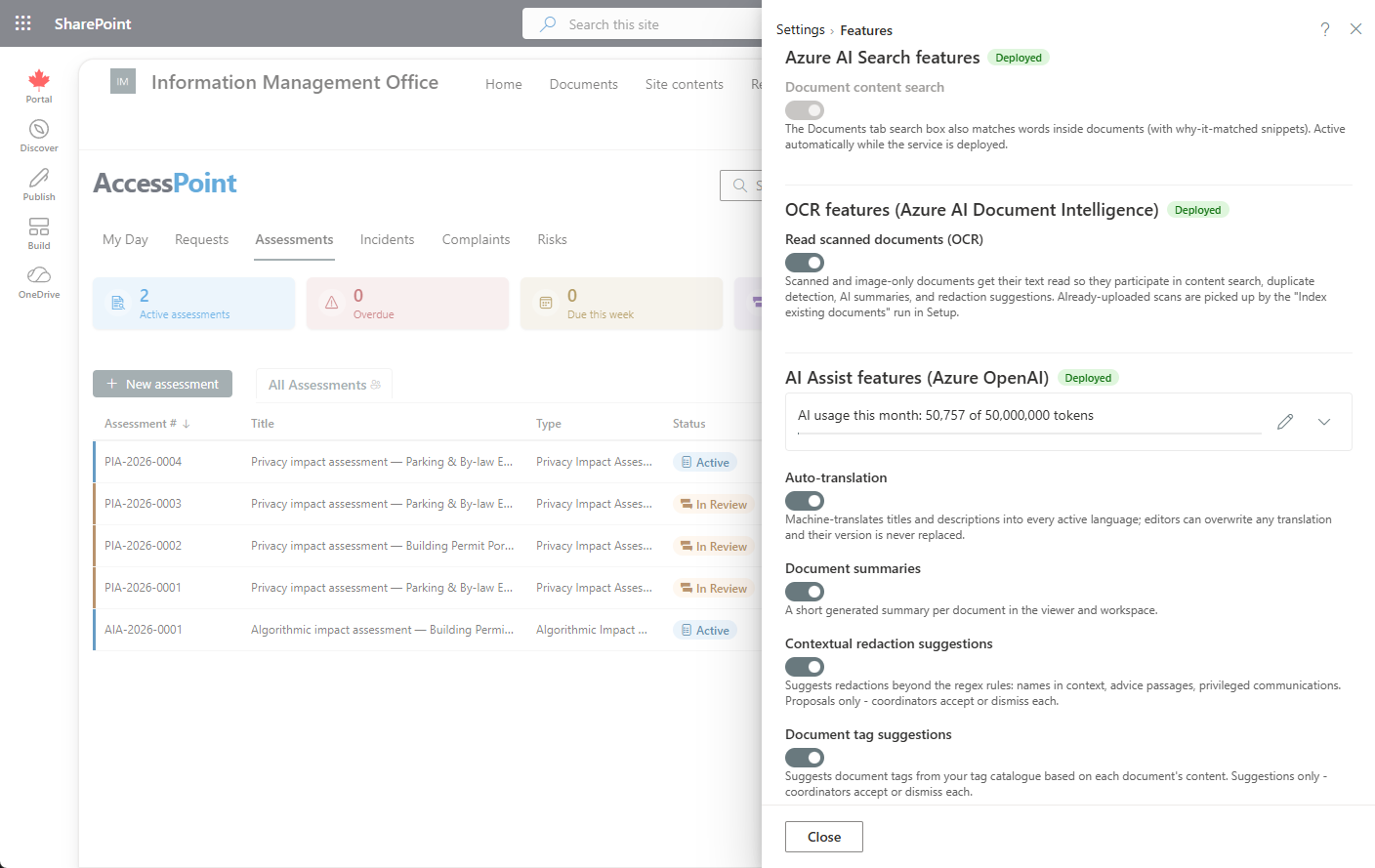
Responsible by Design
AI Assist is optional and runs on Azure OpenAI in your own Azure tenant: Microsoft never trains on your data, prompts and responses are never stored, a person always decides, and a monthly token budget you control caps the spend. Each feature is individually switchable, you choose where inference is processed (globally or bounded to the EU/US data zone), and every case's activity feed discloses the AI calls made on it.
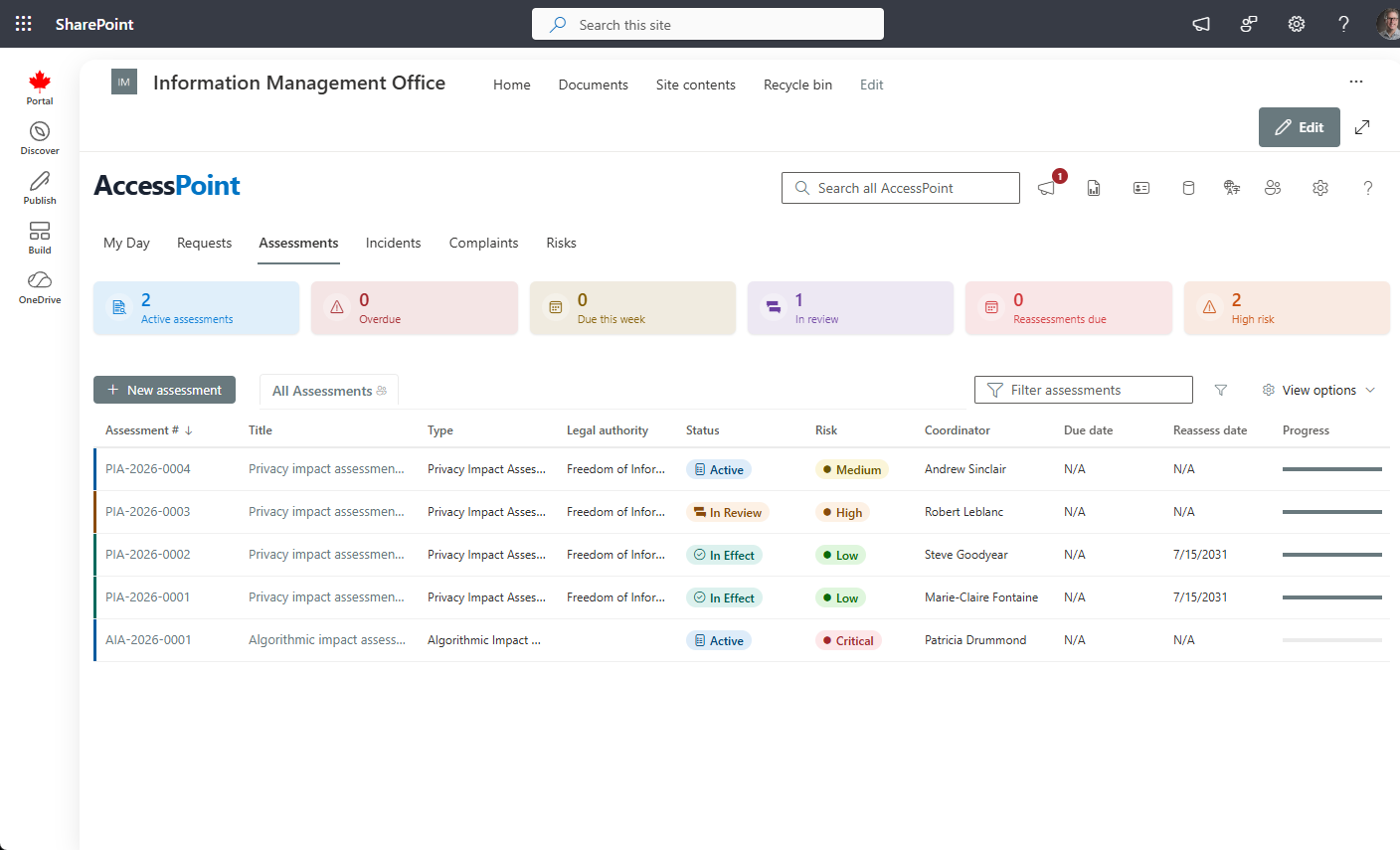
Privacy & AI impact assessments
Operate PIAs and Algorithmic Impact Assessments end to end — screen, assess, score, review, publish, then monitor the commitments and risks that come out of them.
Privacy Impact Assessments (PIA)
Run PIAs, not just fill them in. A configurable questionnaire engine with preliminary screeners, typed questions, an embedded risk register, and a regulator-ready summary export — configured to the assessment mandate that applies to your organization.
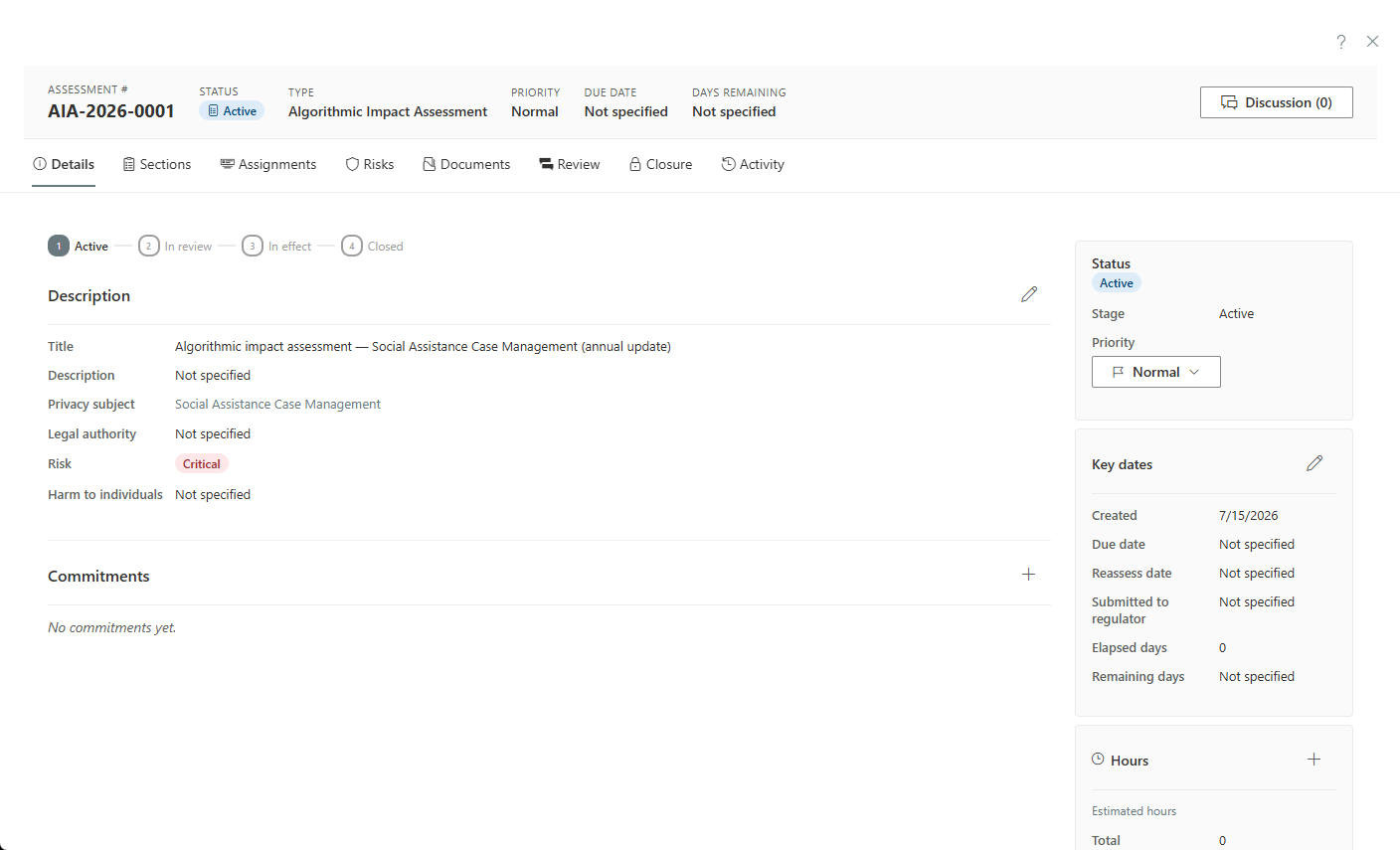
Algorithmic Impact Assessments (AIA)
Assess automated decision-making systems against the directive or policy that applies to you — a public-sector AI directive, your own responsible-AI framework, or both. The same engine that runs your PIAs runs your AIAs — scored, tiered, reviewed, and published with an auditable trail.
Screeners & Section Assignment
A preliminary screener decides whether a full assessment is even needed. When it is, hand individual sections to subject-matter experts who fill in only their part — answers autosave, and the coordinator merges on approval. No expert ever sees the whole file.
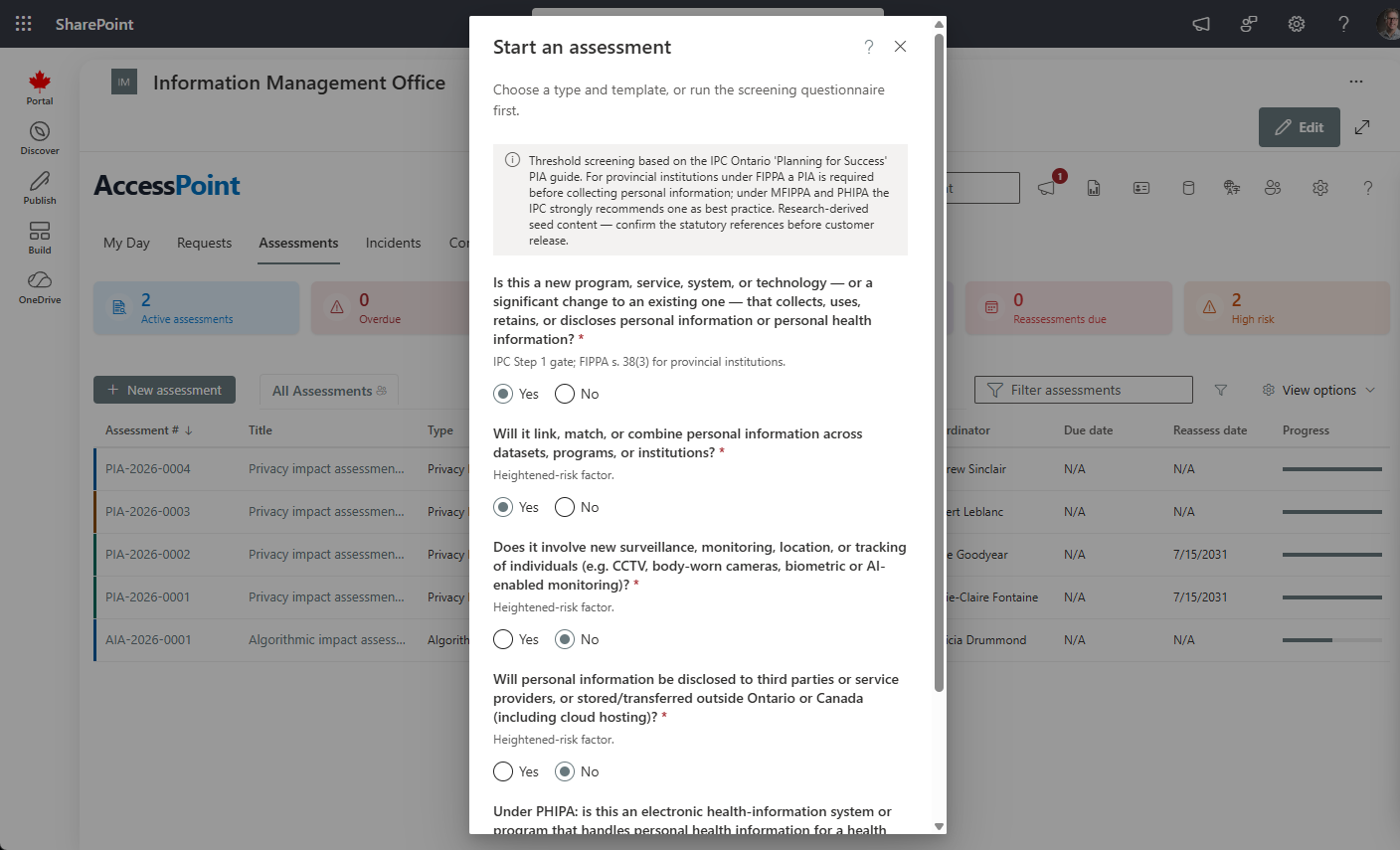
Records of Processing (ROPA)
Every assessment attaches to a durable privacy subject — a reusable program or system carrying its GDPR Article 30 record: lawful basis, data-subject and recipient categories, retention, safeguards, and cross-border transfers. Export the full ROPA register on demand, with a vendor register beside it tracking every processor's DPA status, review cadence, and risk level.
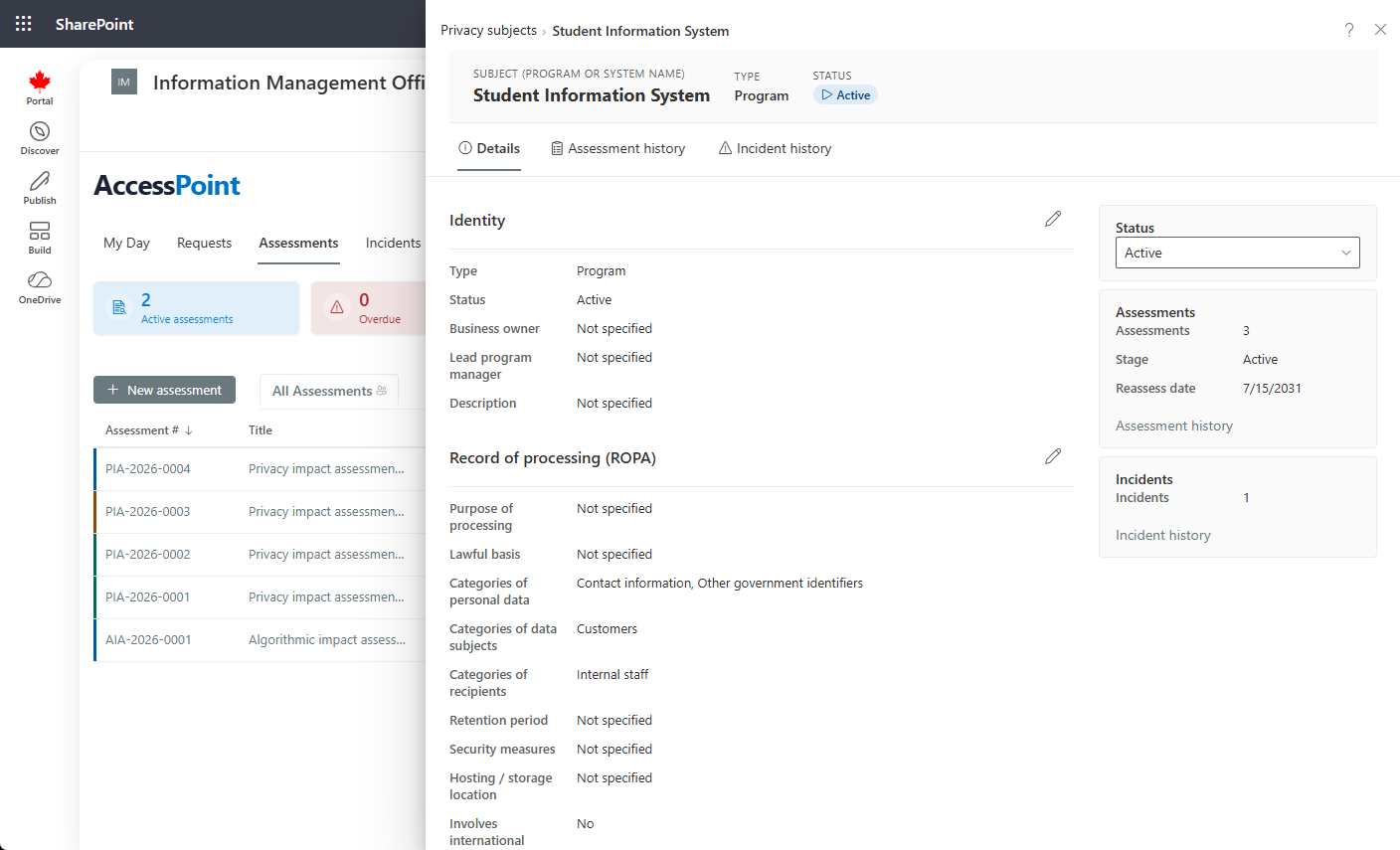
DPIA Validation & Privacy Audits
Record the data protection officer's opinion, the decision, section evaluations, and a prior consultation with the regulator, with risk maps before and after the measures. Run internal privacy audits and regulator reviews on the same engine — findings, evidence requests, management actions, and follow-up audits — and see where the whole program stands in one Privacy program hub.
How DPIA validation works →
Breach & incident management
From discovery to statutory notification, with obligations computed for you.
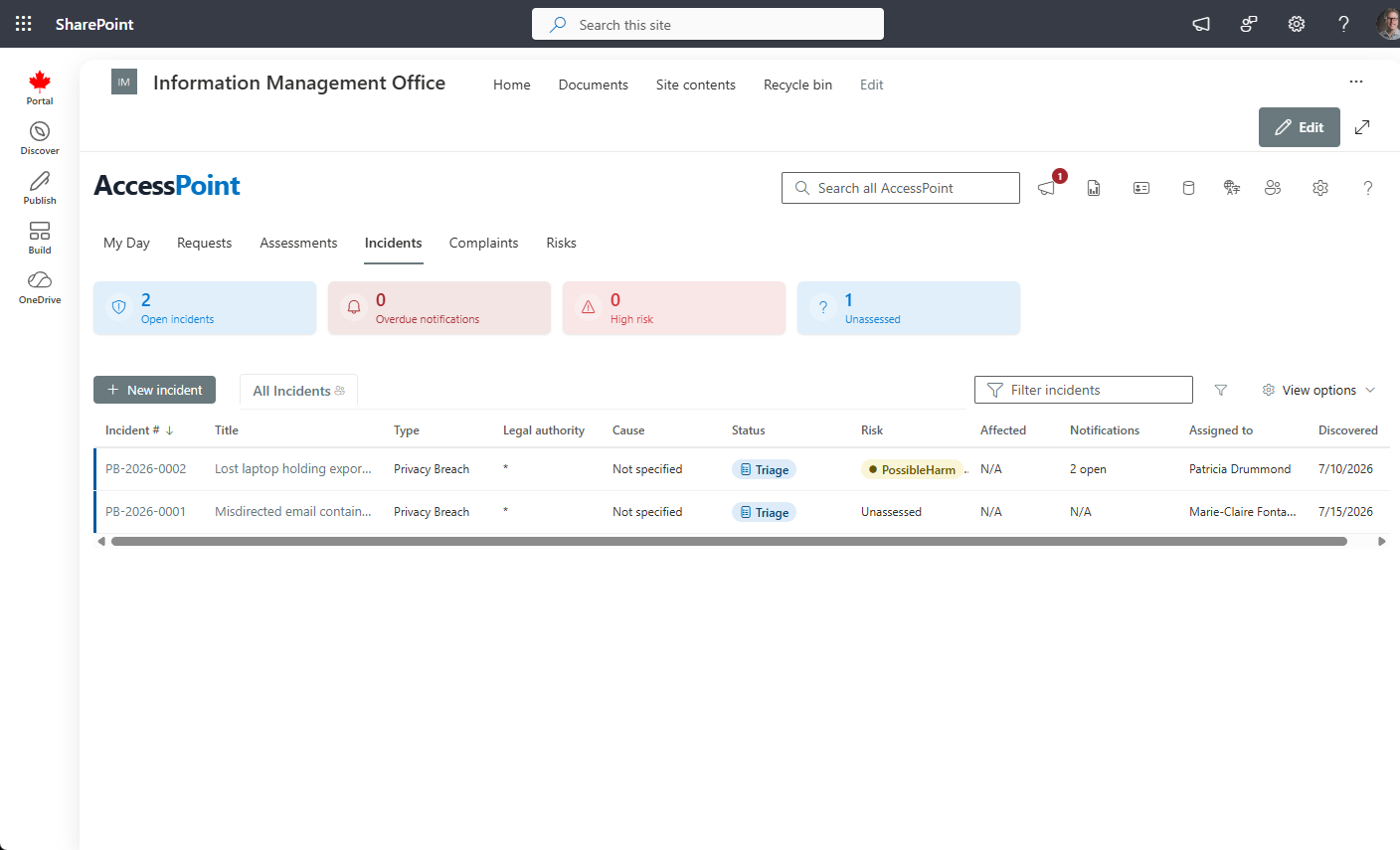
Incident & Breach Intake
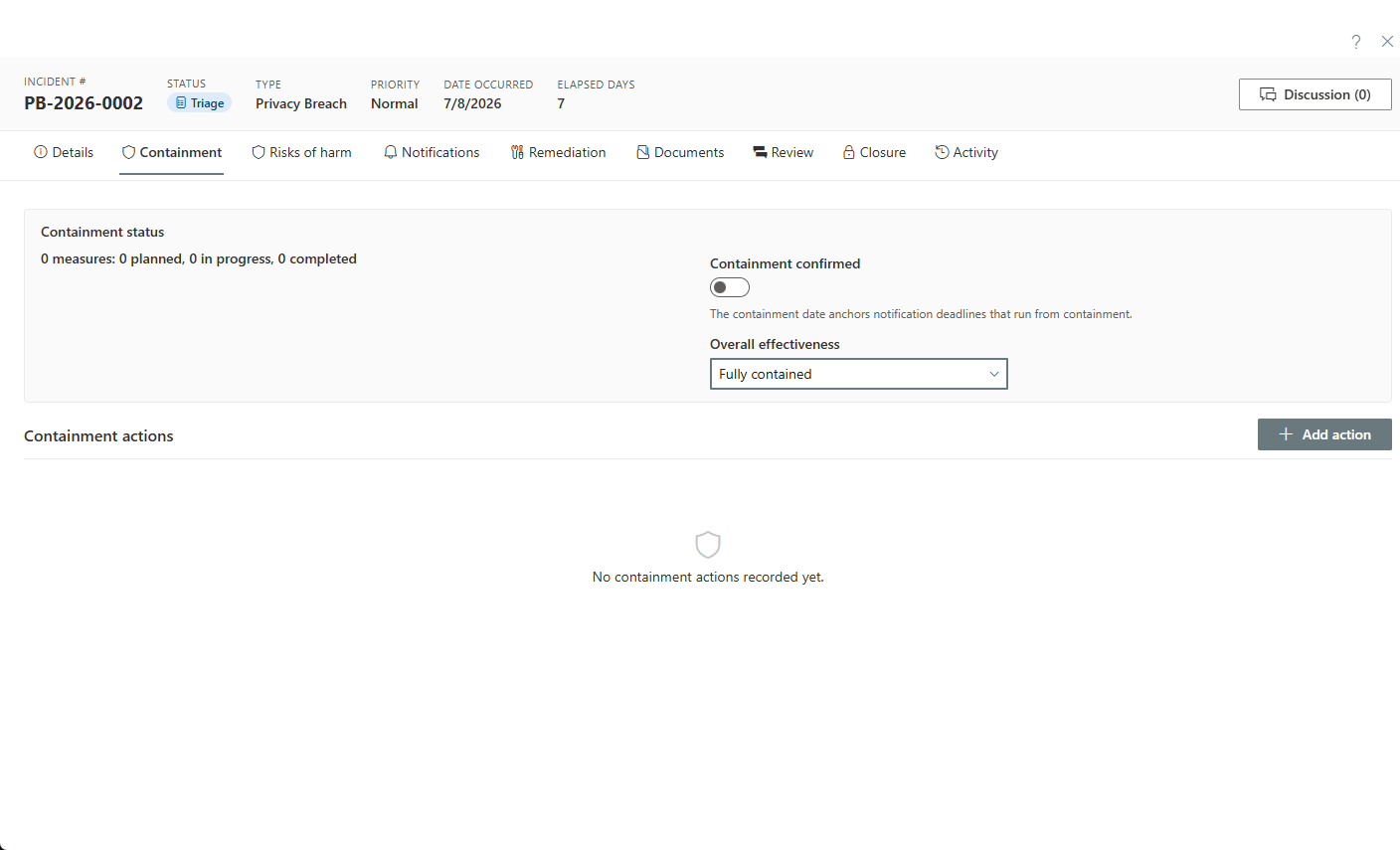
Log a privacy breach in seconds, then work it to closure: cause and circumstances, affected individuals, categories of personal information, containment measures, and a confirmed-contained shield with date and signatory.
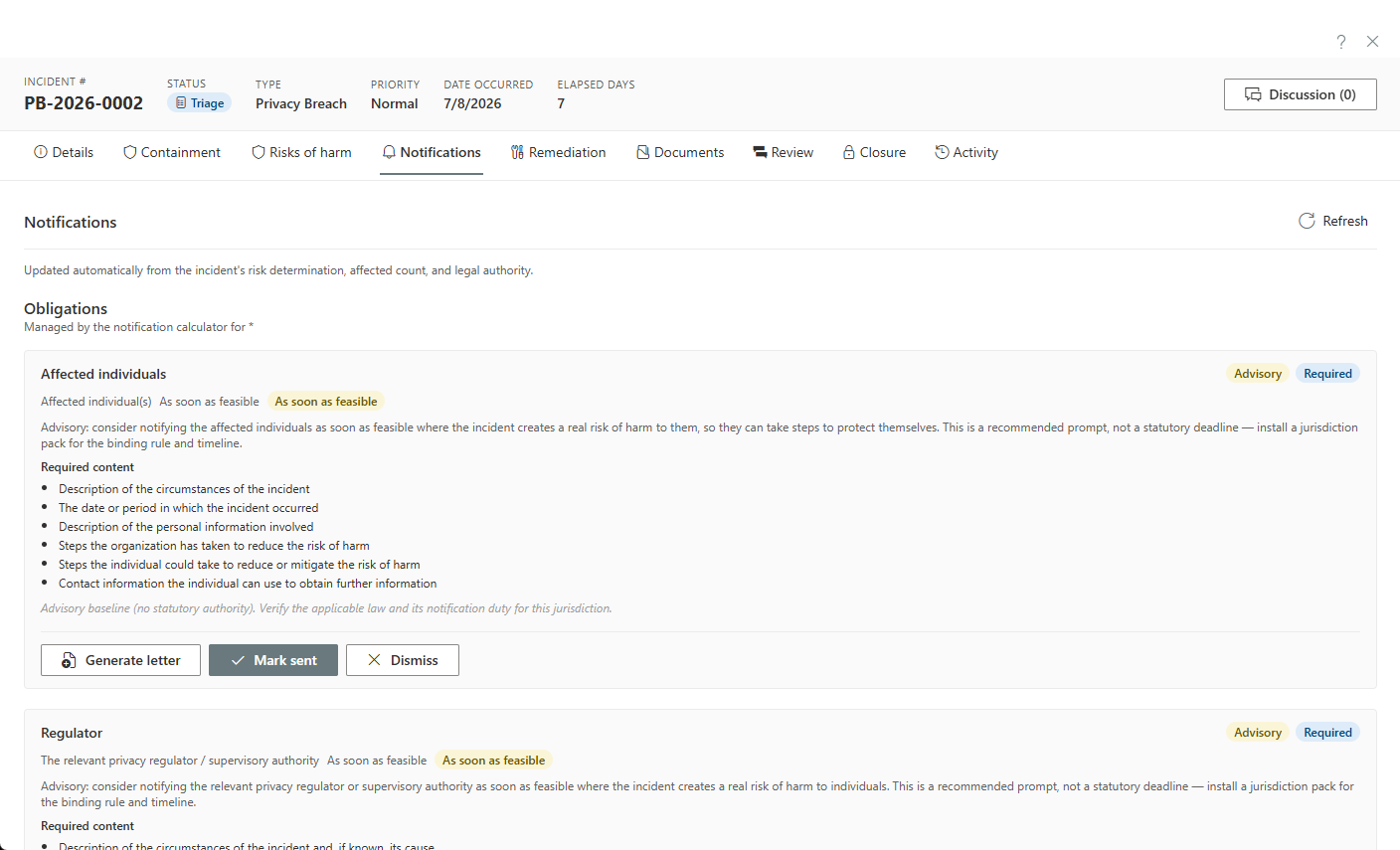
Live Breach-Notification Calculator
A real-risk-of-significant-harm evaluation drives a live obligations checklist: who must be told, by when, and what each notice must contain, computed from the incident's legal authority. Mark notices sent, dismiss with a recorded rationale, or generate the letter.
Containment & Remediation
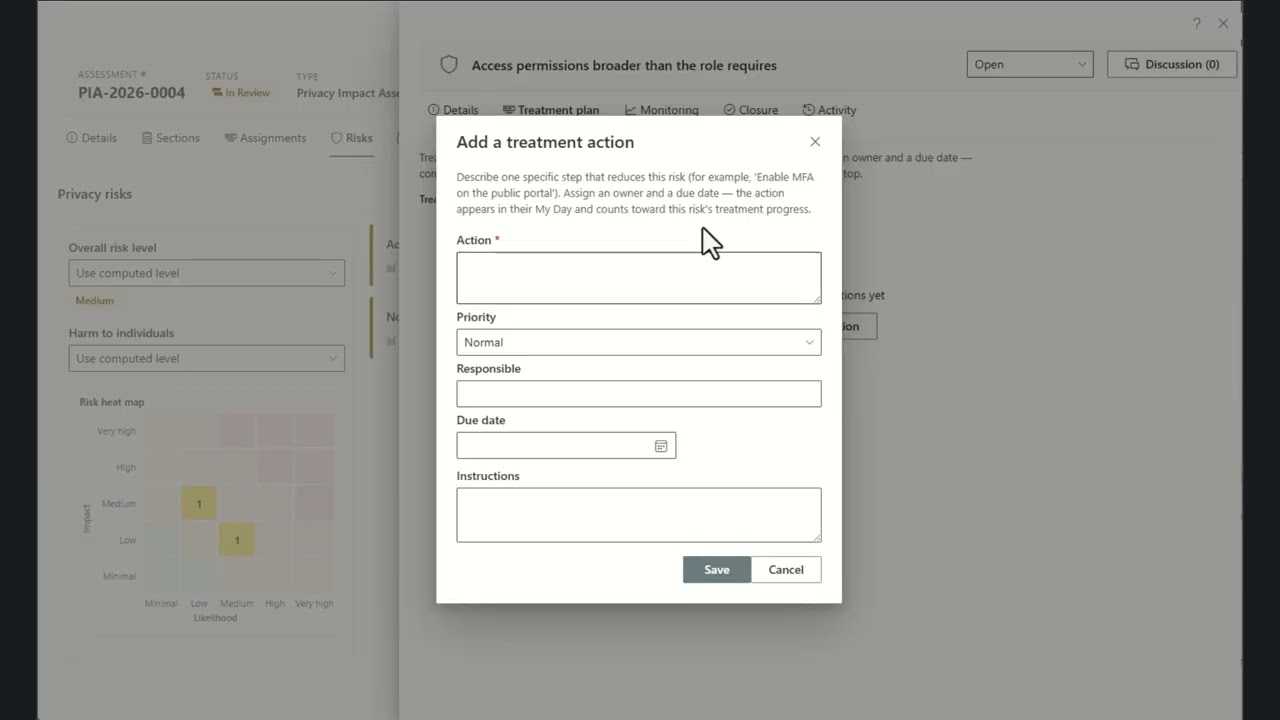
Track corrective and preventive actions as assignable measures with owners, target dates, effectiveness ratings, and a running progress log. Measures are a permanent part of the incident record.
Complaints & appeals
Track Commissioner complaints and appeals with their own statutory clocks and investigation workspace.
Complaints & Appeals
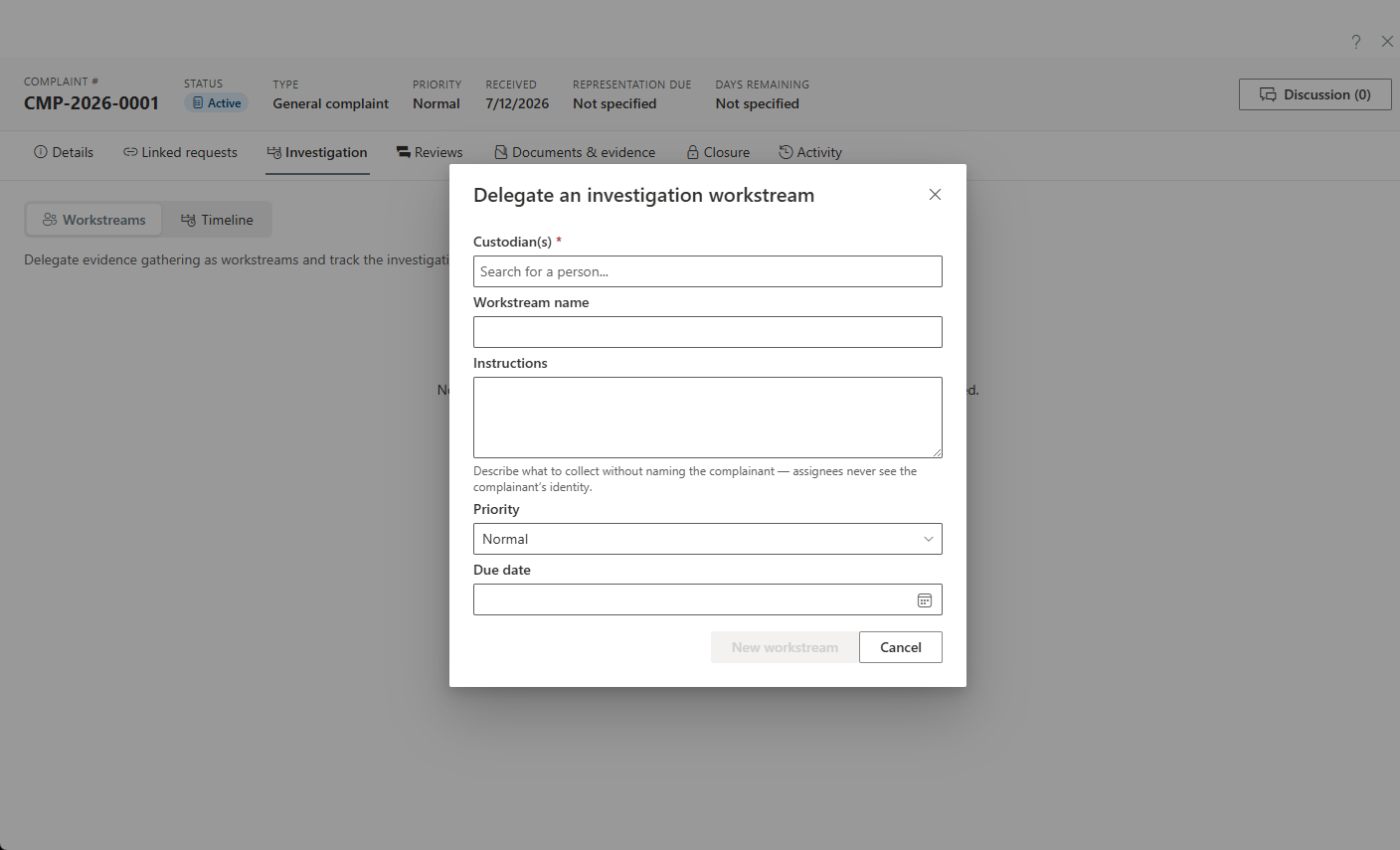
Track external challenges from a Commissioner, an appeal of a decision, or a complaint made directly to your institution — one kind-aware intake handles them all, each with its own statutory clocks, admissibility check, and grounds catalogue. Break a complaint into allegations, record per-allegation findings, and track the regulator's recommendations as commitments through to completion.
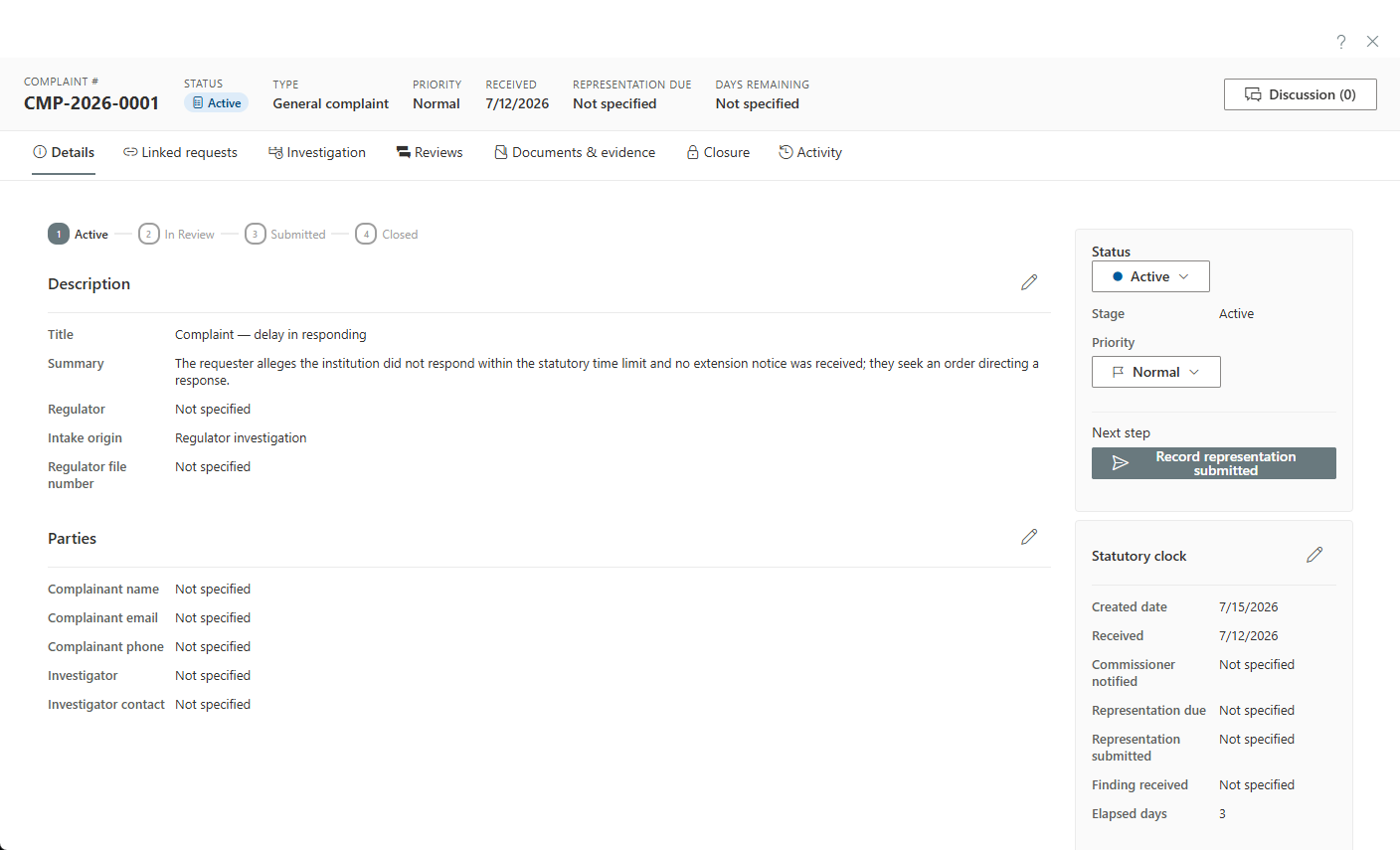
Investigation & Representations
Delegate evidence-gathering as sanitized workstreams, run the institution's representation through a configurable sign-off, and send acknowledgement and response letters from a two-lane correspondence desk that stamps the statutory clocks automatically. Close with a guided disposition covering findings, judicial review, and order compliance.
Privacy risk register & commitments
An ISO 31000 register that turns assessment findings into monitored, governed action.
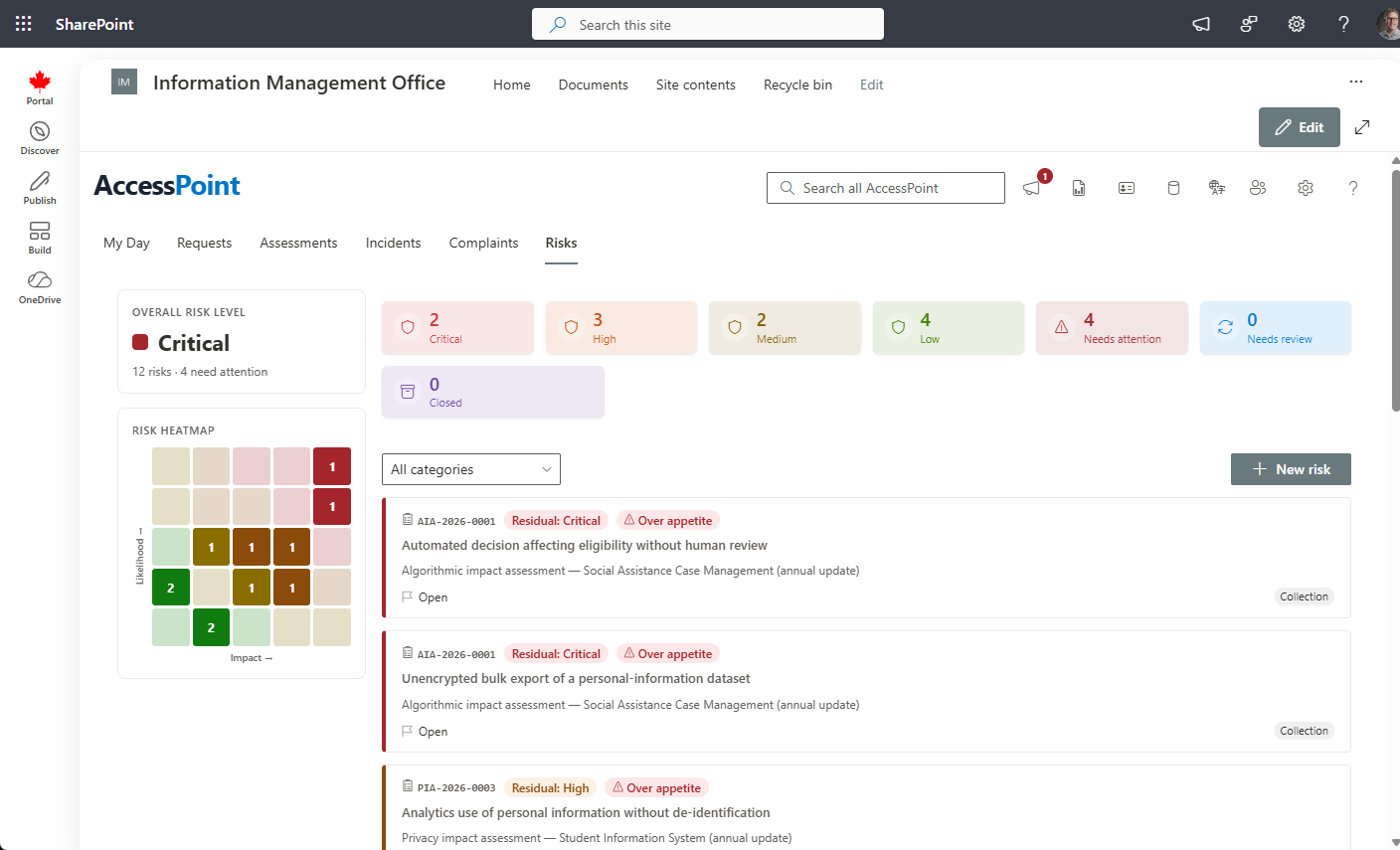
Privacy Risk Register
An ISO 31000 register with inherent and residual scoring, treatment strategies, and governed risk acceptance — over-appetite sign-offs require a justification and an expiry date. Risks surface from assessments and incidents and roll up across your whole program.
Key Risk Indicators & Commitments
Monitor risks with Key Risk Indicators — thresholds, RAG status, and a readings history — and track the privacy commitments that come out of an assessment to completion, with recurring check-ins so nothing is forgotten.
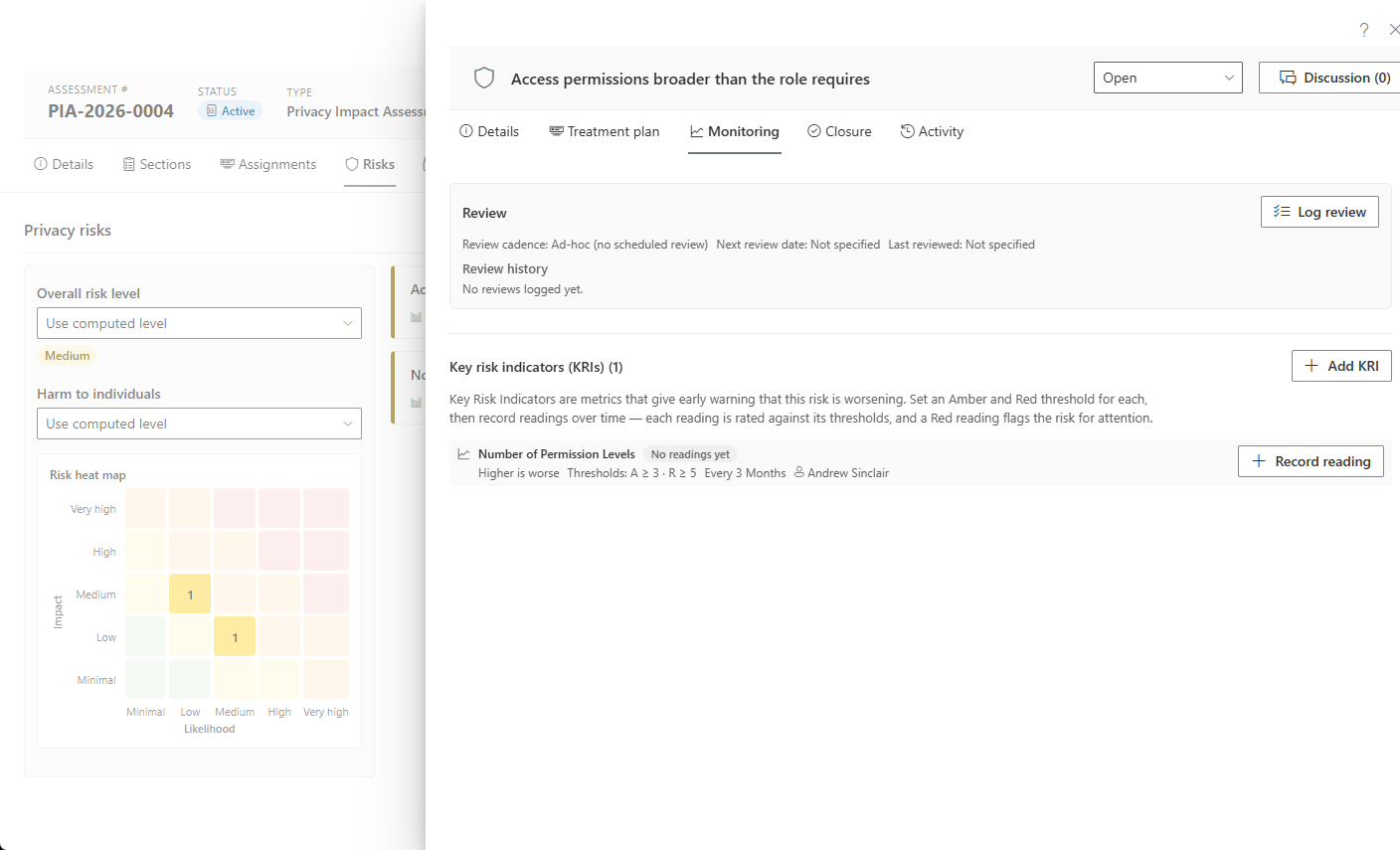
One governed platform
The shared spine every module runs on — configure it once, reuse it everywhere.
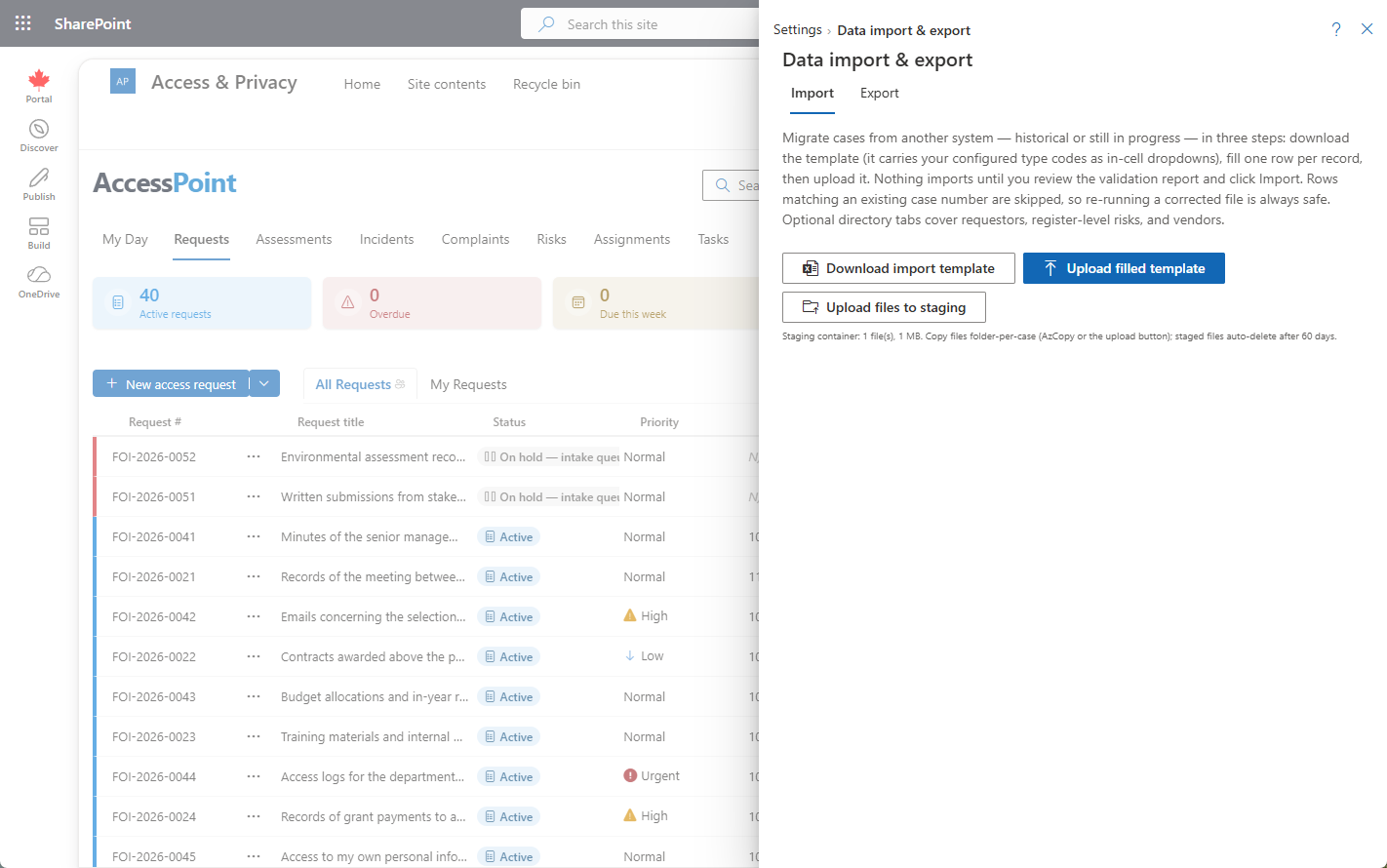
Migrate In, Export Out
Leaving a legacy system shouldn't take an ETL project. A guided, validated Excel workbook brings your history across — in-progress cases included, statuses and due dates intact, so there's no cutover. And the same panel exports everything back out in one click, so you're never locked in.
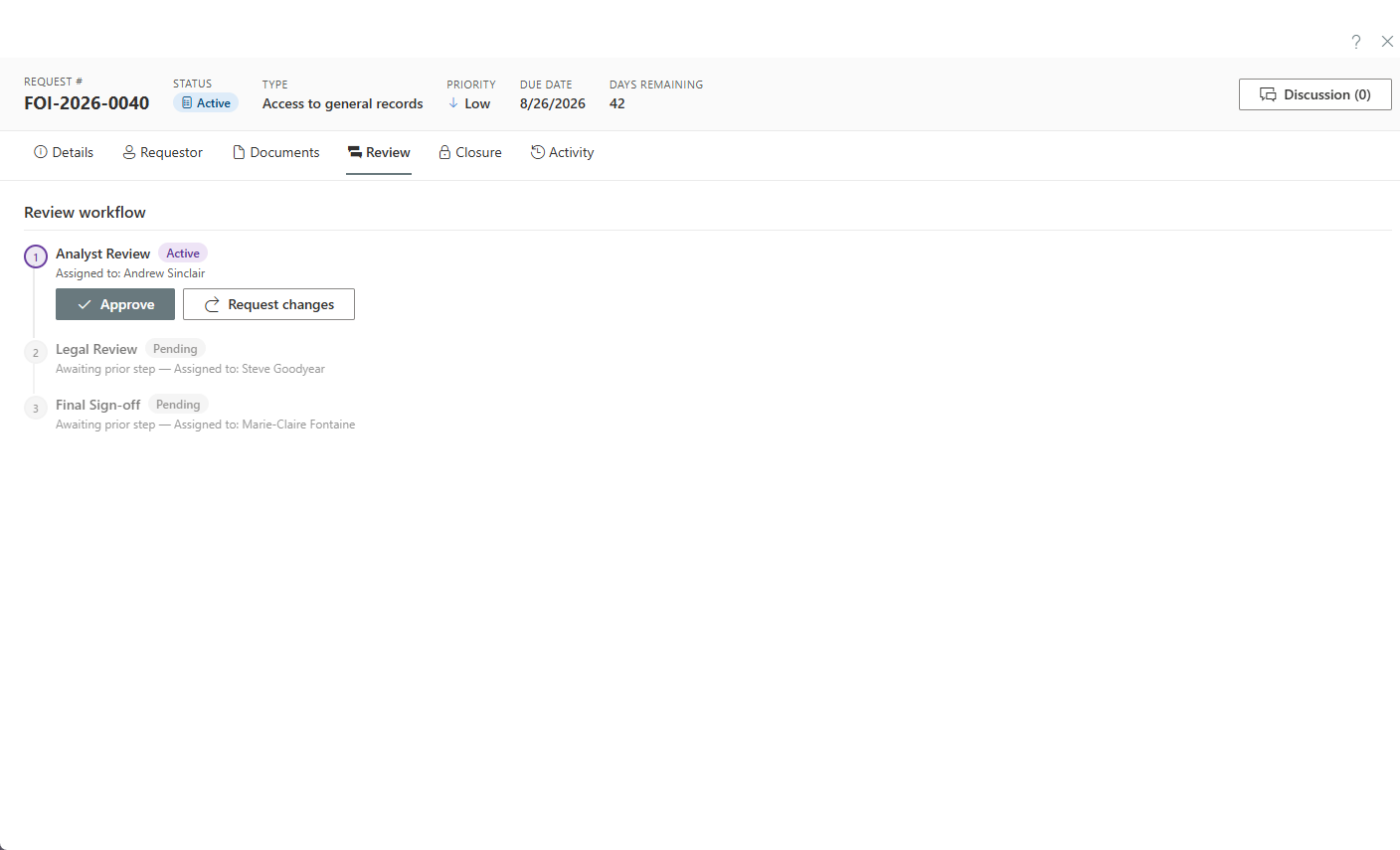
Review & Approval Workflows
One configurable review engine — sequential or parallel stages, gating, and reminders — approves redactions, sign-off on an assessment, representations on a complaint, and more. Configure it once; reuse it everywhere.
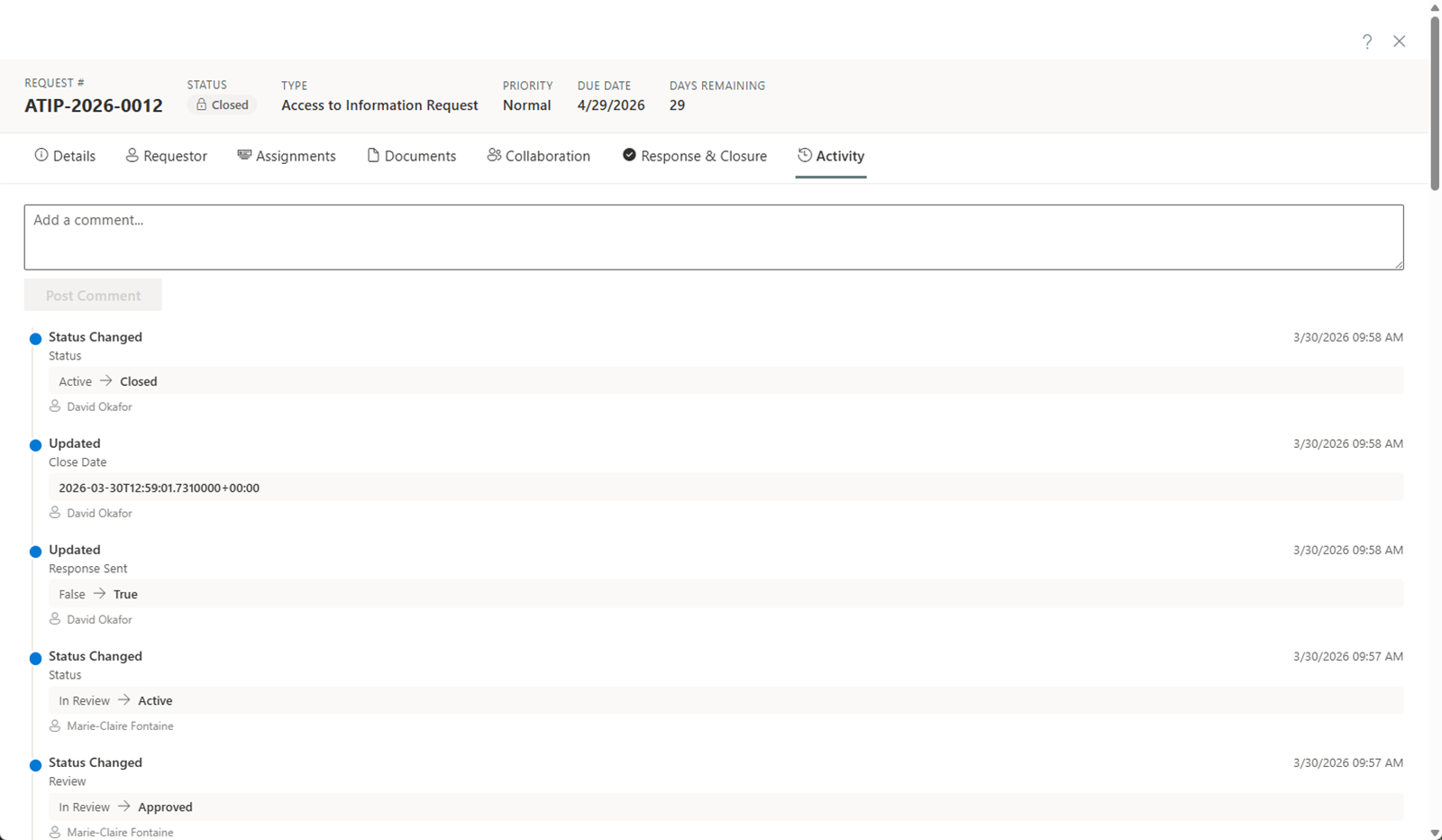
Hash-Chained Audit Ledger
Every action across every module is written to an append-only, hash-chained ledger with integrity verification — and exported as court-ready case audit exports. Nothing is edited away; the record proves itself.
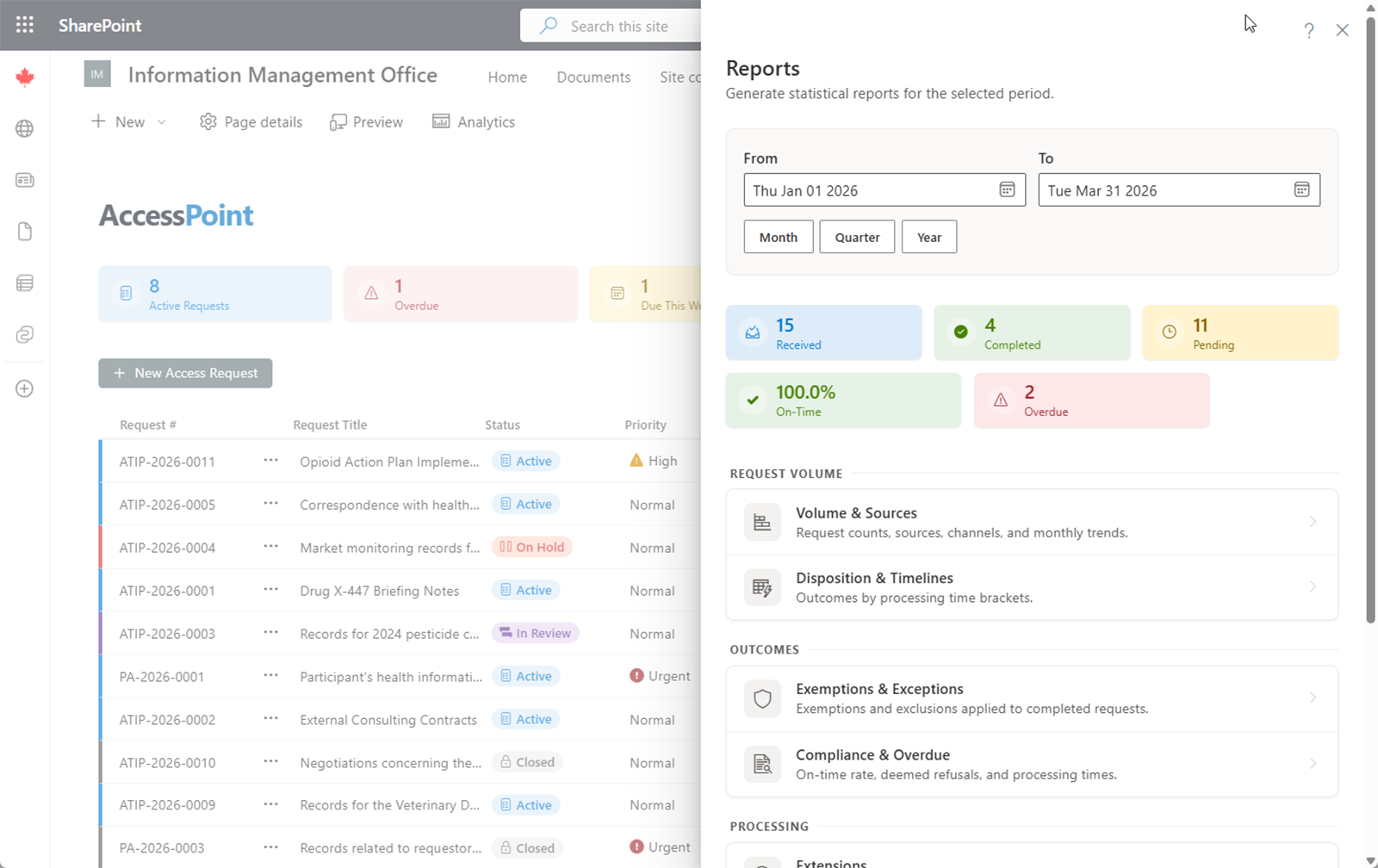
Reporting & Report Studio
Statutory annual-report templates, fixed operational reports, and SLA and workload dashboards — plus Report Studio, where you compose report widgets into your own dashboards with one shared period and pin them to My Day as live tiles. No SQL required.
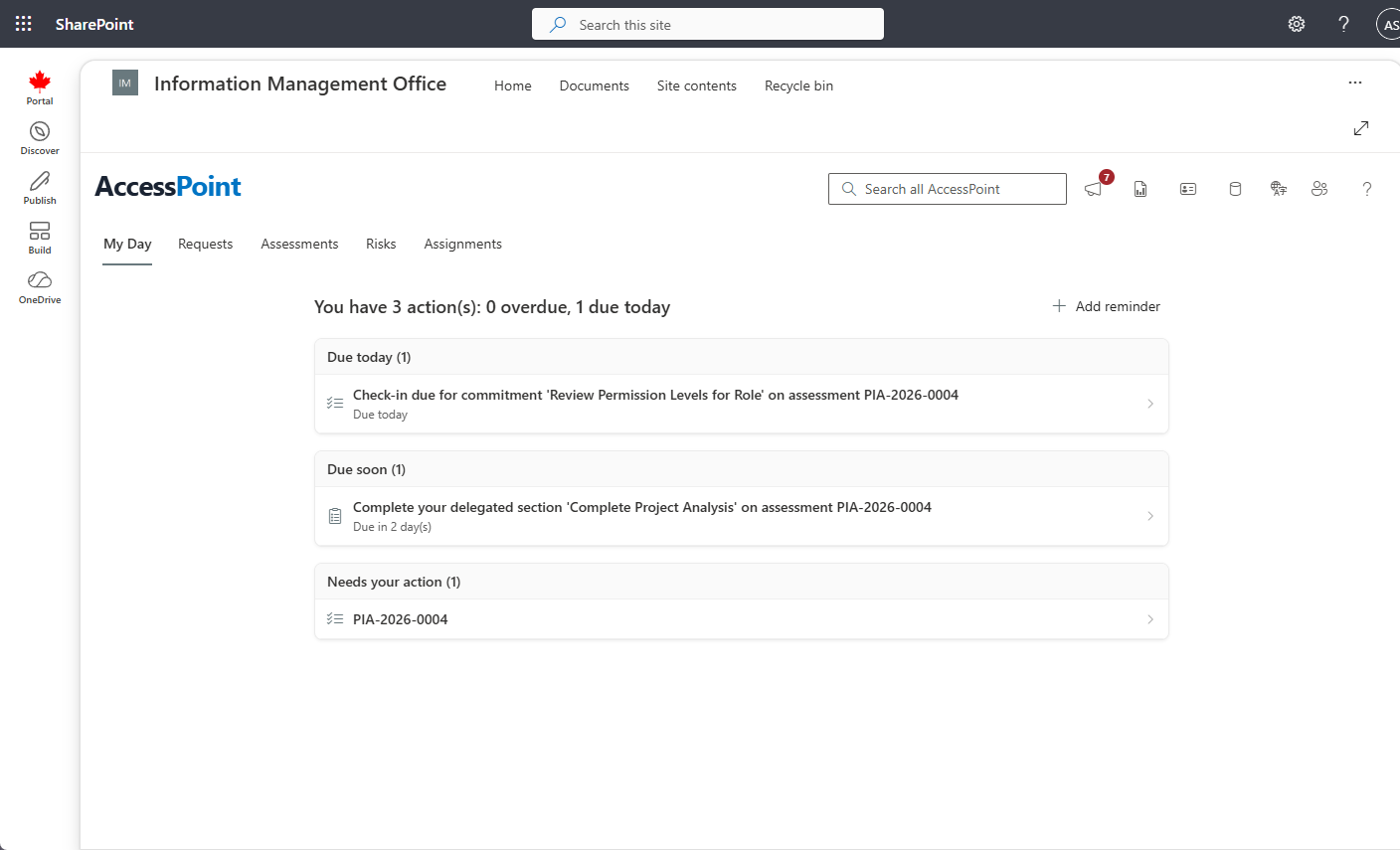
Role-Based Dashboards & My Day
Every role gets a purpose-built view — coordinators see the whole picture, custodians see only their assignments — and a computed My Day list tells each person exactly what needs attention next. Cover a vacancy or vacation by delegating a whole caseload in one step, and take it back just as cleanly.
Train Mode & Guided Learning
A training copy of your organization — your real configuration, never real cases — where people practise on fictional requests, assessments, breaches, and complaints. Get started checklists on My Day, Guide me tours on the real screens, assigned training paths, and team exercises with an exercise clock make onboarding a new coordinator, or running a breach tabletop, a morning's work.
Explore train mode →
Case Archiving & Preservation Holds
Storage policies move closed cases' files to lower-cost Azure storage tiers — off until you switch one on — with restores on request, preservation holds that stop any deletion, disposition that keeps only what was released, and a Storage report that shows what each policy saves.

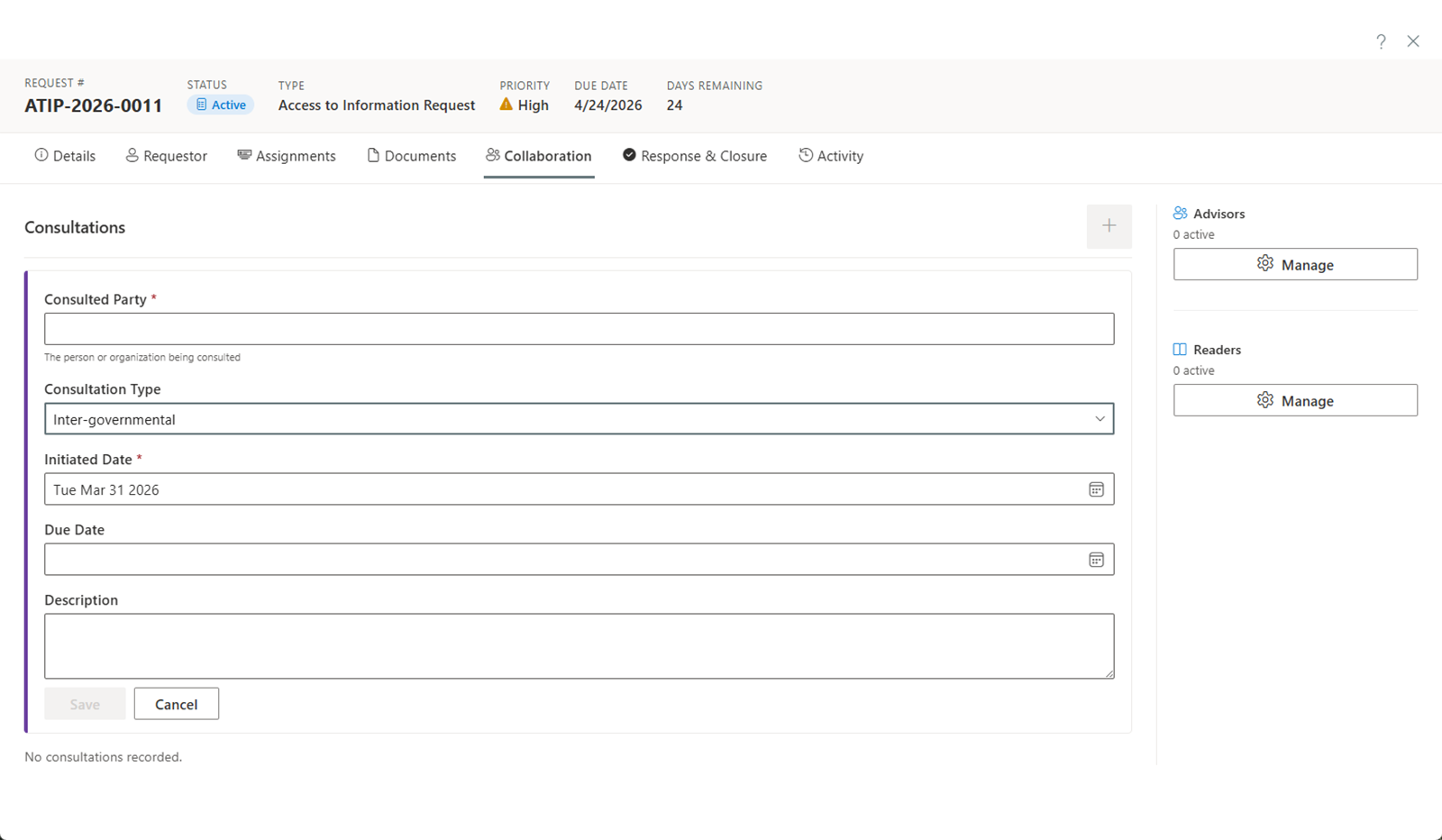
Consultations & Correspondence
Run inter-departmental and third-party consultations with their own statutory windows, and compose templated correspondence from merge fields that passes through a PII firewall so the right people see the right details.
Native to Microsoft 365
Your tenant, your data, your compliance — with no new infrastructure to run.
Data Sovereignty
Requests, documents, assessments, incidents, and audit history stay in your Microsoft 365 and Azure tenant and never leave your control. No third-party cloud, no cross-border transfers, no vendor access to your data.
Enterprise Security
Authentication through your existing Microsoft Entra ID — no new passwords. Granular, tenant-configurable permission roles enforced server-side, a PII filter that walls custodians and contributors off from requestor identity, TLS 1.3, and Entra-only database authentication — no SQL credentials ever exist.
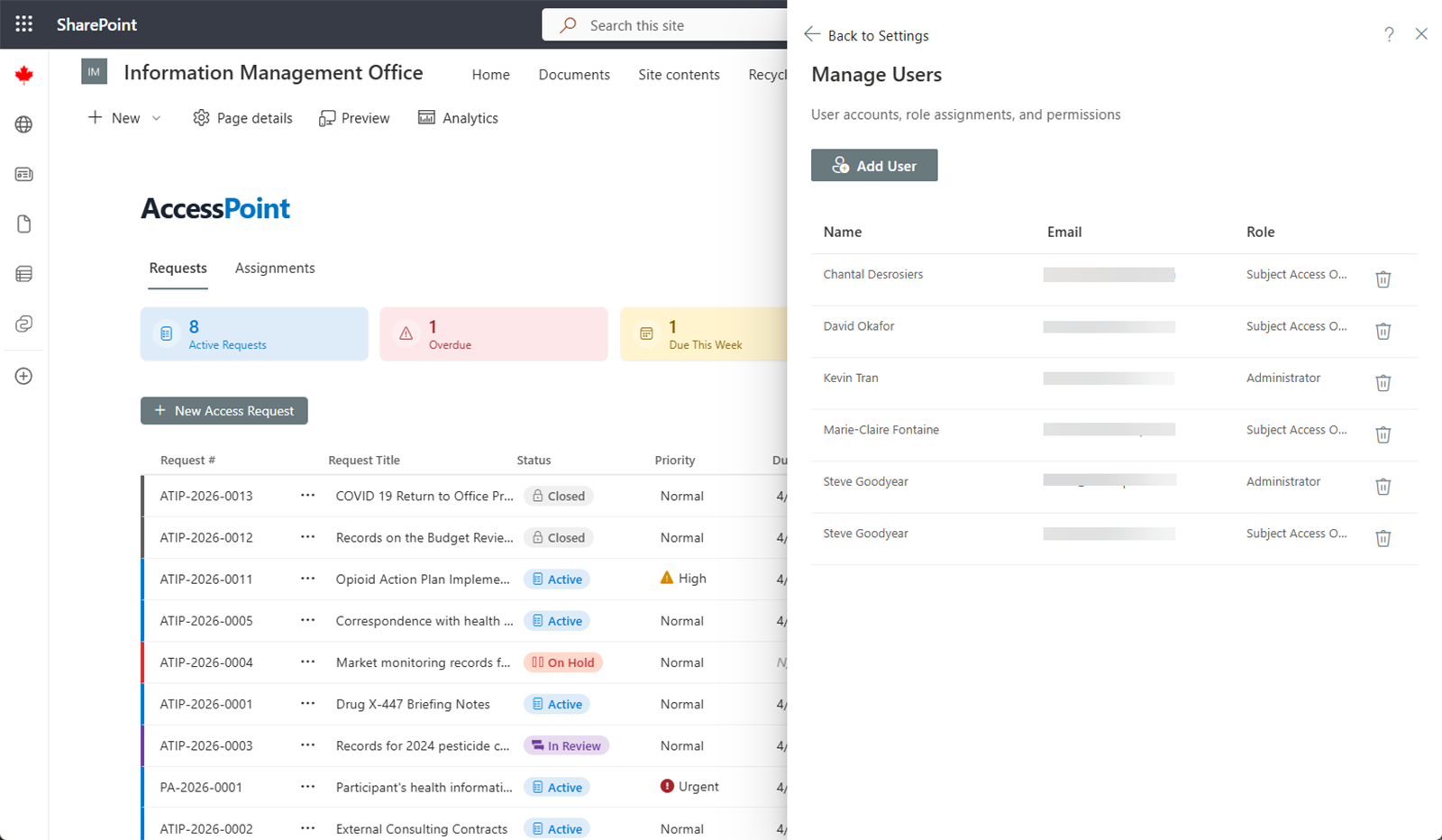
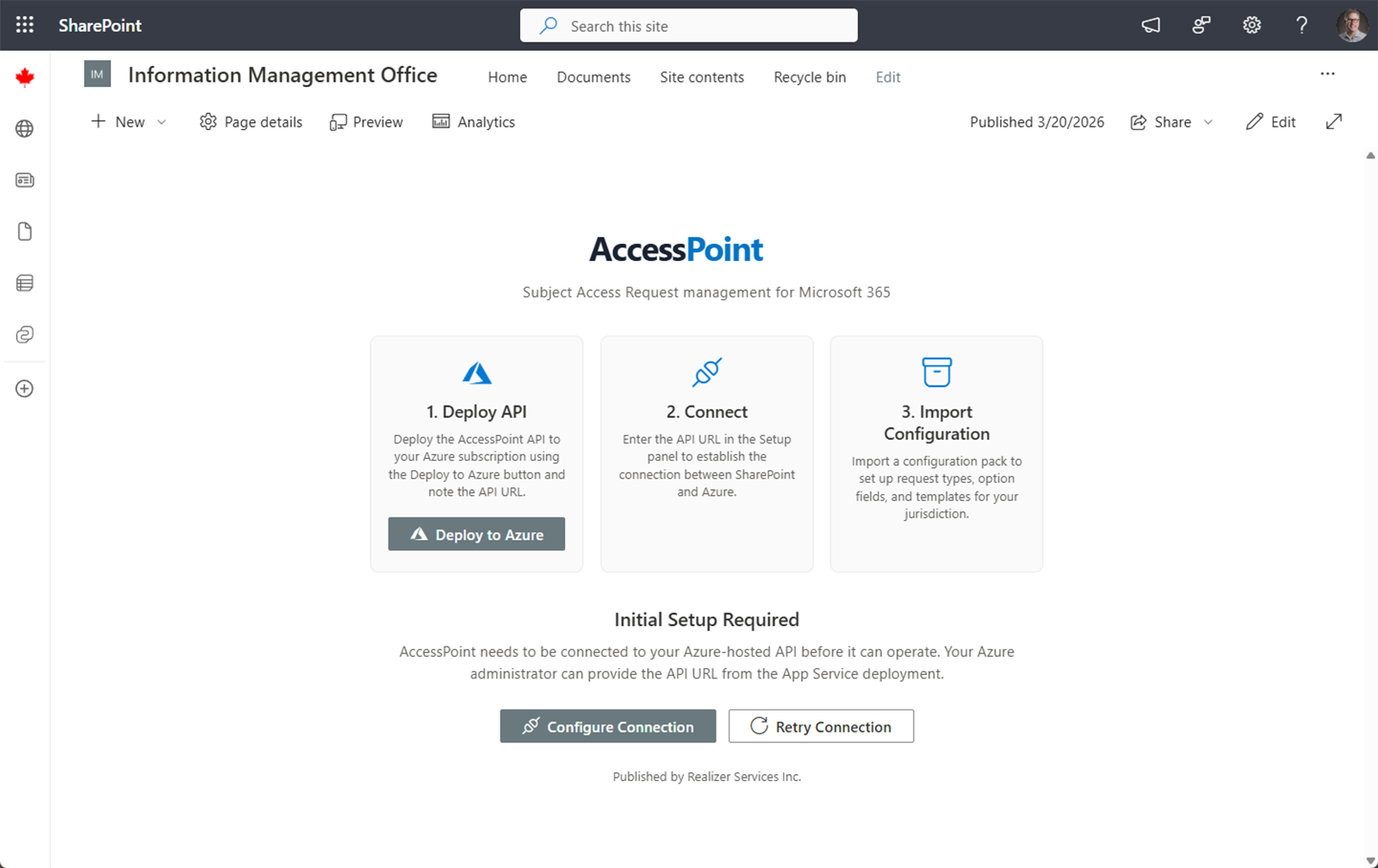
Deployed in Minutes
Deploy the Azure backend from a one-click Bicep/ARM template in the Azure portal and install the web part from AppSource. No servers to provision, no databases to run, no Power Platform licensing.

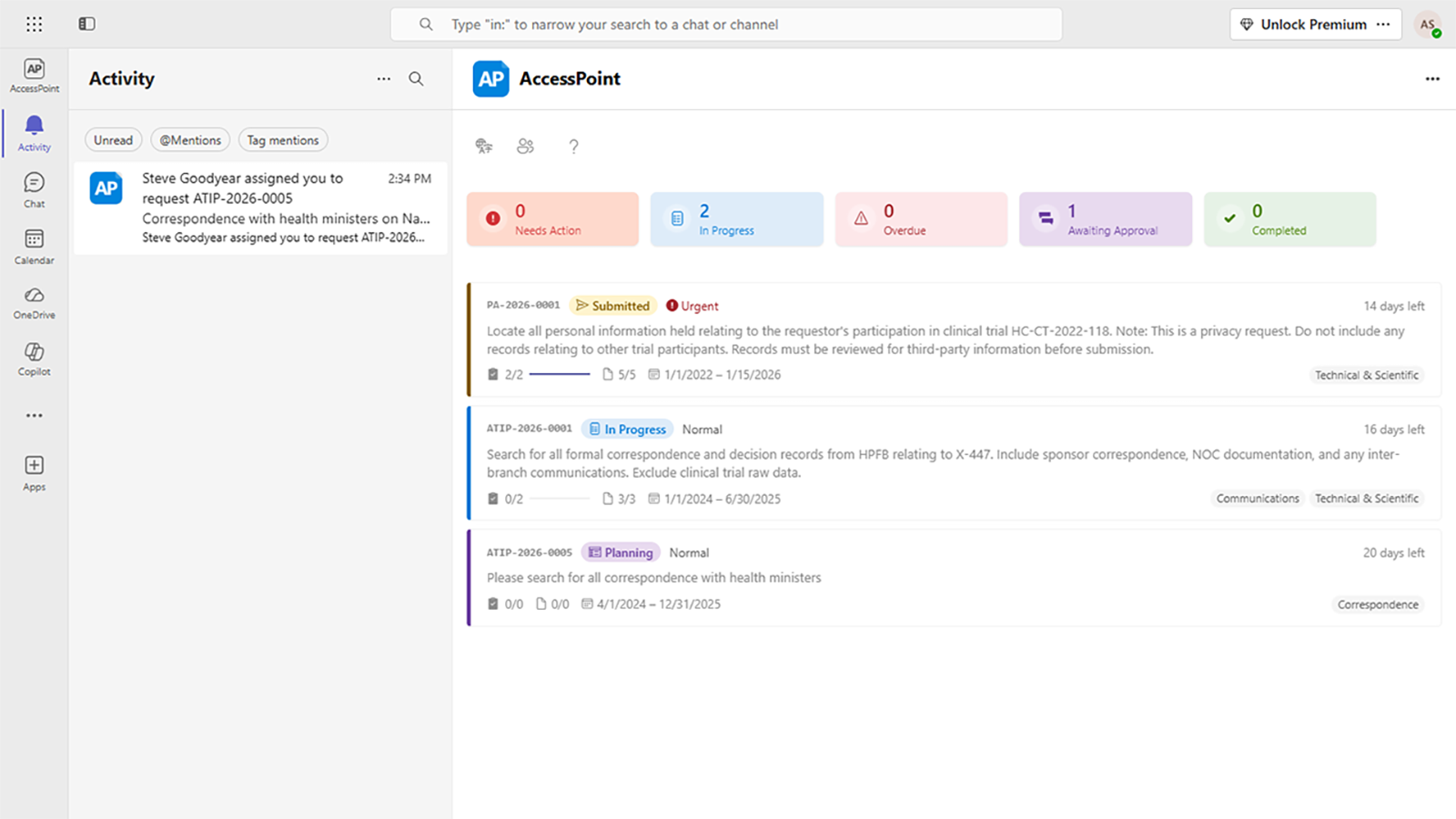
Microsoft Teams Integration
Work requests, assessments, and approvals from a Teams personal app or channel tab, with activity-feed notifications that deep-link straight back to the record. No context switching, no separate inbox.
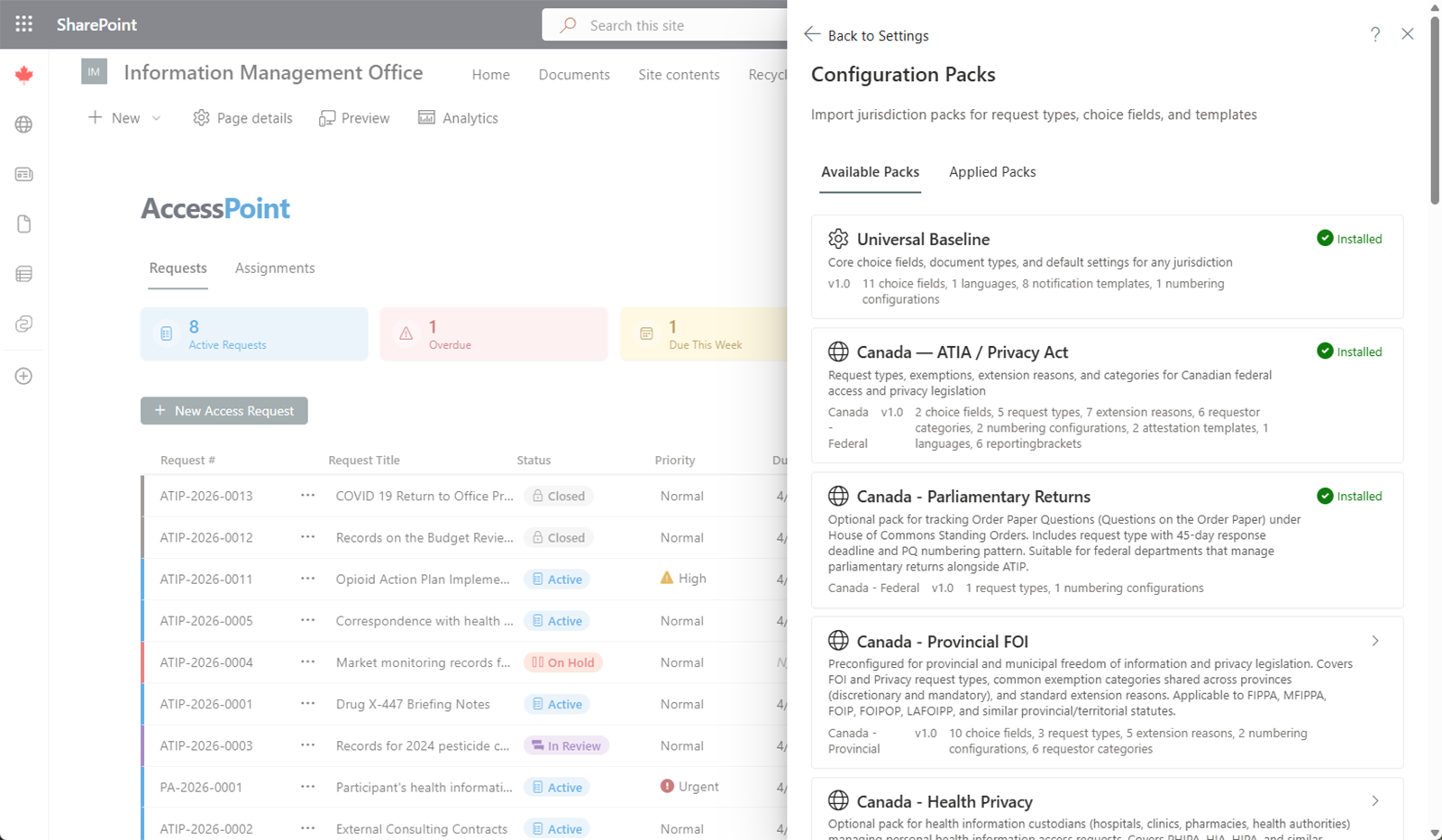
Configured for Your Jurisdiction
Jurisdiction packs preload your statutes, deadlines, exemptions, fees, report templates, and terminology — Canadian ATIP, US FOIA, EU GDPR, UK FOI, and more — so the platform speaks your law from day one. Fee schedules even keep their own currency, never converted, with date format and fiscal year to match.
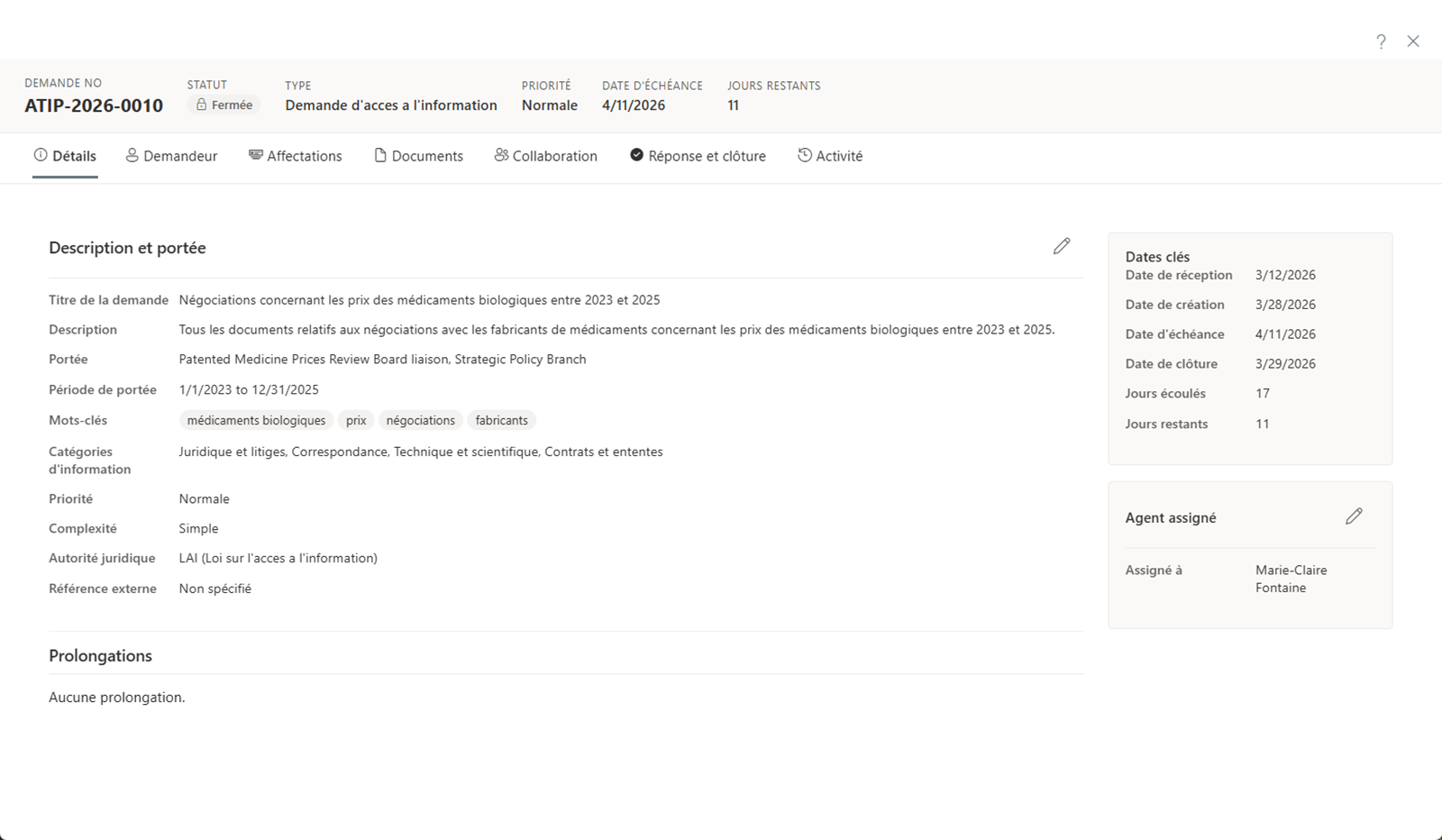
Multilingual & Accessible
The entire interface ships natively in 11 languages — English, French, German, Spanish, Italian, Dutch, Danish, Portuguese, Finnish, Swedish, and Polish. Accessibility is engineered in and self-assessed against WCAG 2.2 AA and 2.1 AA, with a published conformance report (/accessibility).
Watch It Work
Three core workflows, end to end — a public-records request from intake to disclosure, a recording redacted with the exemption on every mark, and privacy & AI assessments feeding one risk register.

Built for Government
AccessPoint is designed to meet the unique needs of government organizations at every level.
Federal Government
Run ATIA requests, mandatory Algorithmic Impact Assessments, and breach reporting across departments from one platform, with centralized oversight.
Provincial & State Government
Meet FIPPA obligations end to end — including Ontario's Bill 194 mandatory PIAs and AI requirements — with jurisdiction-specific workflows.
Municipal Government
Handle records requests, privacy assessments, and breach notifications with automated workflows sized for smaller teams.
Health, Education & Agencies
Broader-public-sector bodies manage access requests, PIAs, and privacy risk in one auditable system inside their own tenant.
Frequently Asked Questions
How is AccessPoint different from a FOI/ATIP request tool like ATIPXpress, GovQA, AccessPro, or AMANDA's FOI module?
How is it different from a privacy platform like OneTrust?
Does AccessPoint help with Ontario's Bill 194 PIA requirements?
Can AccessPoint redact video and audio recordings?
Does AccessPoint have a public request portal and online payments?
Can AccessPoint search records outside Microsoft 365?
Can we adopt it just for access requests now and add the privacy modules later?
We're on a legacy ATIP/FOI system today — can we bring our history with us?
Where does our data live, and who can see it?
What about AI — does AccessPoint send our data to an AI service?
What Microsoft 365 licenses and infrastructure are required?
Are there Azure hosting costs on top of the license?
Is AccessPoint available in multiple languages?
Your Tenant. Your Data. Your Whole Access & Privacy Mandate.
Try AccessPoint free for 30 days. No credit card required.