
See AccessPoint without deploying anything
A ten-step walkthrough of the real platform — no tenant, no admin, no form. Click any screenshot to enlarge it.
Step 1 of 10
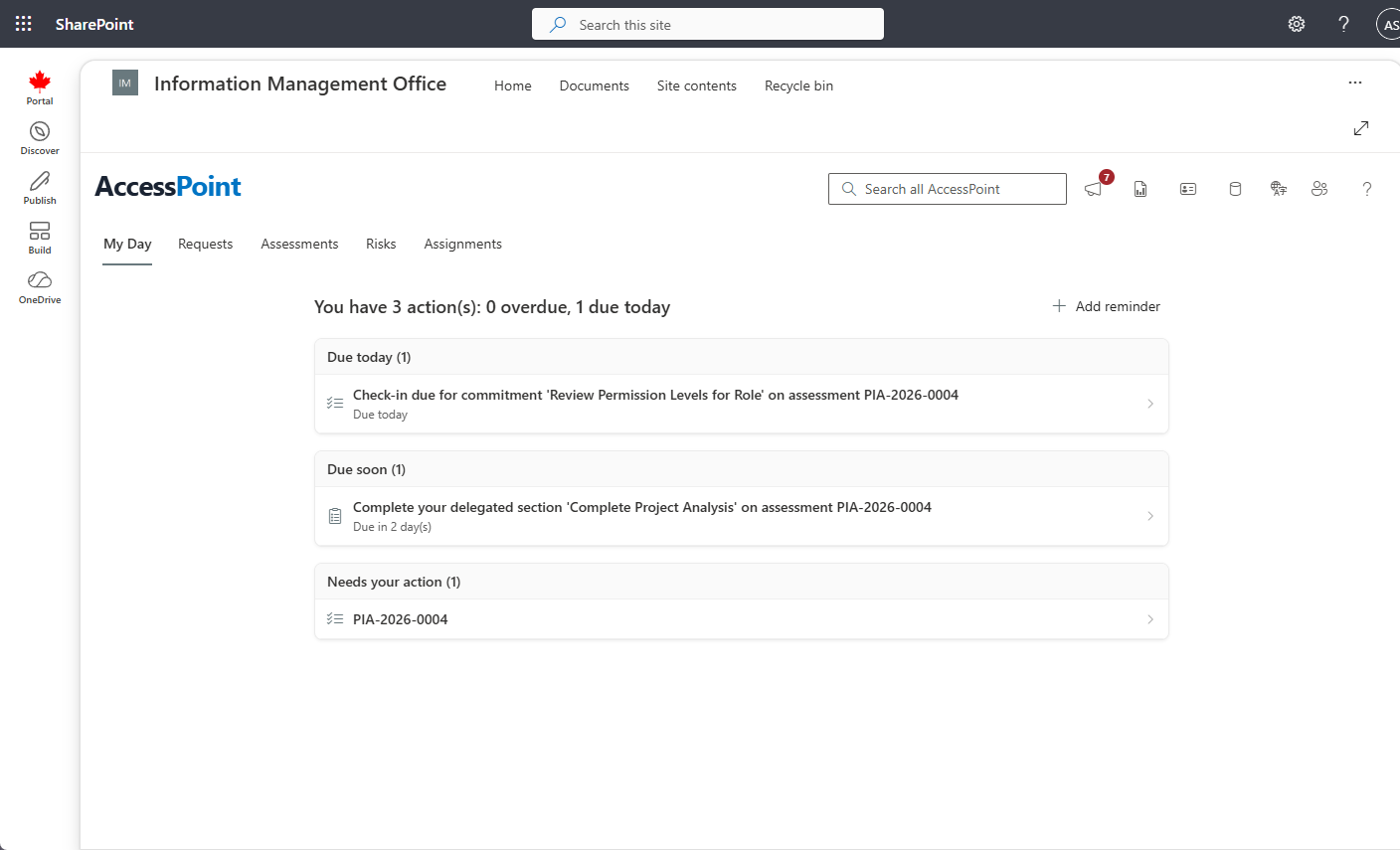
Start on My Day
Every role opens to the same question: what needs me, and when? My Day gathers your assignments, reviews, and approaching statutory dates across requests, assessments, incidents, and complaints — so the day starts with the deadlines, not with a search.
Step 2 of 10
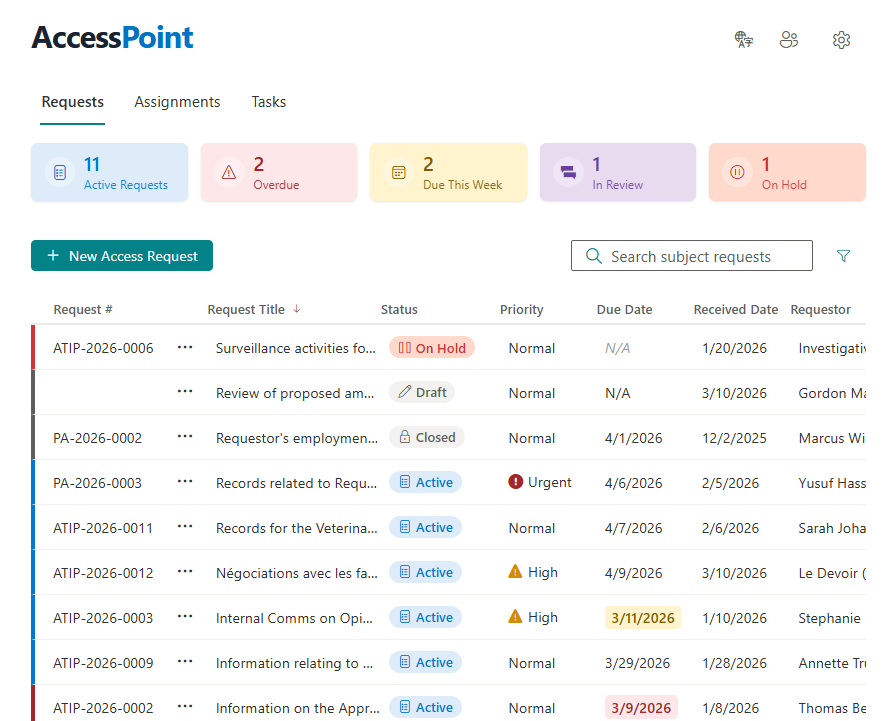
The requests dashboard
The whole caseload in one governed view: active requests, what's overdue, what's due this week, and who owns what. Filters and saved views mean a coordinator, a team lead, and a program manager each see the slice they run.
Step 3 of 10
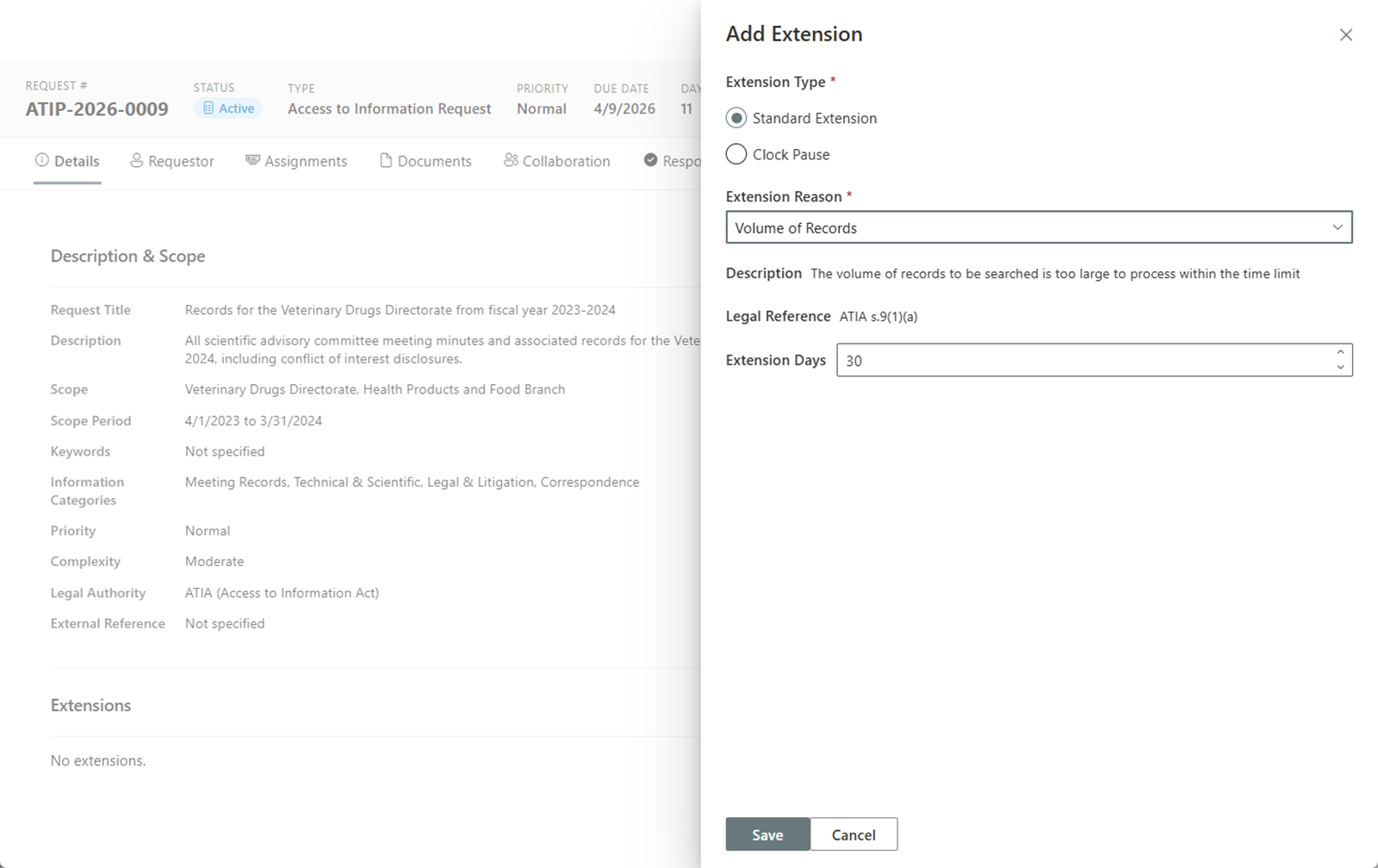
Deadlines computed from your legislation
Due dates aren't typed in — they're computed from your jurisdiction pack's rules: business versus calendar days, your holiday calendar, clock pauses for clarification or fees, and extensions with their statutory reasons. When the rules say the clock stops, the clock stops.
Step 4 of 10
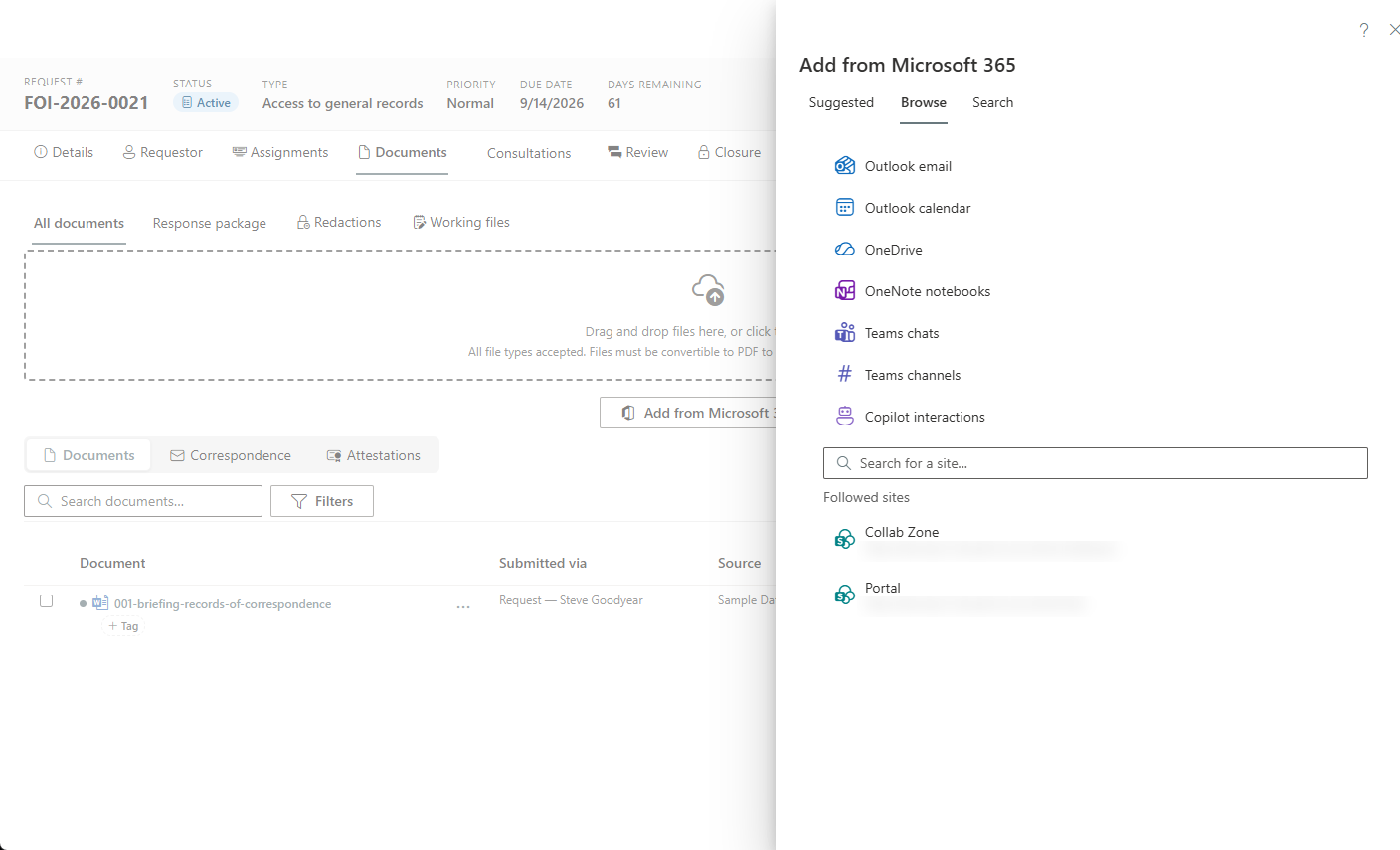
Collect records straight from Microsoft 365
Responsive records come from where they already live — SharePoint, OneDrive, Outlook, Teams — pulled into the request without downloading and re-uploading to a separate system. Custodian assignments track who owes what, with the PII firewall keeping requester identity walled off.
Step 5 of 10
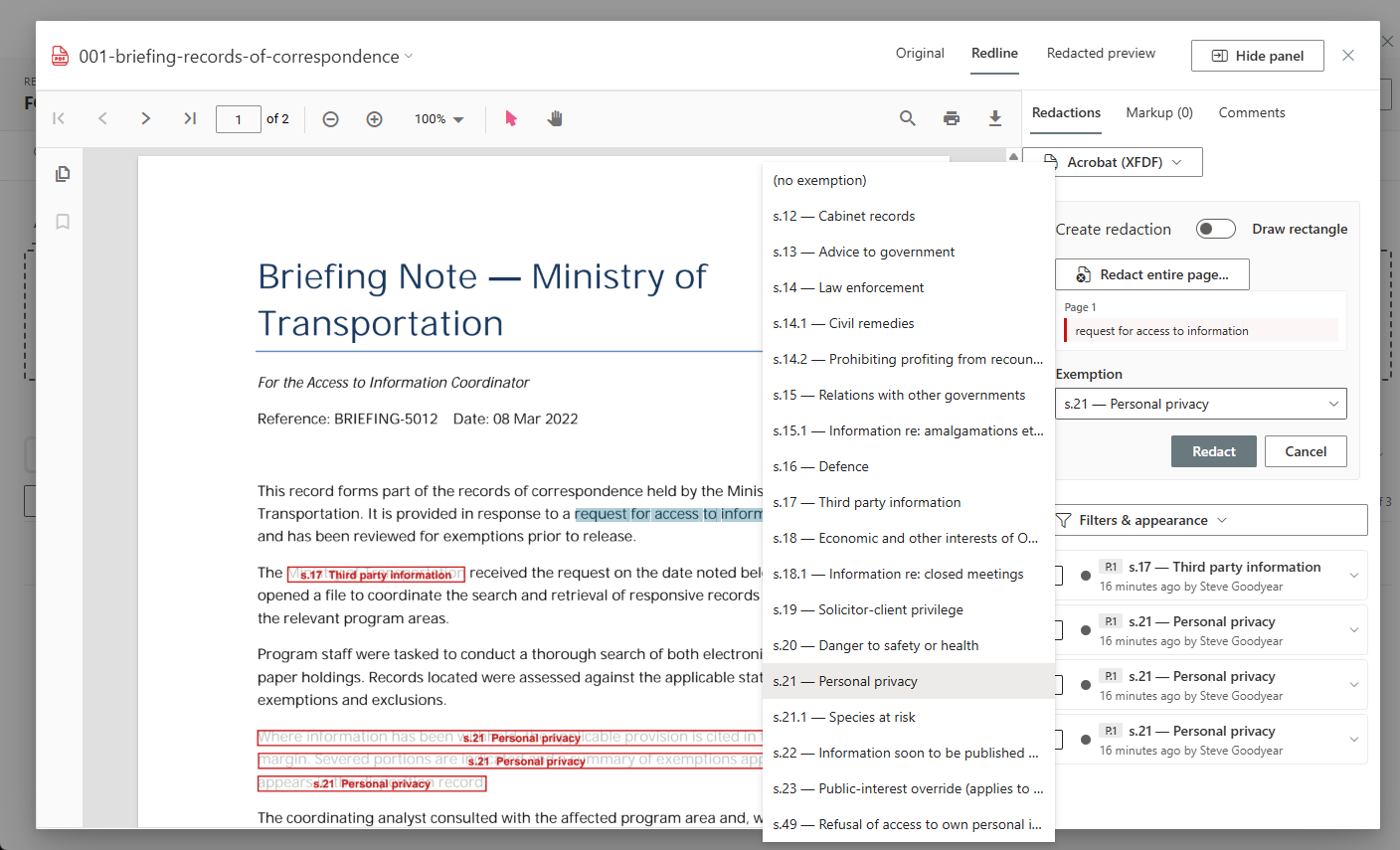
Redact in the browser, tagged to exemptions
Severing happens in a browser-native studio: every redaction is tagged to the specific statutory exemption it relies on, so the decision is defensible line by line — to the requester, and to the commissioner reviewing it later.
Step 6 of 10
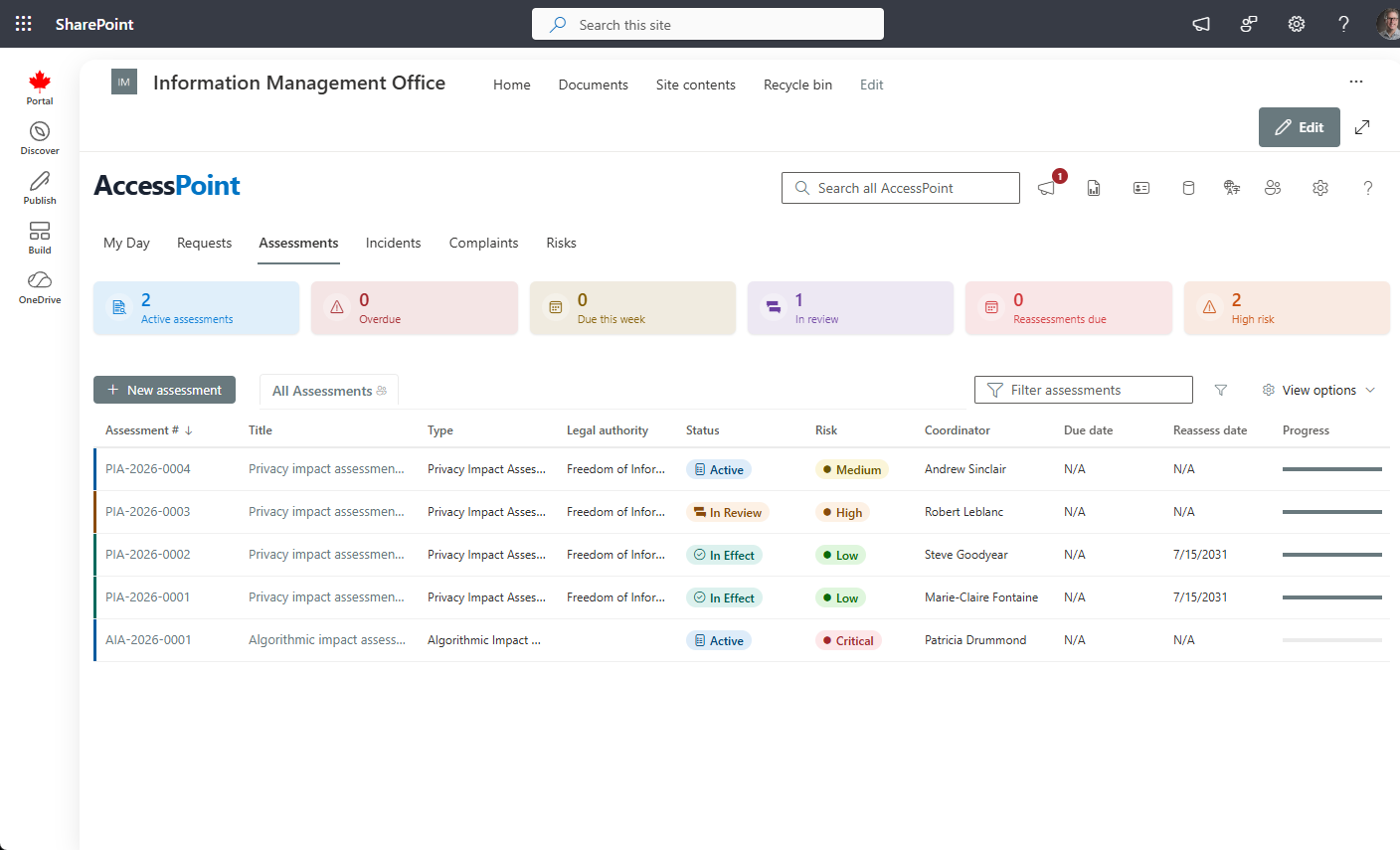
Run privacy impact assessments end to end
Screeners decide whether a PIA is needed; questionnaires assign sections to the people who actually know the answers; findings land in an embedded risk register; and the output is a regulator-ready summary — configured to the assessment rules that apply to you.
Step 7 of 10
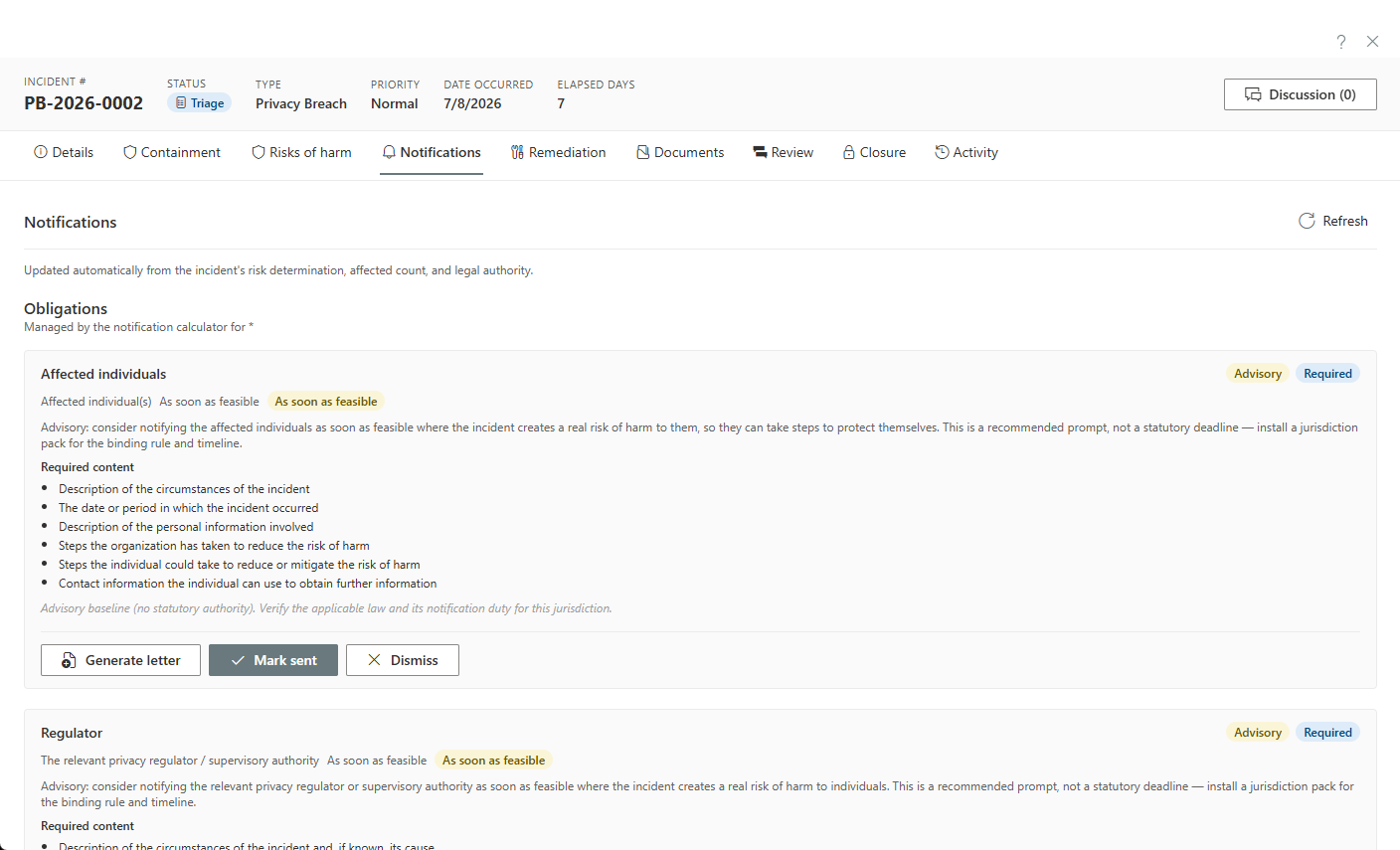
Triage a breach against the statutory threshold
Log an incident and assess the real risk of significant harm the way the statute frames it — sensitivity and probability of misuse — and get a live, statute-computed checklist of exactly who must be notified and by when.
Step 8 of 10
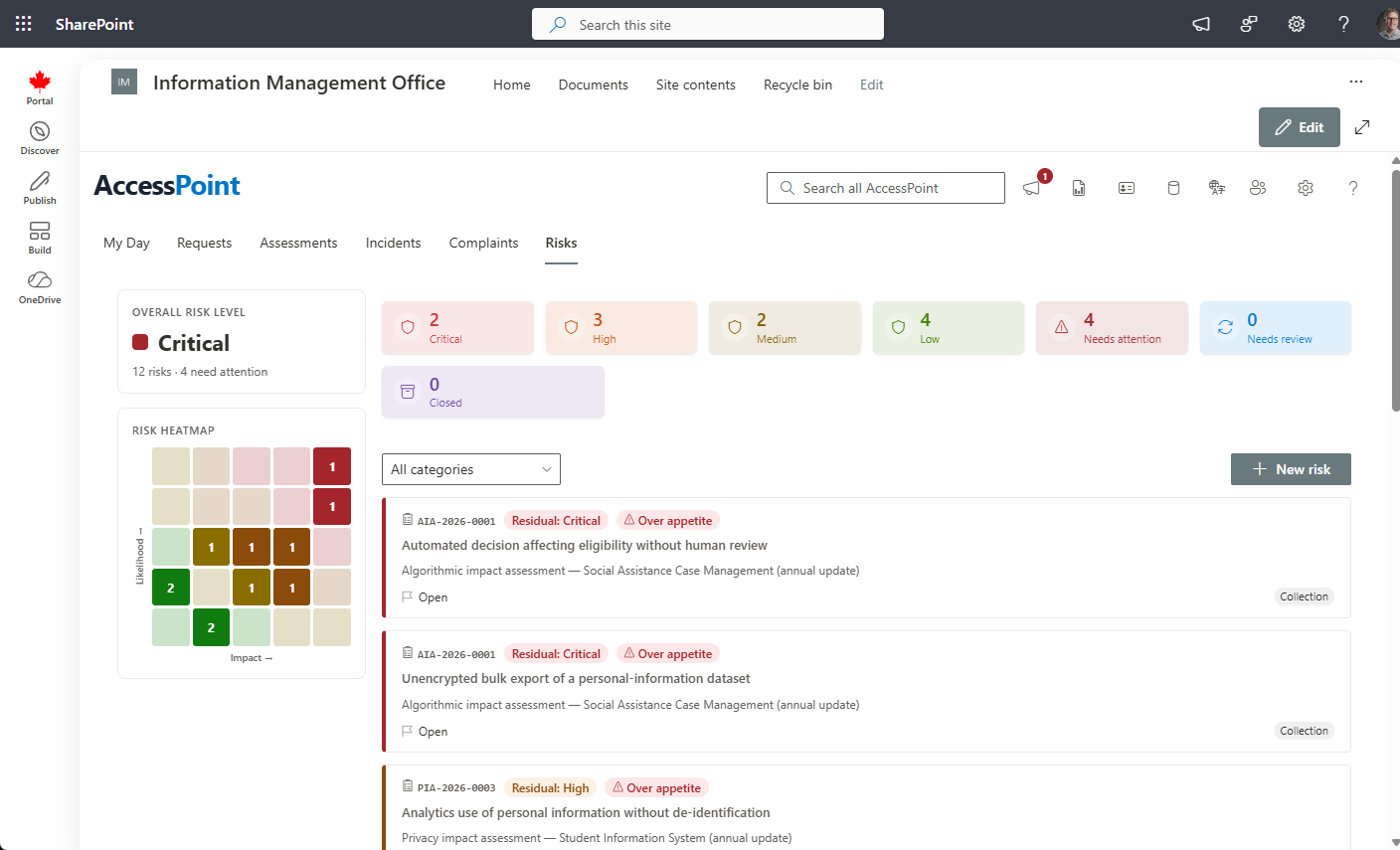
The privacy risk register
Assessment findings and incidents become managed risk: an ISO 31000 register with inherent and residual scoring, key risk indicators, treatment plans, and governed risk acceptance that expires instead of being forgotten.
Step 9 of 10
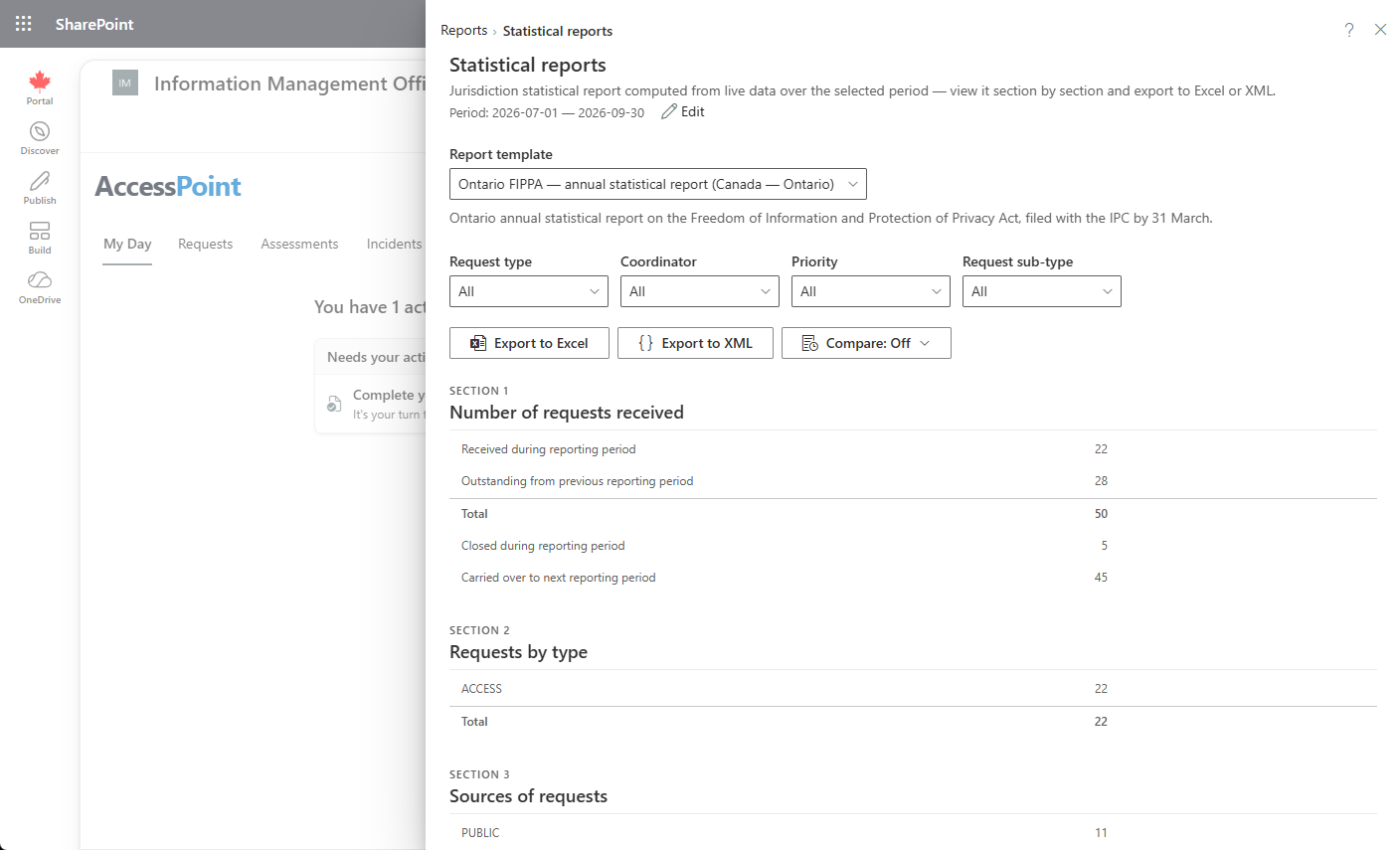
The reports your oversight bodies expect
Annual statistical returns, completion-time distributions, extension usage, exemption counts — generated from the casework itself, so year-end reporting is a query, not a project.
Step 10 of 10
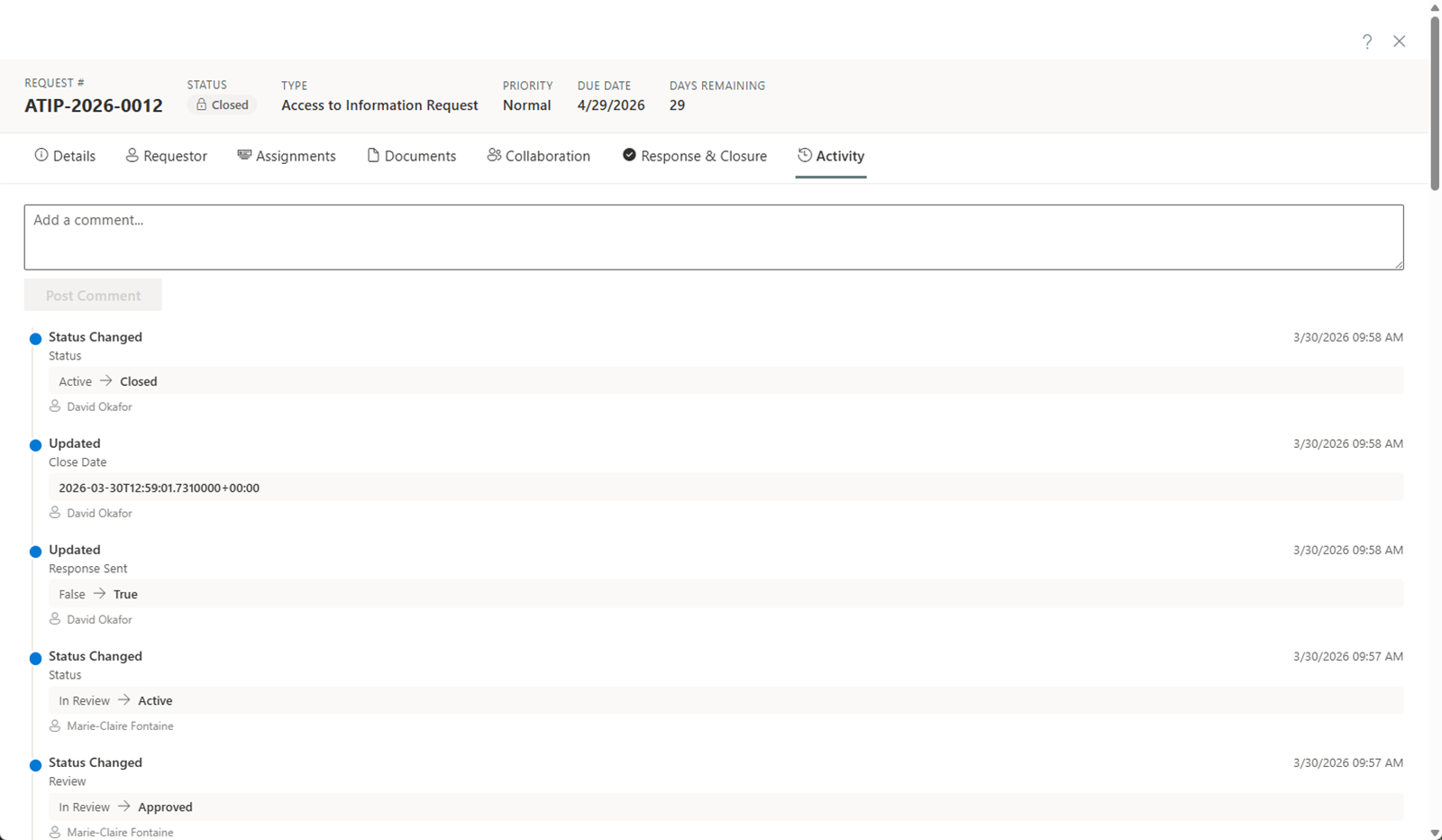
Every action, on the ledger
Everything you just saw writes to an append-only, hash-chained audit ledger with integrity verification — exportable as court-ready evidence. That's the trail behind every decision, in your own tenant.
This is the real interface, running in SharePoint — the same product the 30-day trial deploys into your own tenant. Want it narrated instead? The recorded demos walk the same workflows end to end.
Next Step: Your Tenant, or a Walkthrough
Deploy the 30-day free trial and click through the real thing — or bring your questions to a demo on your jurisdiction's rules.