
Assessment templates — the questionnaire builder with sections, typed questions, versioning, and screeners
Last updated: August 06, 2026 by Steve
Assessment Templates
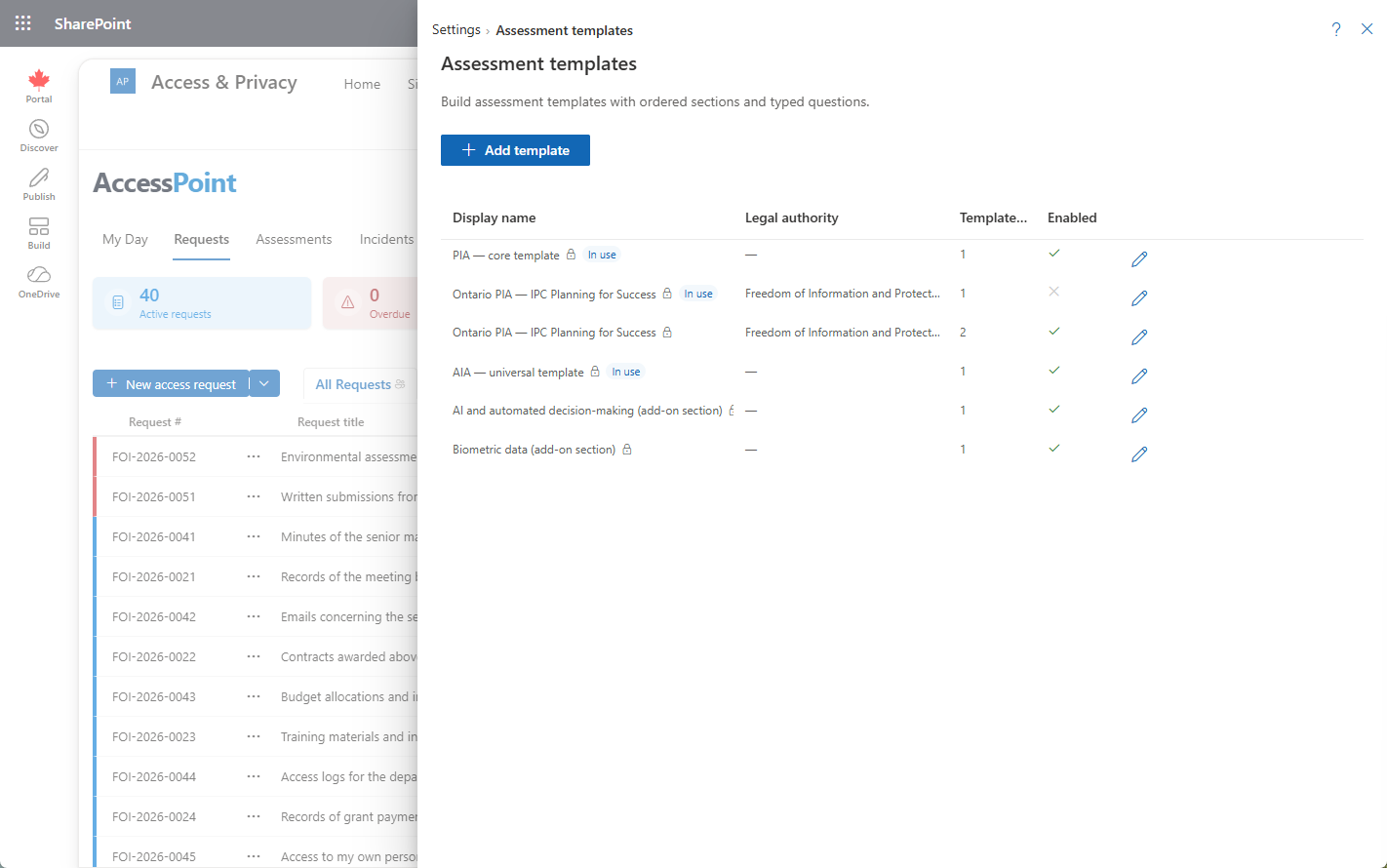
Assessment templates are the questionnaires an assessment runs on. Each template is a set of sections containing typed questions, and it carries the governing legal authority the assessment is conducted under and, optionally, a preliminary screener. The template a coordinator picks at creation determines the questions that appear on the assessment's Sections tab.
Where to Find It
Open Settings from the app toolbar and choose Assessment templates in the Privacy configuration group. This group is visible only to users who hold the relevant privacy configure permission.
Building a Template
A template is organized into sections, each holding one or more questions. Every question has a type that controls how it is answered on the assessment:
| Question type | How it is answered |
|---|---|
| Free text | A written answer, with optional per-language translations. |
| Yes/No | A single boolean choice. |
| Single choice | One option from a list. |
| Multi choice | One or more options from a list. |
| Date | A calendar date. |
| Number | A numeric value. |
| Attachment reference | A pointer to a reference document. |
Governing Legal Authority
Every template names a governing legal authority — the law the assessment is conducted under. At creation this authority is shown read-only beneath the chosen template, and it carries through to the finished assessment.
Preliminary Screener
A template can define an optional preliminary screener (a threshold analysis). When present, creating an assessment adds a screener step of Yes/No or choice questions, each with optional guidance. Every question must be answered, and the answers drive the determination:
- Screened out — a lightweight compliance record is created with no sections.
- Otherwise — the full section set is instantiated for the assessment.
Section Modules
A template can also be flagged as a section module instead of a full questionnaire. A section-module template is an add-on — one section (occasionally a few) meant to be layered onto an assessment that already has its own base questionnaire, rather than run as an assessment in its own right. Flagging a template this way:
- Removes it from every ordinary template picker — it is never offered at assessment creation and never seeds a new assessment on its own.
- Surfaces it instead under Add section from library on an assessment's Sections tab, where a coordinator appends its section(s) into that assessment's own instance-scoped copy of the questionnaire, alongside whatever base template it started from.
Use a section module for content that only some assessments need — an optional module of AI-specific questions, or a jurisdiction add-on — rather than folding it into every base template and forcing coordinators to skip past it.
Versioning
Templates are versioned. When an assessment's questionnaire is customized, a provenance banner on the Sections tab names the source template and version, so you can always trace which template edition an assessment was built from.
Per-Assessment Customization
A coordinator with the customize permission can clone a template for a single assessment — either by ticking customize the questionnaire in the create dialog, or via Edit questionnaire (or Customize while the assessment is still Active) on the Sections tab. Customization opens the builder on the assessment's own copy and never touches the shared template.
How It Affects Assessments
- At creation, the template list is filtered to the chosen assessment type; exact-type templates sort first, generic ones follow.
- The template's governing legal authority shows read-only in the create dialog.
- If the template defines a screener, creation routes through Continue to screener before the assessment is instantiated.
- The template's sections and questions become the assessment's Sections tab, which coordinators fill in or delegate section by section.
When AI Assist is enabled, the Sections tab additionally supports AI-assisted answer suggestions: coordinators can have a section's unanswered questions drafted from the assessment's record, its documents, and the Organization profile, then accept or dismiss each suggestion per question. Every suggestion is an editable draft a person decides on — see Assessment Details. AI Assist is optional and toggled under Settings → Features.
Best Practice
Treat shared templates as governed master copies: make broad wording and structure changes on the template in Settings, and reserve per-assessment customization for one-off tailoring. That keeps every new assessment starting from a consistent, current questionnaire.