
Review types — the named kinds of review step used by the AccessPoint review engine
Last updated: July 12, 2026 by Steve
Review Types
Review types are the named kinds of sign-off the review engine can route a record through — for example Program-Area Review, Legal Review, or Senior Official (SAO) Sign-off. A review type is just the label and its meaning; the sequence, reviewer roles, and gating live in a review workflow template, and each step of that template points at one review type.
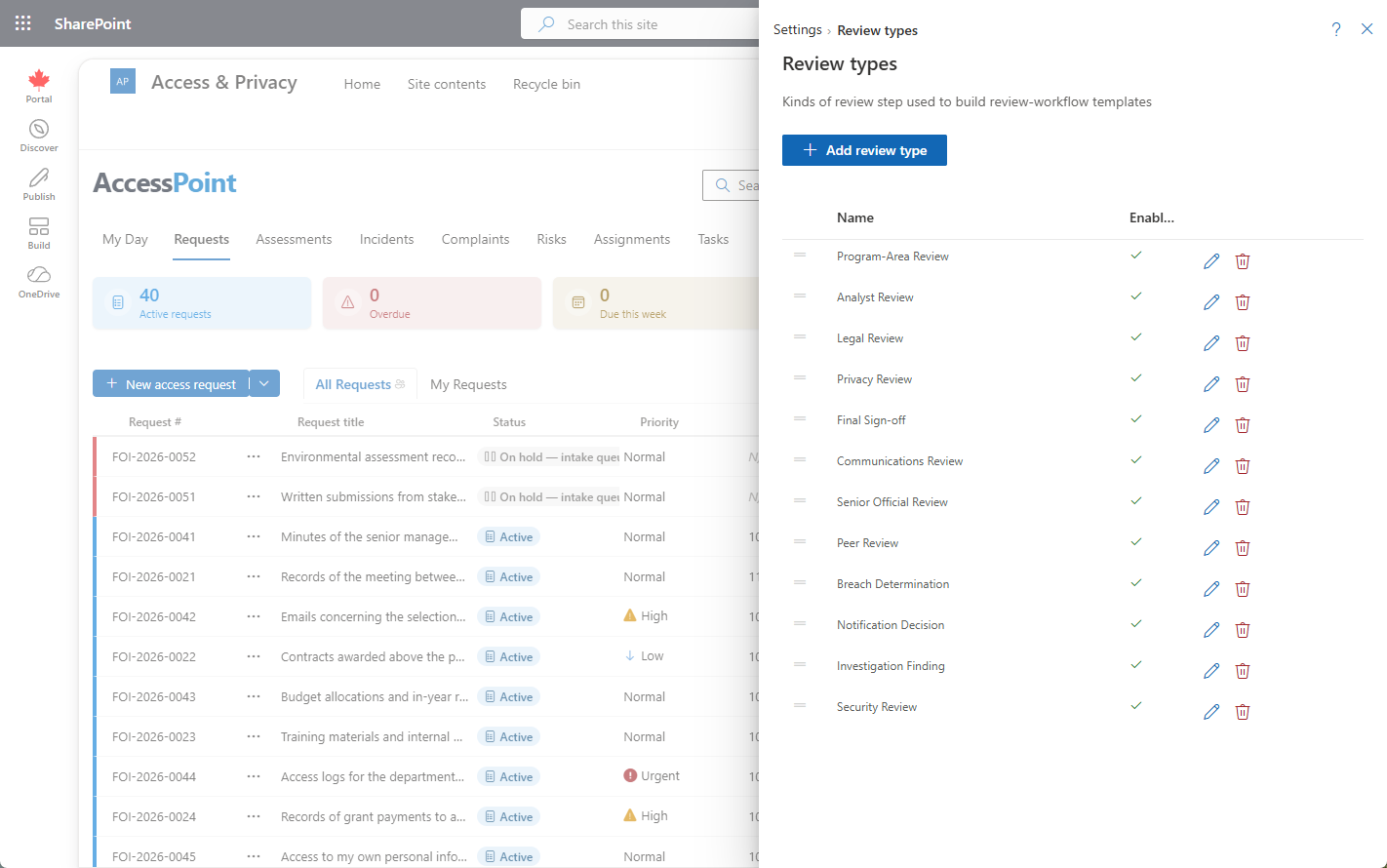
Where to find it
Open the Settings hub and choose Review types, in the Collaboration & reviews group beside Review workflows and Required reviews.
What a review type defines
| Field | What it controls |
|---|---|
| Display name | The label shown on step cards and the review stepper (e.g. "Legal Review") |
| Description | Optional explanation of the review's purpose |
| Code | A stable per-tenant key used internally |
| Enabled | Only enabled types appear when building a workflow |
| Sort order | Display order in the type picker |
The display name and description are translatable and follow your enabled system languages.
How review types are used
- A review workflow template step references exactly one review type.
- The approver role and join rules are set on the workflow step, not on the type — so the same type (for example Legal Review) can be reused in different workflows with different reviewer roles.
- The type is the headline label a reviewer sees on their My Reviews dashboard card and on the record's review stepper.
How it affects end-user behavior
Reviewers see the review-type name on their queue cards and on the active step they act on. Coordinators choose from the enabled types when they build workflow templates. Disabling a type removes it from the builder's picker; reviews already running keep the snapshot they started with.
Tips
- Keep the list short and policy-meaningful — one entry per genuine kind of sign-off.
- Translate every enabled type so reviewers see it in their own language.
- Reuse a single generic type across workflows rather than creating near-duplicates.