
Hours tracking — the requestor self-entry toggle and the hours categories (fee-rate and scope) used for time logging
Last updated: July 30, 2026 by Steve
Hours Tracking
Hours tracking configures how time is logged across AccessPoint: a tenant-wide self-entry toggle that lets requestors (custodians and contributors) record their own time, plus the list of hours categories each entry is filed under. A category's fee-rate mapping decides whether its time feeds fee calculations, and its scope limits which record types it appears on.
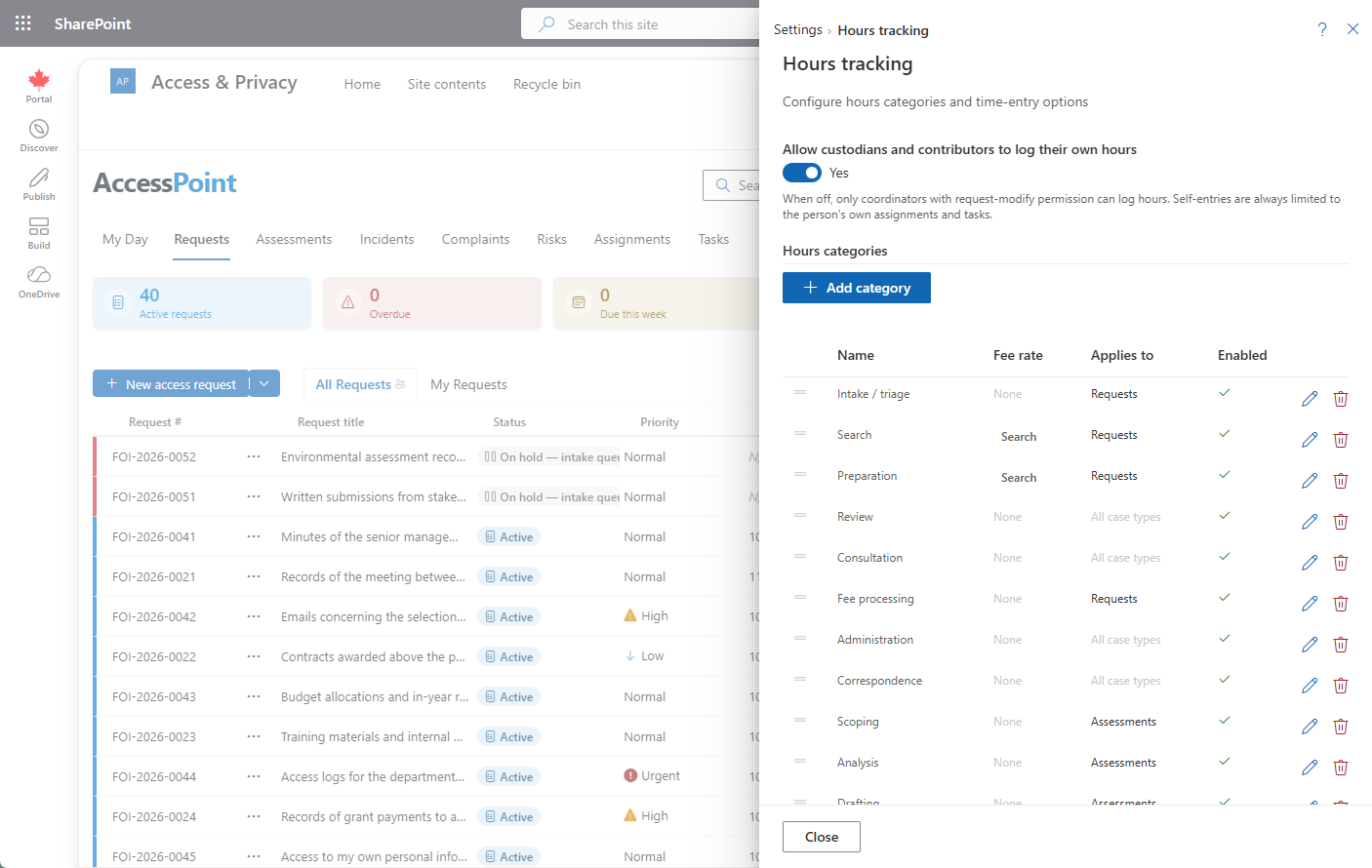
Where to find it
Open the Settings hub and choose Hours tracking.
The self-entry toggle
Enable requestor self-entry of time controls who can log hours:
- On — custodians and contributors can log and review their own hours on their assignments and tasks.
- Off — only coordinators record time.
Hours categories
| Field | What it controls |
|---|---|
| Name | The category label (translatable) shown in the Log Hours dialog |
| Fee-rate type | How the time maps to the fee engine — None, Search rate, or Review rate |
| Scope (applies to) | Which record types the category appears on — Requests, Assignments, Tasks, Assessments, Incidents (blank = all) |
| Display order | Order in the category picker |
| Active | Only active categories appear when logging time |
How it affects end-user behavior
Time is logged through the Hours card on request, assignment, task, assessment, and incident detail panels. The Log dialog files each entry under a category and compares estimated vs. actual effort. Categories mapped to a Search or Review fee rate feed fee calculations and count as fee-eligible time; None categories are effort-only. Entries roll up into management reporting and the TimeEntries report subject. See assignment details and task details for where hours are entered.
Tips
- Map only genuinely chargeable work to the Search or Review rate; leave internal effort at None.
- Scope each category to the record types where it belongs so pickers stay short.
- Turn self-entry off if only coordinators should record time on behalf of others.