
Control option lists — the Controls library lookups: control families, control kinds (Privacy/Security/Organizational), and baseline profiles.
Last updated: August 06, 2026 by Steve
Control Option Lists
Control option lists are the configurable lookup values behind the shared Controls library — the same catalogue Security Controls manages entry by entry. Where that catalogue holds the controls themselves, this panel holds the three vocabularies used to classify them: control families, control kinds, and baseline profiles.
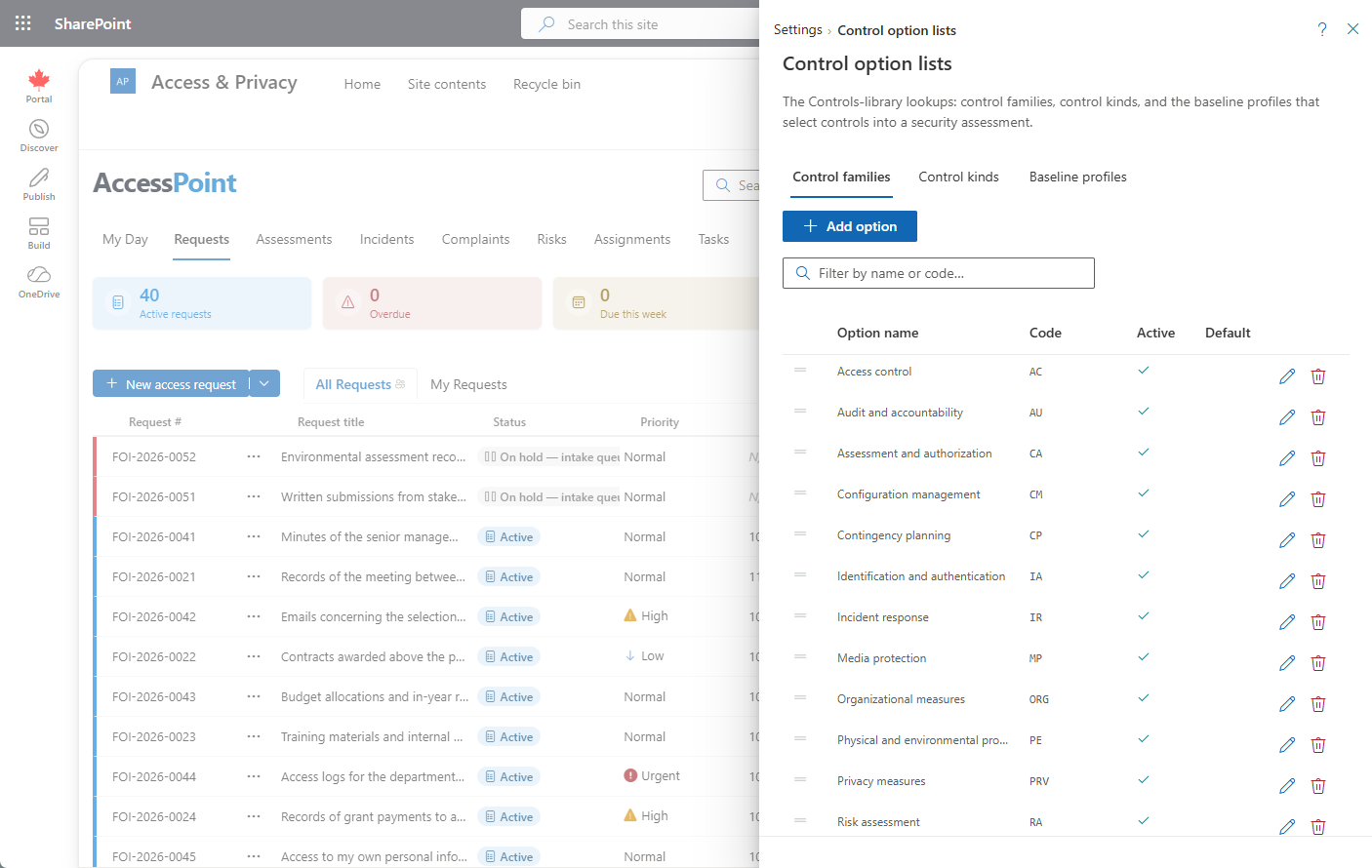
Where to Find It
Open Settings from the app toolbar and choose Control option lists in the Privacy configuration group, next to Security controls. This group is visible only to users who hold the relevant privacy configure permission.
The Lists
| List | What it classifies | Notes |
|---|---|---|
| Control families | The Family field on a control (for example, AC — Access Control, AU — Audit & Accountability) | Groups related controls within a catalogue such as ITSG-33 or NIST 800-53. |
| Control kinds | The Kind field: Privacy, Security, or Organizational | Marks which dimension a control protects — the Controls library spans all three, not just security controls. |
| Baseline profiles | The Profiles field (for example, PBMM) | The profile membership that drives which controls a Security assessment spawns into its System Security Plan. |
Code vs. Name
Every list here separates the code from the name, the same convention used across AccessPoint's configurable lists. The code (for example, AC for a family, or PBMM for a profile) is the stable identifier that controls, assessments, and jurisdiction packs reference — it's editable only when you add the option, and read-only afterwards, so renaming it never orphans anything that points at it. The name is the label people actually read, and is freely editable, including per-language via the globe icon.
How It Affects the Controls Library
- Family groups controls when browsing or selecting them in Security Controls.
- Kind is what lets one shared library serve privacy, security, and organizational-measures controls together — a subject's Controls section and a Security assessment's SSP both draw from the same catalogue, filtered by kind where it matters.
- Baseline profiles are what a Security assessment's categorization (for example, to PBMM) actually pulls controls against — keeping profile membership accurate here is what makes an assessment's SSP spawn the right control set automatically.
Best Practice
Keep family and kind codes short and stable — they're referenced by every control in the library, and by jurisdiction packs that ship their own controls pre-classified. Add new baseline profiles only when you have a genuine categorization tier to spawn against; an unused profile just adds noise to the picker.