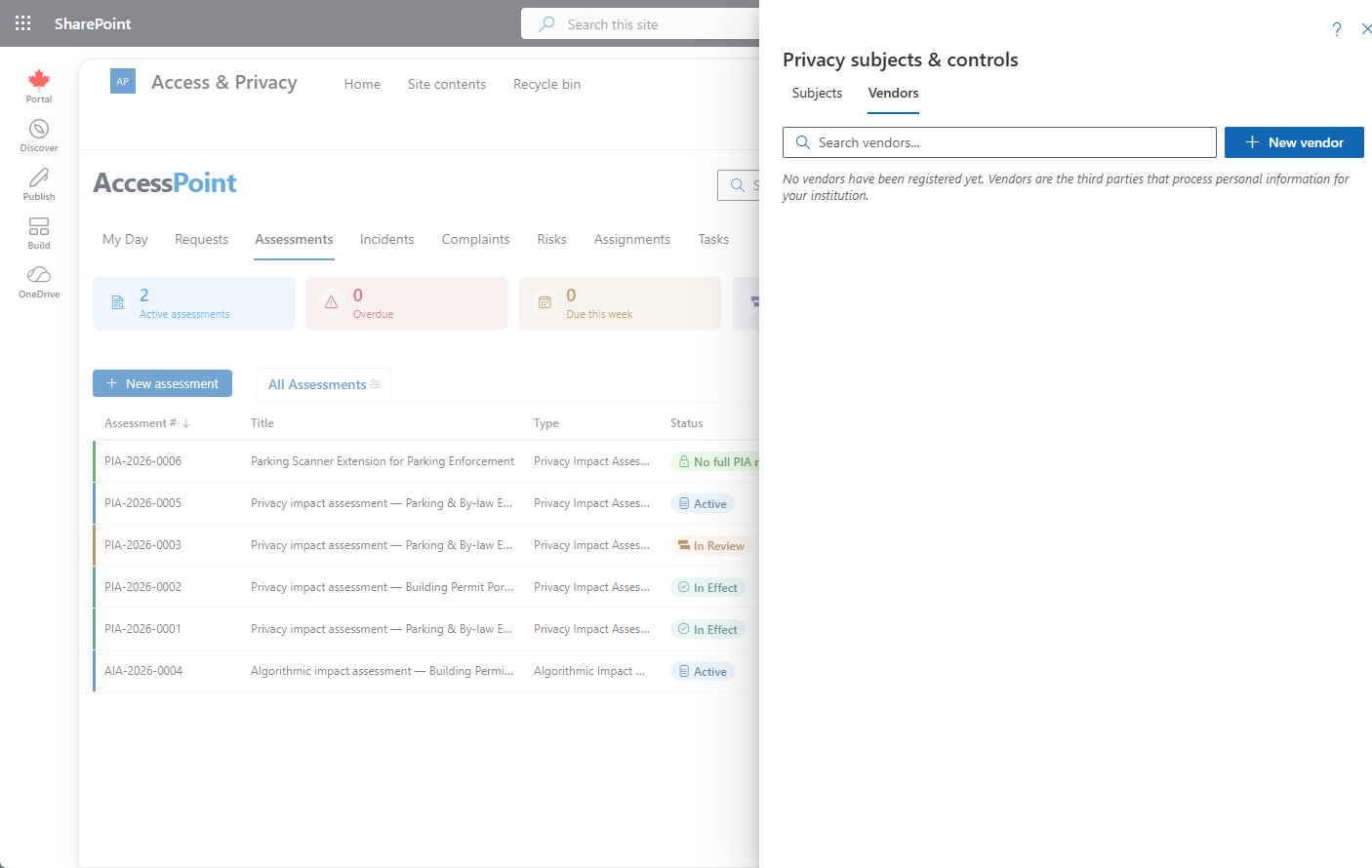
Privacy subjects & controls directory — reusable privacy subjects with a configurable subject-type taxonomy, GDPR Art.30 ROPA records, and the vendor/processor register
Last updated: August 06, 2026 by Steve
Privacy Subjects & Controls
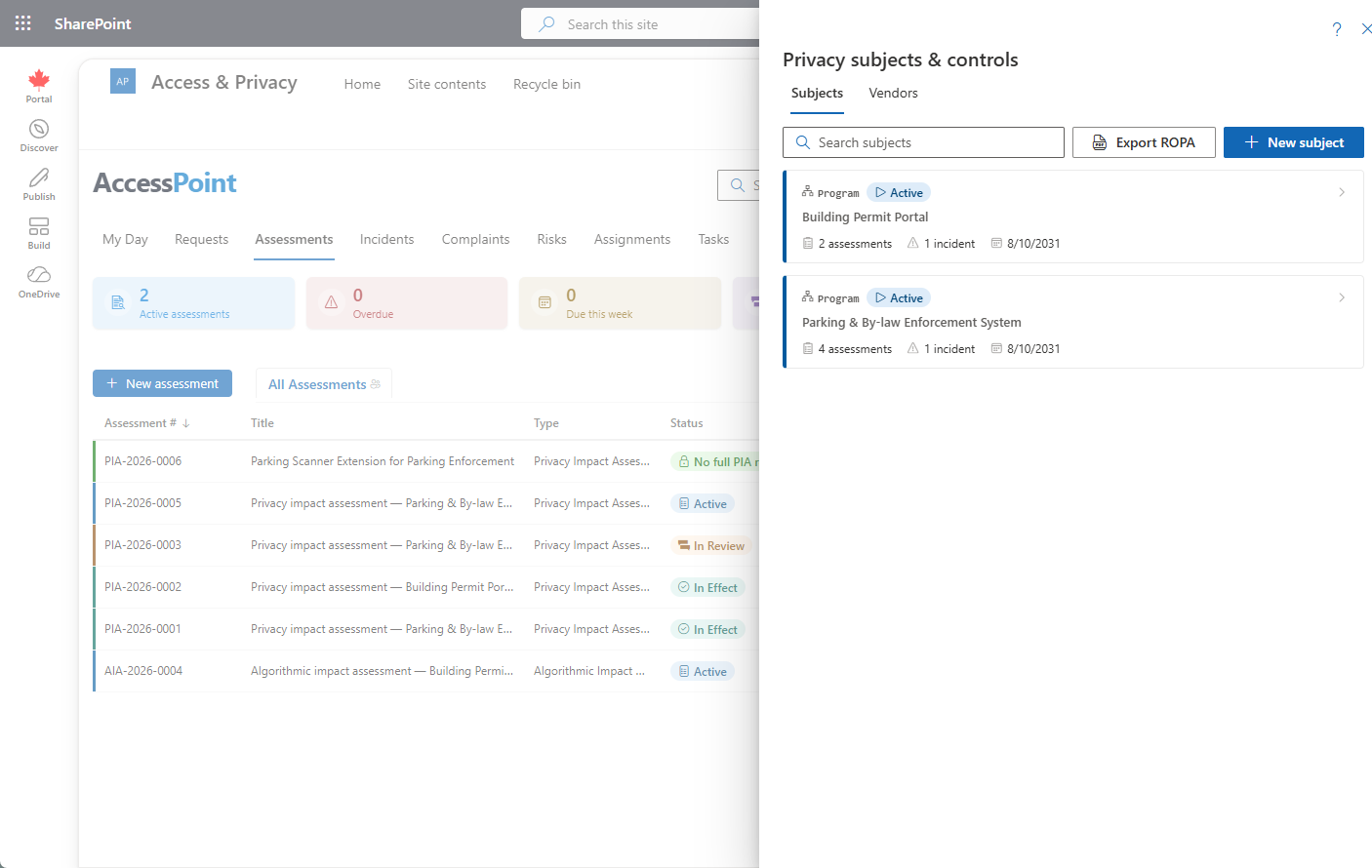
Open Privacy subjects & controls from the top toolbar (needs assessment-view) to browse the searchable directory of reusable privacy subjects — the durable programs, systems, initiatives, data-sharing arrangements, process changes, and technology adoptions your assessments and incidents run against. It is used by the privacy and security office to keep one shared record per subject, including the Controls, AI/ADM register, and compliance profile now tracked on each one — see Privacy Subject Details. The workspace has two tabs: Subjects — the directory described here — and Vendors, the vendor/processor register below.
Subject Types
Subject types are a configurable taxonomy — Settings → Privacy subject choice fields → Subject types, seeded by the Universal Baseline pack with types such as Program, Business process, IT system, and AI system. A type flagged as an automated decision-making (ADM) system unlocks the AI/ADM system register section on every subject of that type. The same grouped Privacy subject choice fields panel also manages the other subject taxonomies used across the directory and its records: categories of personal data (shared with incident reporting), categories of data subjects, and categories of recipients.
Browsing the Directory
Subjects are shown as cards. Each card shows:
- The subject type
- The subject's own status
- Assessment and incident counts
- The next-review date
Click a card to open the subject detail — see Privacy Subject Details.
Creating a Subject
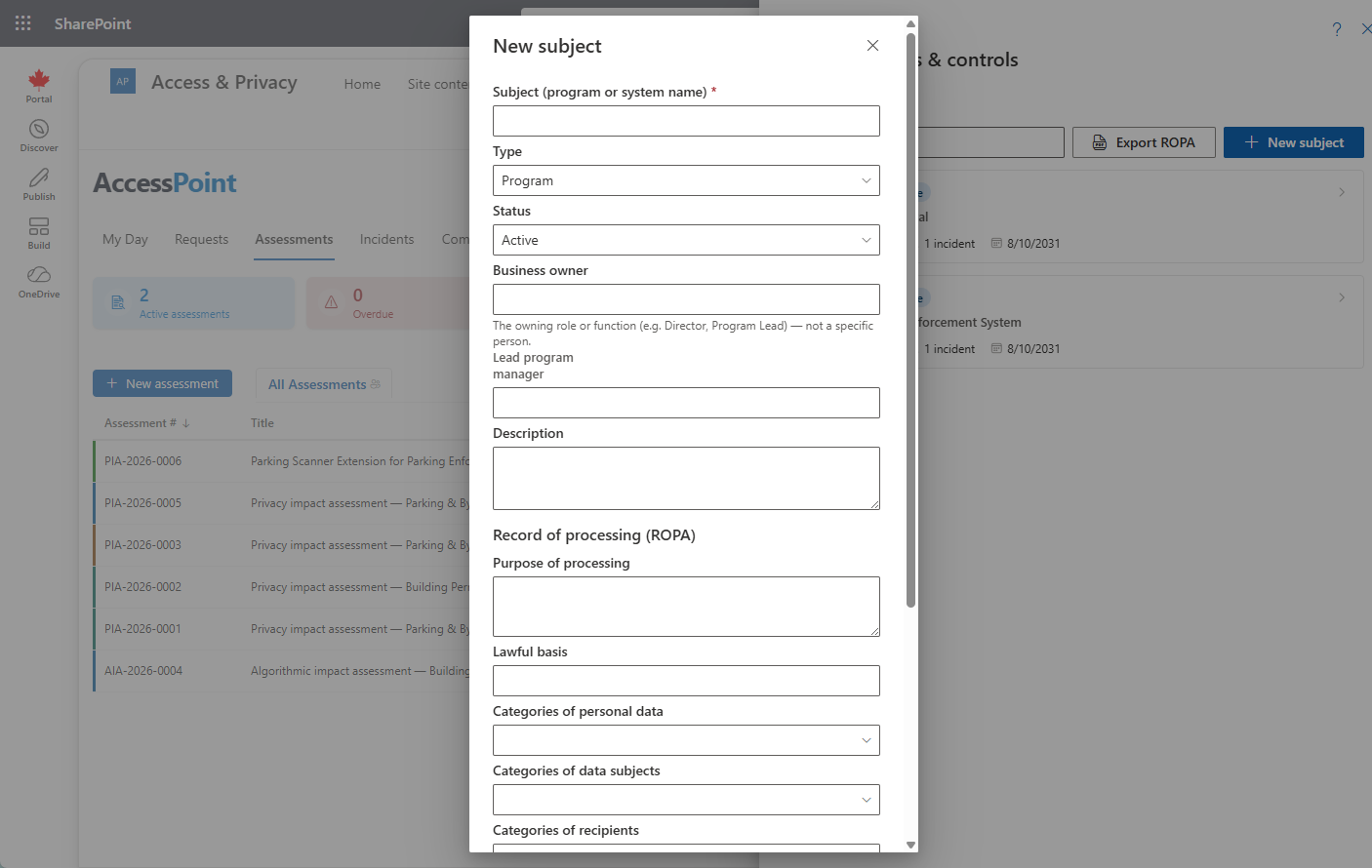
- Click New subject (needs create permission).
- Capture the identity — name, type, status, business owner, lead program manager, and description.
- Complete the full ROPA record.
You can also inline-create a subject by typing a new name in the subject box while creating an assessment.
Exporting the ROPA Register
Click Export ROPA to produce the PDF Record-of-Processing register across all subjects.
The Vendor Register
The Vendors tab is the register of third parties that process personal information for your institution — the list a privacy office is asked for in every audit. Each vendor card shows its role (processor, sub-processor, controller, joint controller, or service provider — hover for the definition), risk level, and at-a-glance compliance chips: DPA in place, DPA expires (date) when expiry is within 90 days, DPA expired, No DPA (escalating to a red No DPA — in use when the vendor is linked to a subject without any agreement recorded), Contract ended / Contract ends (date), and Review overdue when the next-review date has passed. A vendor linked to processing activities shows Used by N subjects — click it to expand the list of subjects, each with the vendor's role in that processing.
New vendor (needs assessment-create; editing needs assessment-modify) captures:
- The vendor's identity and contacts
- The data-processing-agreement facts — in place, signed, expiry
- Contract start and end dates, and last/next review dates
- Processing jurisdiction, risk level, and notes
- An optional link to a ROPA recipient category, so the register lines up with your Article 30 taxonomy
Retiring a vendor keeps it on the register greyed out rather than deleting history, and a vendor still linked to privacy subjects cannot be deleted — remove the links or retire it instead, so ROPA records never point at a vanished processor.