
SLA targets — per-stage business-day targets for requests, assignments, and consultations that feed workload and service-level reporting
Last updated: July 12, 2026 by Steve
SLA Targets
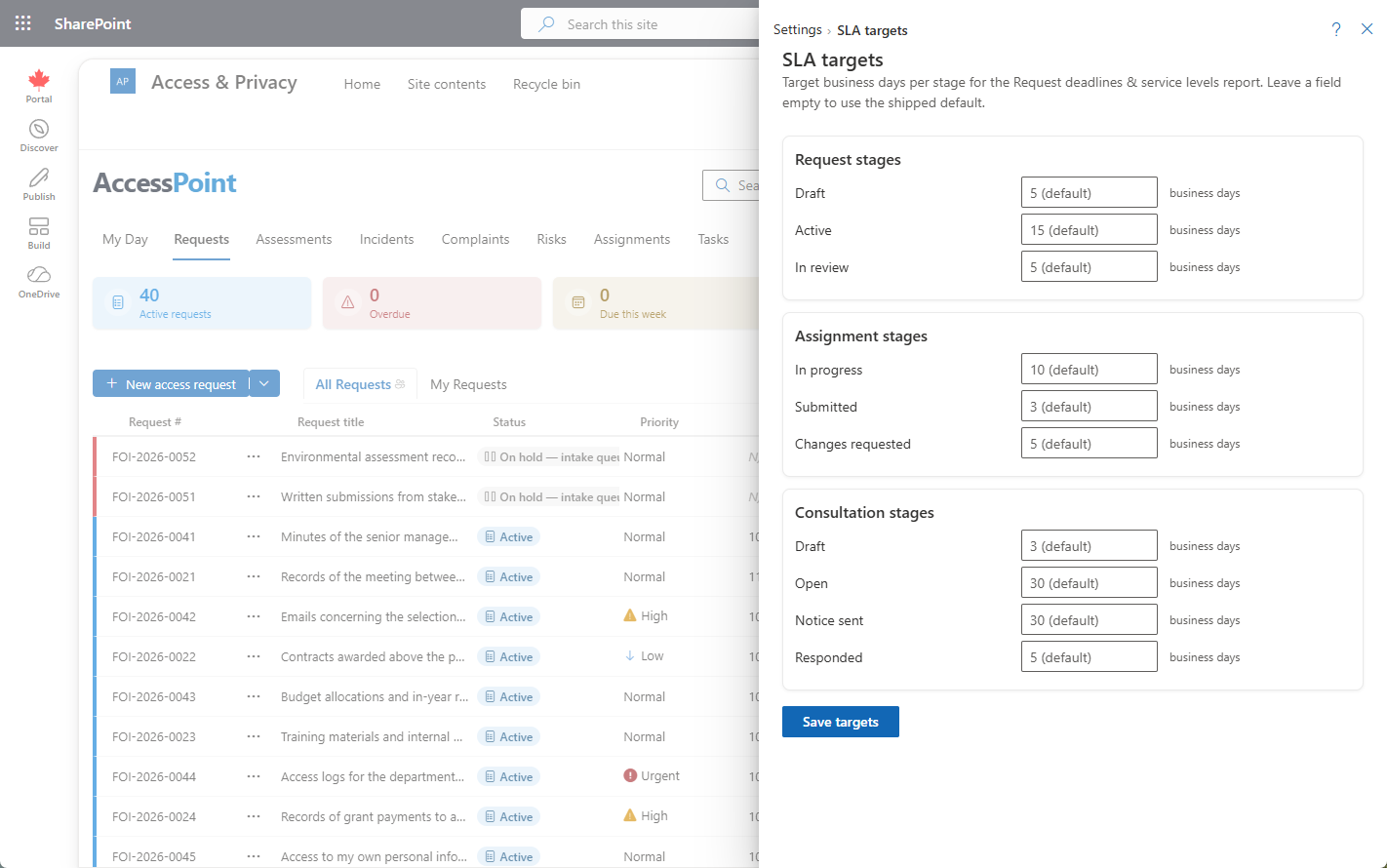
SLA targets set the internal, business-day service standards your office holds itself to at each stage of the work — separate from the statutory deadline on a request. The targets you enter here become the yardstick that AccessPoint's workload and service-level reporting measures actual dwell time against, so you can see where work is running ahead of or behind your own standards.
Where to Find It
Open Settings from the app toolbar and choose SLA targets in the Reports group.
Targets You Can Set
| Area | Target measured in |
|---|---|
| Requests | Business days allowed for each stage of the request lifecycle |
| Assignments | Business days to complete a custodian assignment |
| Consultations | Business days to turn around a consultation |
Business-Day Basis
Targets are counted in business days, so they follow your configured business-day calendars — weekends and statutory holidays are excluded from the count, exactly as statutory due dates are. A change to a calendar therefore shifts how a target is measured.
Where the Targets Show Up
The Workload / service-levels report (in the Reports area) measures dwell time across each stage and compares it to these targets. That is where a target earns its keep — a stage that regularly overruns its target is a signal to rebalance assignments or investigate a bottleneck.
Tips
- Set internal targets tighter than your statutory deadline so the SLA gives you an early-warning buffer rather than reporting misses only after the legal clock has run out.
- Review targets against the workload report periodically — a target that is never met may be unrealistic rather than a performance problem.