
The commitments register — a tracked privacy promise, its action-driven status, one-time vs recurring cadence, and check-ins
Last updated: July 23, 2026 by Steve
Commitments
A commitment is a privacy promise — a measure, condition, undertaking, or control your organization agrees to as part of an assessment, or a recommendation tracked on a complaint. Commitments start life as advisory recommendations and are tracked to completion so nothing is forgotten. The commitment panel shows the definition and an action-driven status, and each commitment carries its own Discussion thread.
The Commitment Definition
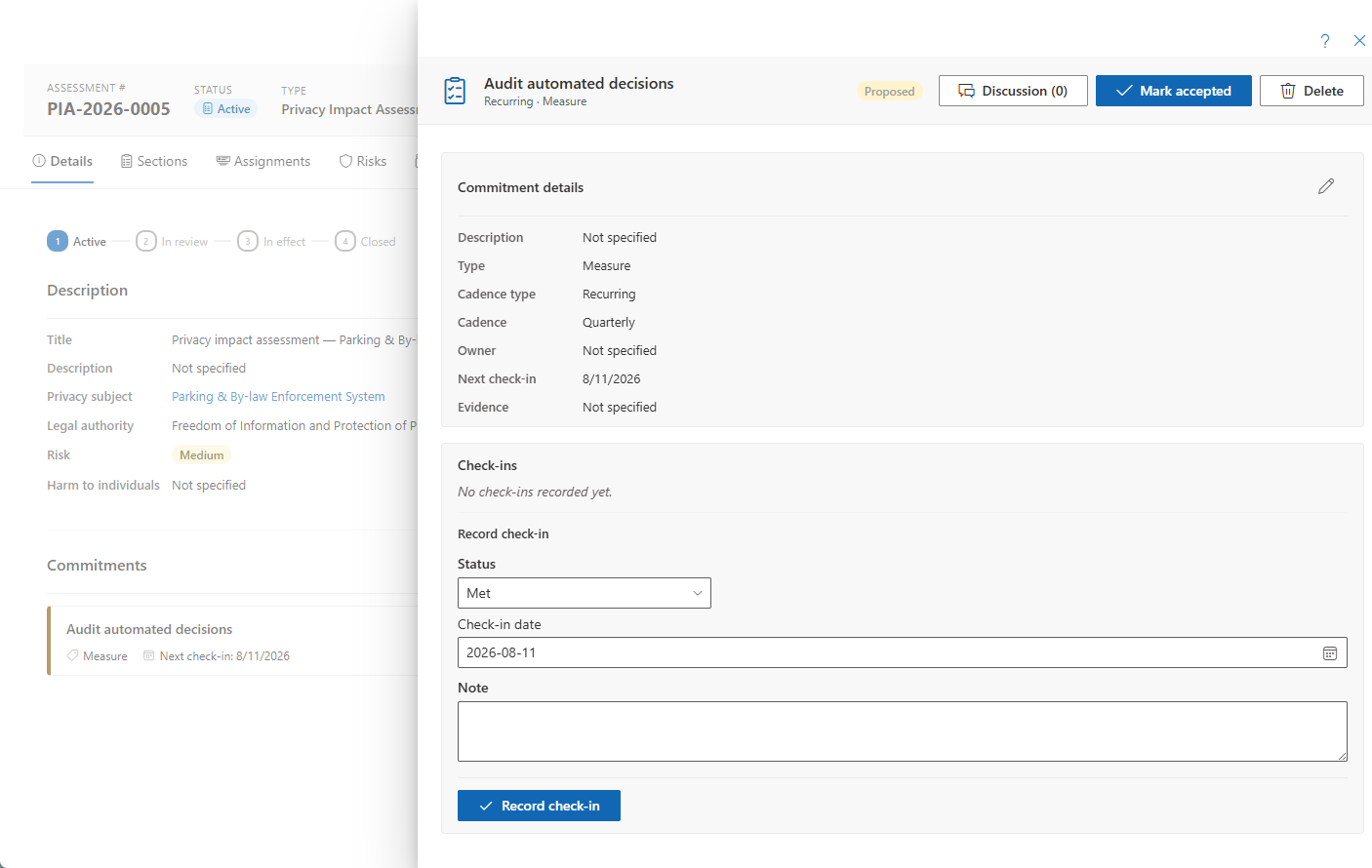
The panel shows the definition — title, description, type (measure, condition, undertaking, or control), owner, cadence, and evidence notes — with a coordinator-only pencil to edit. The title, description, and evidence notes support optional per-language translations, on both the assessment and complaint anchors.
Status Is Action-Driven
Status is driven by header actions rather than a free dropdown:
- Proposed → Mark accepted. Delete is offered only at this advisory stage.
- Accepted → Mark done or Retire.
- Done and Retired are terminal.
One-Time and Recurring Commitments
Every commitment has a cadence type:
- A One-time commitment carries a due date and flags as overdue when past due.
- A Recurring commitment carries a recurring cadence — monthly, quarterly, semi-annual, annual, or ad-hoc — and shows a check-in history table plus an inline Record check-in form.
Recording a Check-In
For a recurring commitment:
- Pick an outcome — Met / Partially met / At risk / Not met.
- Set the check-in date and add a note.
- Record it.
The card then shows the last outcome and the next check-in date. A layered Discussion thread anchors to each commitment for context and follow-up.