Features — per-tenant feature opt-out toggles for task delegation, M365 capture, the risk dashboard, and the resource-gated search, OCR, and AI Assist features
Last updated: August 06, 2026 by Steve
Features
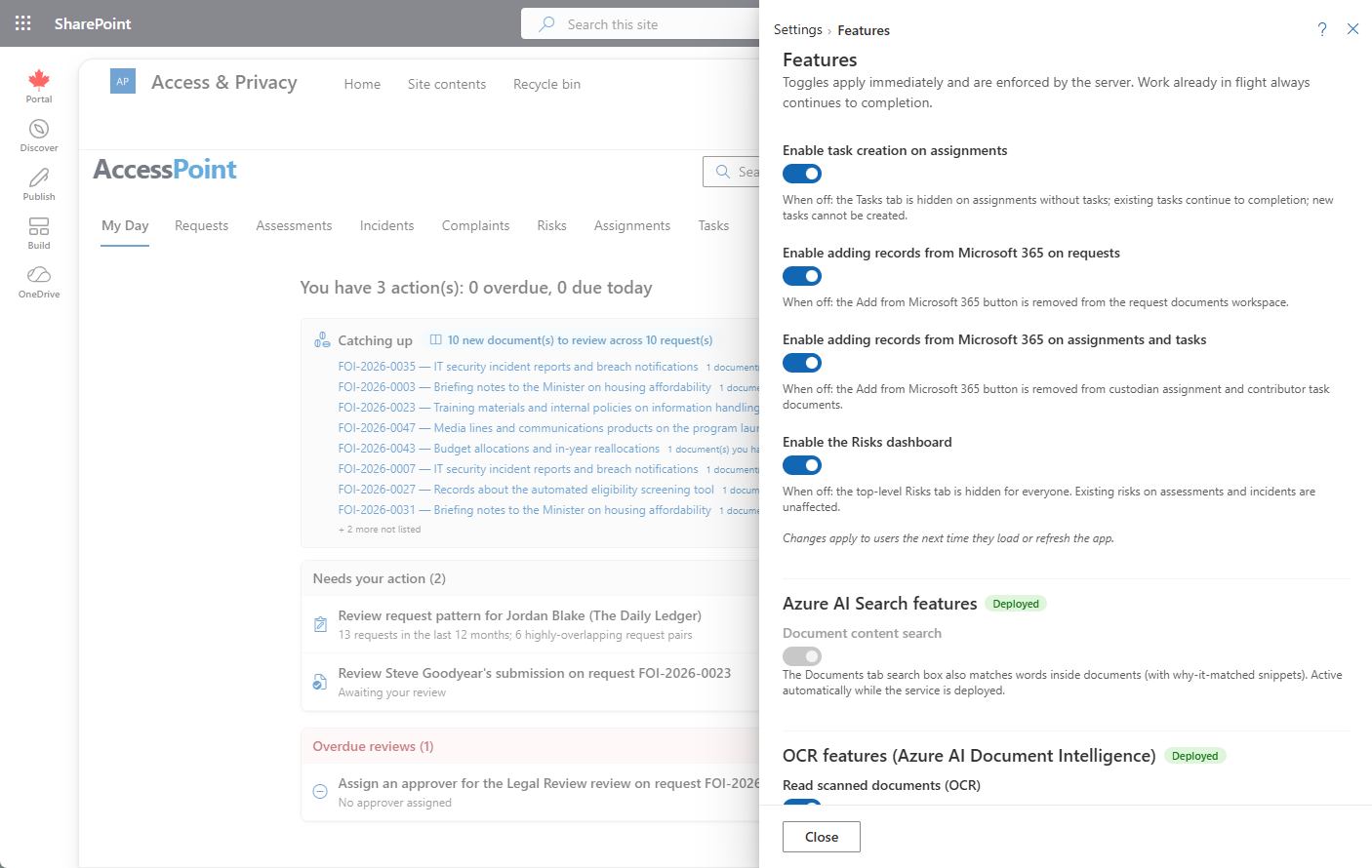
The Features panel holds your tenant's opt-out toggles — switches that turn optional product capabilities off (or back on) for the whole tenant. Every toggle is on by default and applies instantly; there is no Save button.
Where to Find It
Open Settings from the app toolbar and choose Features in the Getting started group.
Toggles
| Toggle | Default | What it controls |
|---|---|---|
| Task delegation | On | Whether new delegated tasks can be created. |
| M365 capture — requests | On | Microsoft 365 capture on requests. |
| M365 capture — assignments | On | Microsoft 365 capture on assignments. |
| Risk dashboard | On | The risk dashboard. |
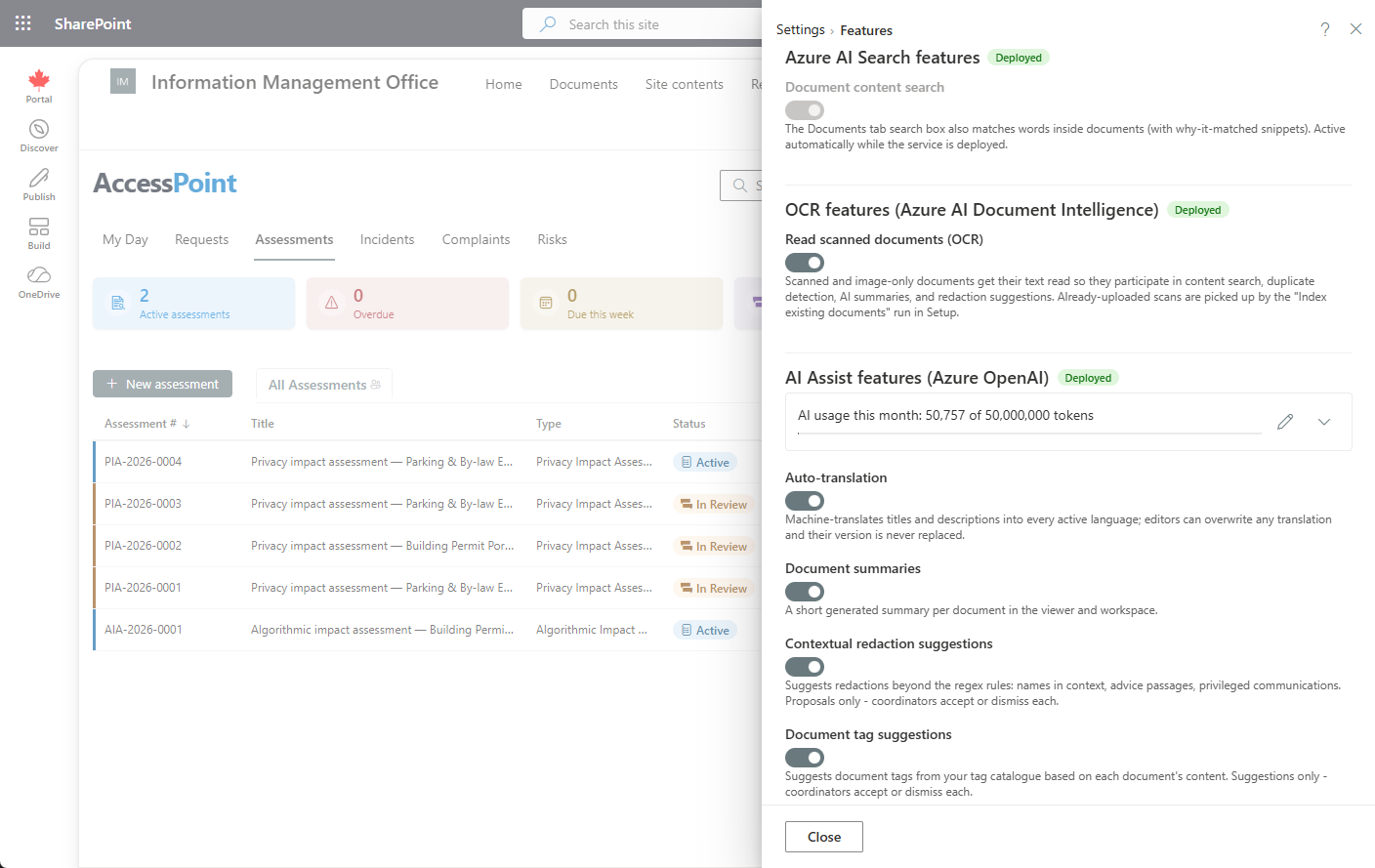
| Document content search | On (when deployed) | Full-text search inside documents, backed by your Azure AI Search resource. |
| OCR | On (when deployed) | Text extraction from scanned, image-only documents, backed by your Azure AI Document Intelligence resource. |
| AI Assist features | On (when deployed) | The individual AI Assist toggles described below, backed by your Azure OpenAI resource. |
Resource-gated toggles are grouped by the Azure resource they depend on. When the underlying resource (AI Search, Document Intelligence, Azure OpenAI) isn't deployed, its group shows locked toggles with a hint explaining what to deploy — the rest of AccessPoint is unaffected.
How the Toggles Behave
- Opt-out, default-on — features ship enabled; you only visit this panel to switch something off.
- Instant apply — a change takes effect the moment you flip the toggle. There is no Save button.
- Task delegation drain policy — turning off task delegation while open tasks exist prompts for confirmation and explains the drain policy: existing tasks run to completion; only the creation of new ones stops.
- Server-side enforcement — the flags hide the related UI, but server-side gates are the real enforcement.
AI Assist (Optional)
AI Assist is an optional capability — it is present only when your Azure OpenAI resource has been deployed with the Azure template. When it isn't deployed, none of its toggles appear and the rest of AccessPoint is unaffected. AI Assist runs entirely in your organization's own Azure subscription and region: prompts and responses are never stored, Microsoft does not train its models on your data, and every AI output is a suggestion or an editable draft that a person reviews and decides on.
When the resource is deployed, its features show up as individual toggles in this same Features panel — auto-translation, document summaries, redaction analysis, drafting, intake triage, suggested next action, case check, capture learnings, question mining, how similar cases went, risk suggestions, and the rest. Each has its own switch and is on by default when the resource is deployed; turn off any you don't want. The M365 capture toggles above and the other tenant feature switches sit alongside them in the same panel.
- Month-to-date token meter and budget — the panel shows a month-to-date token meter against a hard monthly budget you control. Background AI work pauses quietly when the budget is reached; the rest of AccessPoint keeps working.
- Responsible-AI acknowledgement — the first time AI Assist is available, an Administrator confirms a one-time, per-tenant responsible-AI acknowledgement. It is recorded with the confirming user and the date — the same points many organizations reuse for their own privacy impact assessment or authority-to-operate paperwork.
- Diagnostics — if AI features seem inactive, an Administrator can open
api/ai/diagnosticsin the browser (or check the capability chip in this panel): it live-probes the deployment and reports the exact error.