
Organization — the institution display name, intake mailboxes, and the reusable fact library
Last updated: July 22, 2026 by Steve
Organization
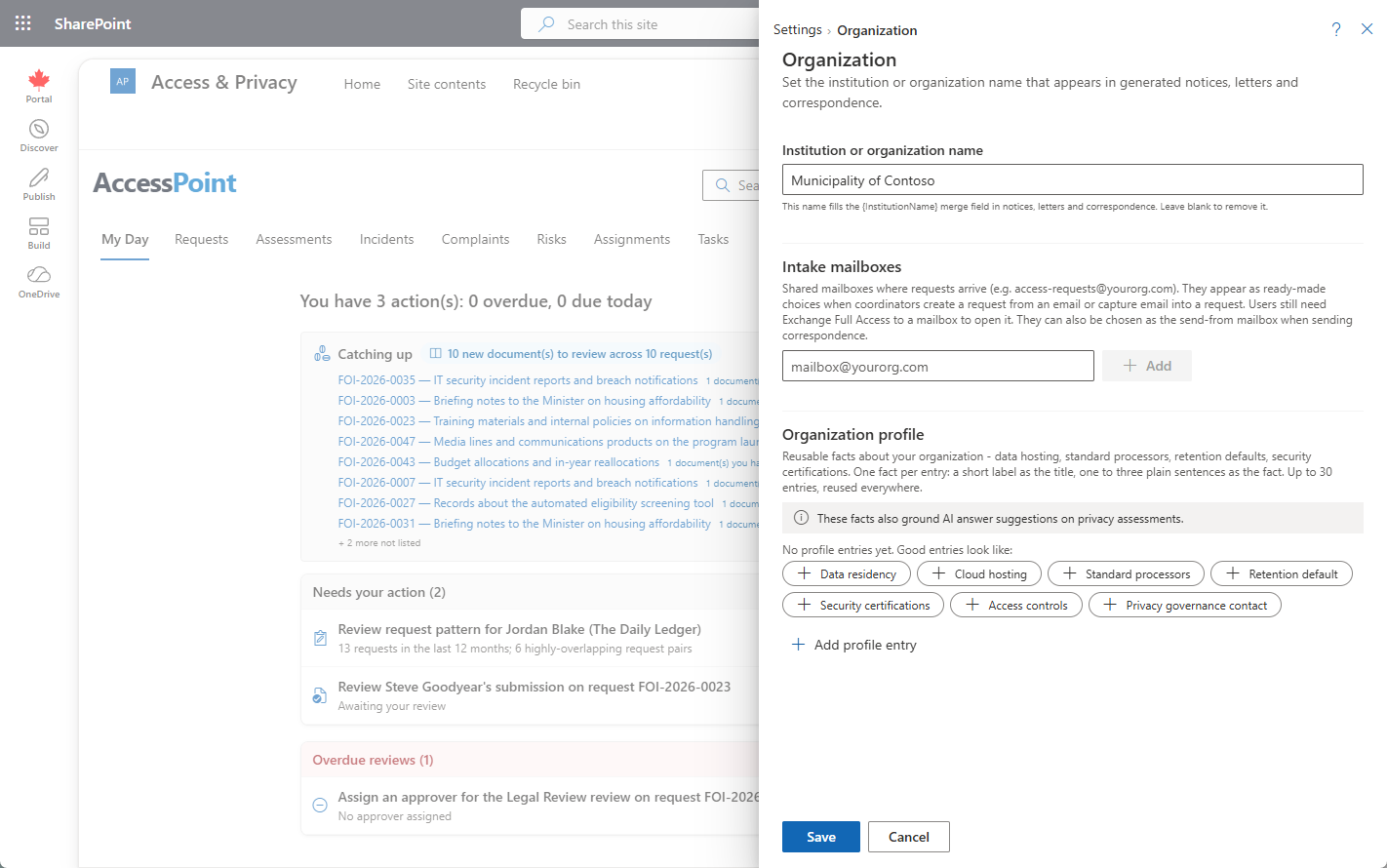
The Organization setting stores your institution's display name — the name AccessPoint merges into generated notices, letters, and correspondence tokens. Set it once and every template that references the institution picks up the correct name automatically.
Where to Find It
Open Settings from the app toolbar and choose Organization in the Getting started group. Like every configuration area, it opens as a slide-in panel with Back to Settings and a Help (?) icon in its header. See the Settings Overview for how the hub is organized.
Fields
| Field | What it does |
|---|---|
| Institution display name | The name merged into generated notices, letters, and correspondence — wherever a template uses an institution token such as {InstitutionName}. |
Where the Name Is Used
The display name is not just a label on the tenant — it is substituted into the documents your office sends:
- Generated notices and letters — correspondence produced from your template library carries the institution name.
- Correspondence tokens — templates reference the name through tokens (e.g.
{InstitutionName}), so a single change here flows through to everything generated afterward.
Intake Mailboxes
The Organization panel also holds the intake mailboxes list — the shared mailbox addresses your office monitors for incoming requests (for example, an access-requests inbox). Mailboxes listed here are offered as ready-made choices in two places:
- New from email — the split New button on the Requests dashboard, which turns an email sitting in a mailbox into a request without retyping.
- The email capture picker — when capturing email records via Add from Microsoft 365.
Configuration does not grant access. Listing a mailbox here only adds it to the pickers — each user still needs Exchange Full Access delegation to actually open it. Microsoft Graph enforces the user's existing Exchange mailbox permissions on every call.
Fact Library
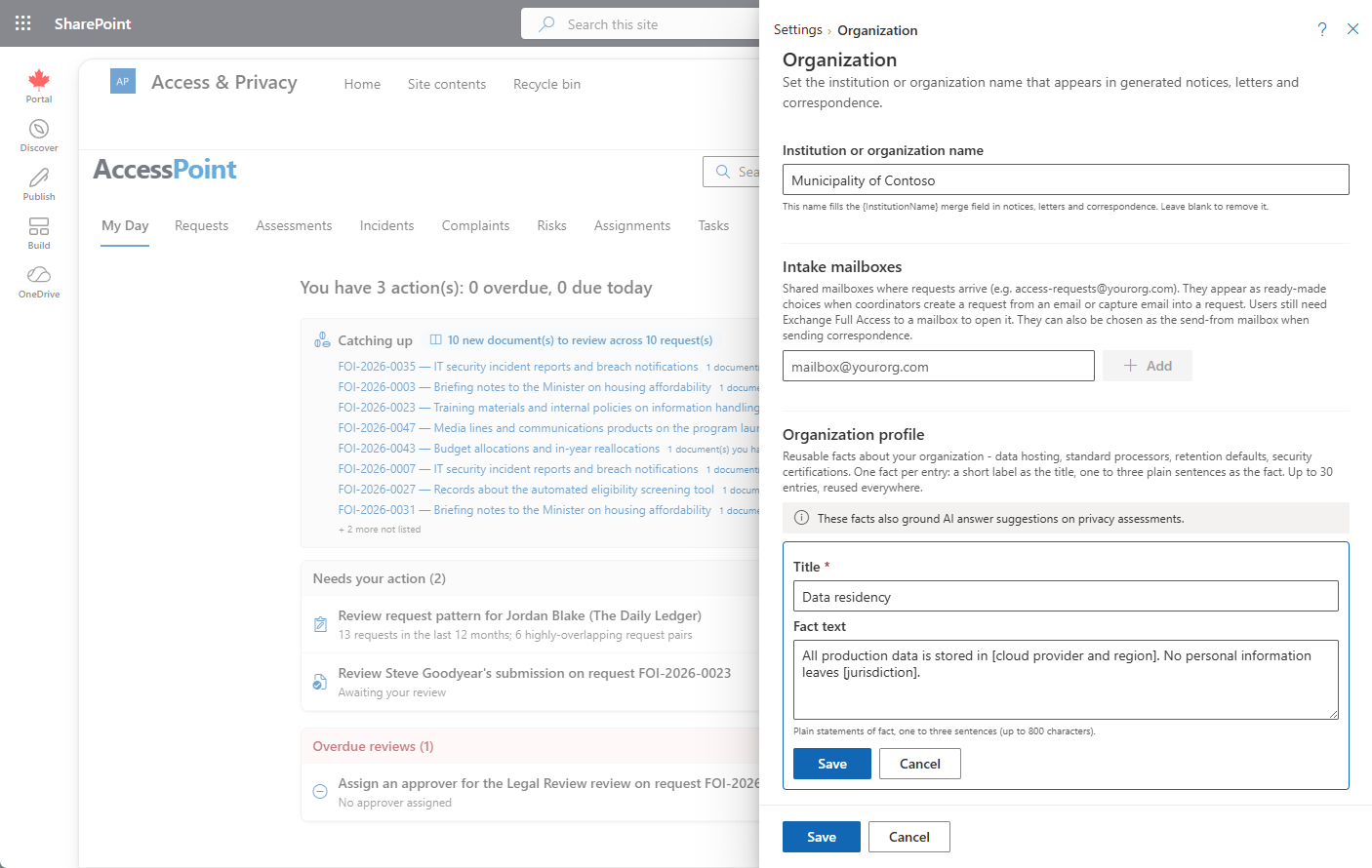
The Organization area also holds a reusable fact library — a place to record standing facts about your organization so you only maintain them once:
- Hosting posture — where your data and systems are hosted.
- Standard processors — the third parties you routinely rely on.
- Retention defaults — your default retention periods.
- Certifications — the certifications and attestations your organization holds.
These are ordinary organization data you can draw on anywhere. When the optional AI Assist capability is deployed, the same facts also ground assessment answer suggestions in the PIA questionnaire — so suggested answers reflect your organization's real posture rather than generic assumptions, and a person still reviews and decides on every one. AI Assist is optional; the fact library is useful in its own right whether or not it is enabled. For how AI capabilities are configured tenant-wide, see the Features page.
Tips
- Set the display name early — before you start generating correspondence — so notices and letters carry the correct institution name from day one.