
Requestor flow control — the tenant default active-request limit, hold reason, activation policy, and stale-hold threshold
Last updated: July 30, 2026 by Steve
Requestor Flow Control
Flow control is AccessPoint's intake-governance setting. It caps how many requests a single requestor may have active at once and automatically holds the rest, so a burst of filings from one person or organization doesn't swamp your office. This panel sets the tenant defaults; individual contacts and institutions can override them on their own records.
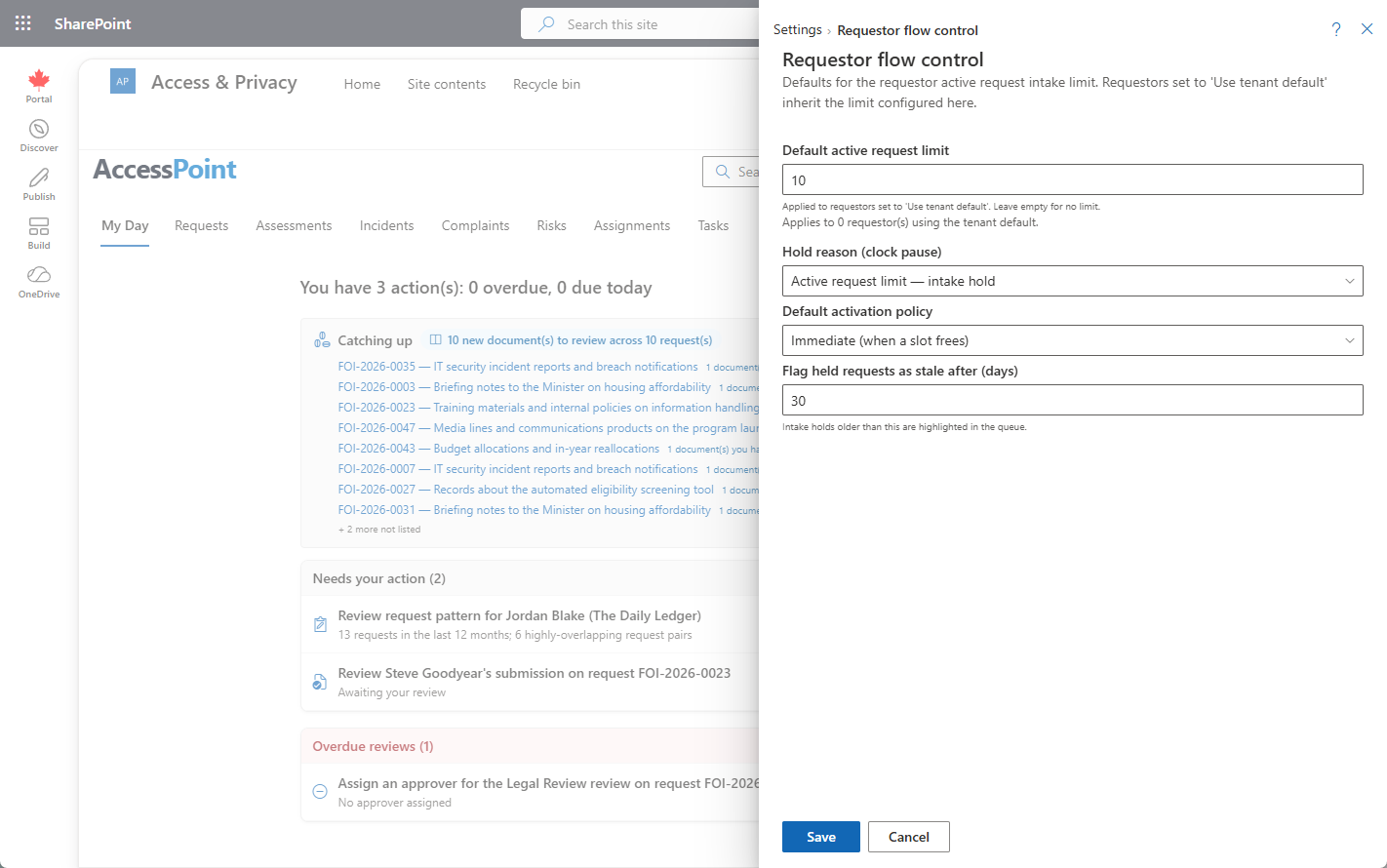
Where to Find It
Open Settings from the app toolbar and choose Flow control in the Requestors group.
Settings Reference
| Setting | What it does |
|---|---|
| Default active-request limit | The number of simultaneously active requests allowed per requestor before new ones are held. Contacts and institutions set to Inherit use this value. |
| Hold reason | The clock-pause extension reason applied to a request held over the cap — the legal basis that justifies pausing the request clock while it waits. |
| Activation policy | How held requests are released: Immediate auto-activates the next held request when a slot frees up; Manual leaves a coordinator to release them from the Intake queue. |
| Stale-hold days | The threshold after which a request that has waited too long on hold is flagged stale — the Intake queue shows a stale badge with the days-held count. |
How Contacts and Institutions Use the Default
On a contact or institution, the Limit mode is a tri-state: Inherit (use this tenant default), Custom (set an explicit number, with its own hold reason and activation policy), or None (no cap). A request must clear both the contact's cap and the institution's cap before it activates.
How the Intake Queue Uses It
Requests held by a limit collect in the Intake queue tab of the Requestors workspace, grouped by requestor with capacity used vs. limit. Each held request shows an Auto/Manual badge (whether it will self-activate, per the activation policy) and a stale badge once it passes the stale-hold threshold. Coordinators can reorder a requestor's queue, activate a single request, or Activate to limit to fill all free slots at once. Every release is audited, moving the request from On Hold to Active.
Behavioral Effects
- Immediate policy: freeing a slot (a request closes or the limit is raised) auto-activates the next held request in rank order.
- Raising a limit on save auto-releases any held requests that now fit, and a confirmation message reports how many were released.
- The hold reason must be a valid clock-pause extension reason — this is what gives the pause its legal basis on the request timeline.
Tips
- Set the default conservatively; use per-contact Custom limits for the small number of high-volume requestors who need a different cap.
- Choose Manual activation if you want a coordinator to review priority before a held request goes live; choose Immediate to keep the queue self-draining.