
Assessment section assignments (formerly section delegations) — assigning a questionnaire section to a collaborator and merging their draft
Last updated: July 30, 2026 by Steve
Section Assignments
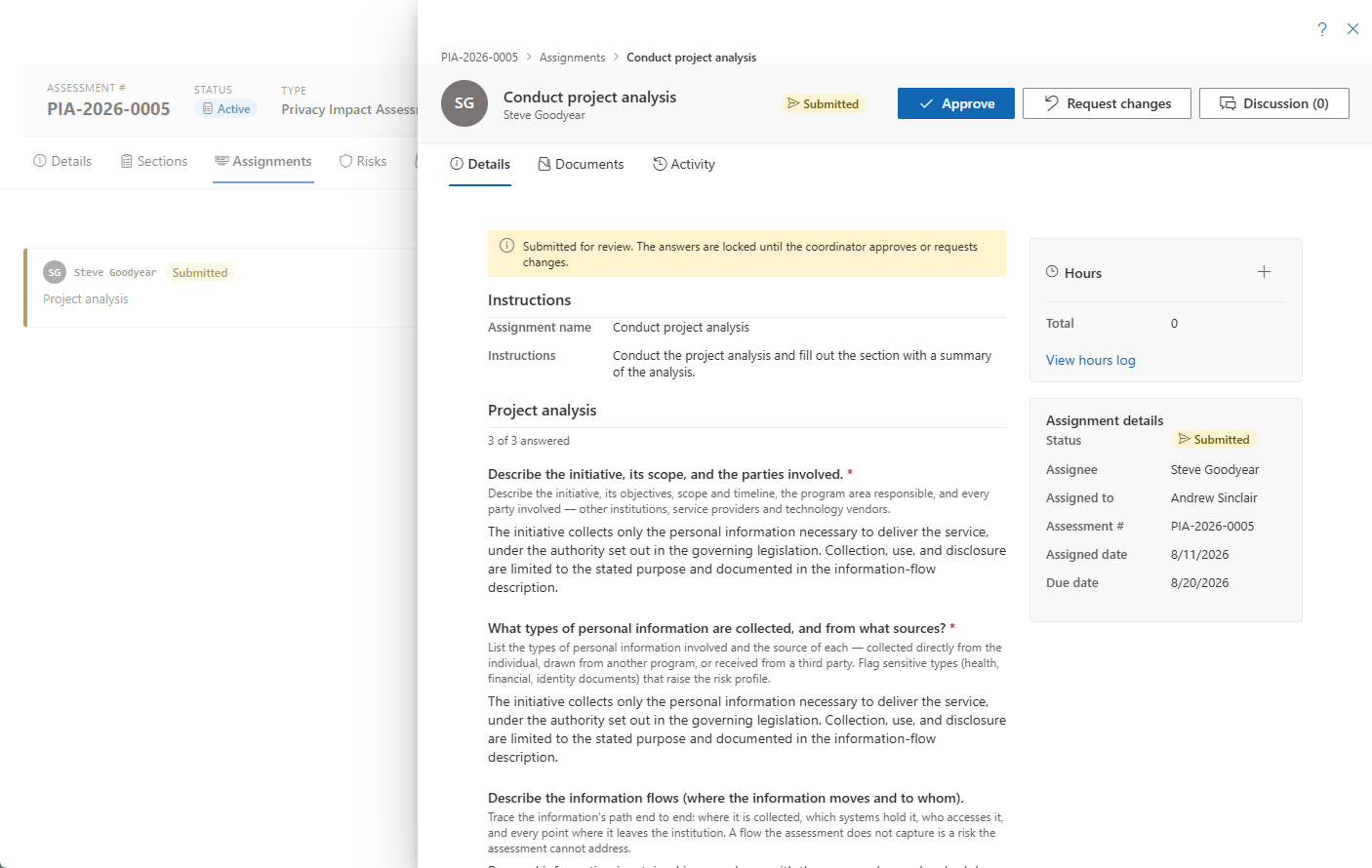
Coordinators can hand a questionnaire section to a subject-matter expert who never needs access to the whole assessment. The assignee works in the section-assignment panel (breadcrumb: assessment # › Assignments › section name); the coordinator manages and reviews section assignments from the assessment's Assignments tab — see Assessment Details.
Completing a Delegated Section
As the assignee:
- Read the Instructions and the section's questions.
- Fill in answers — free-text (optionally per-language), Yes/No, single/multi-choice, date, number, and attachment references.
- Log Hours against the assignment and attach reference Documents from that panel's tabs.
- Click Submit when done.
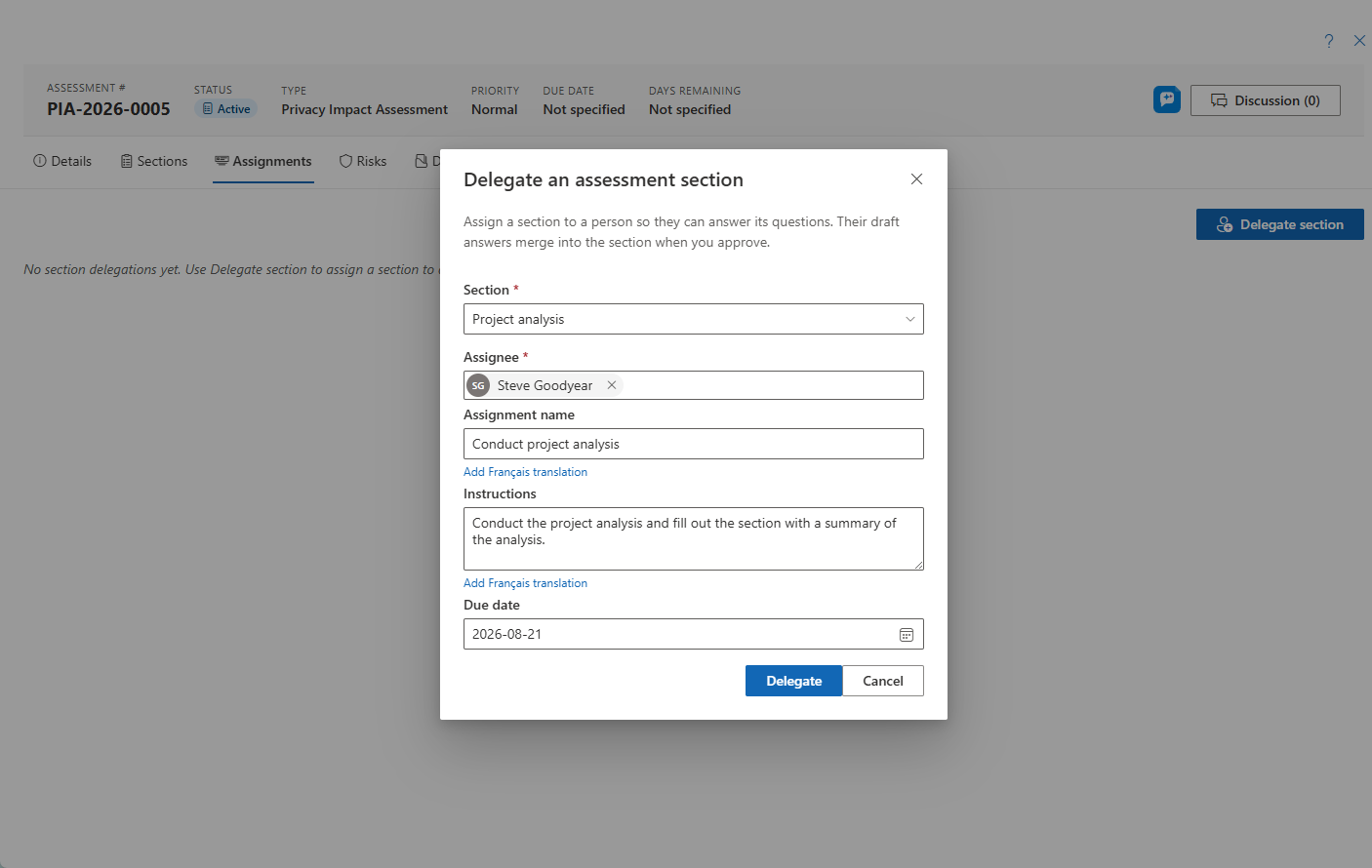
Autosave and When You Can Edit
Answers autosave as drafts — the last keystrokes are flushed even if the panel is closed quickly. Editing is allowed only while the work is with the assignee: In Progress or Changes Requested.
Approving or Requesting Changes
When the section is submitted, the coordinator either:
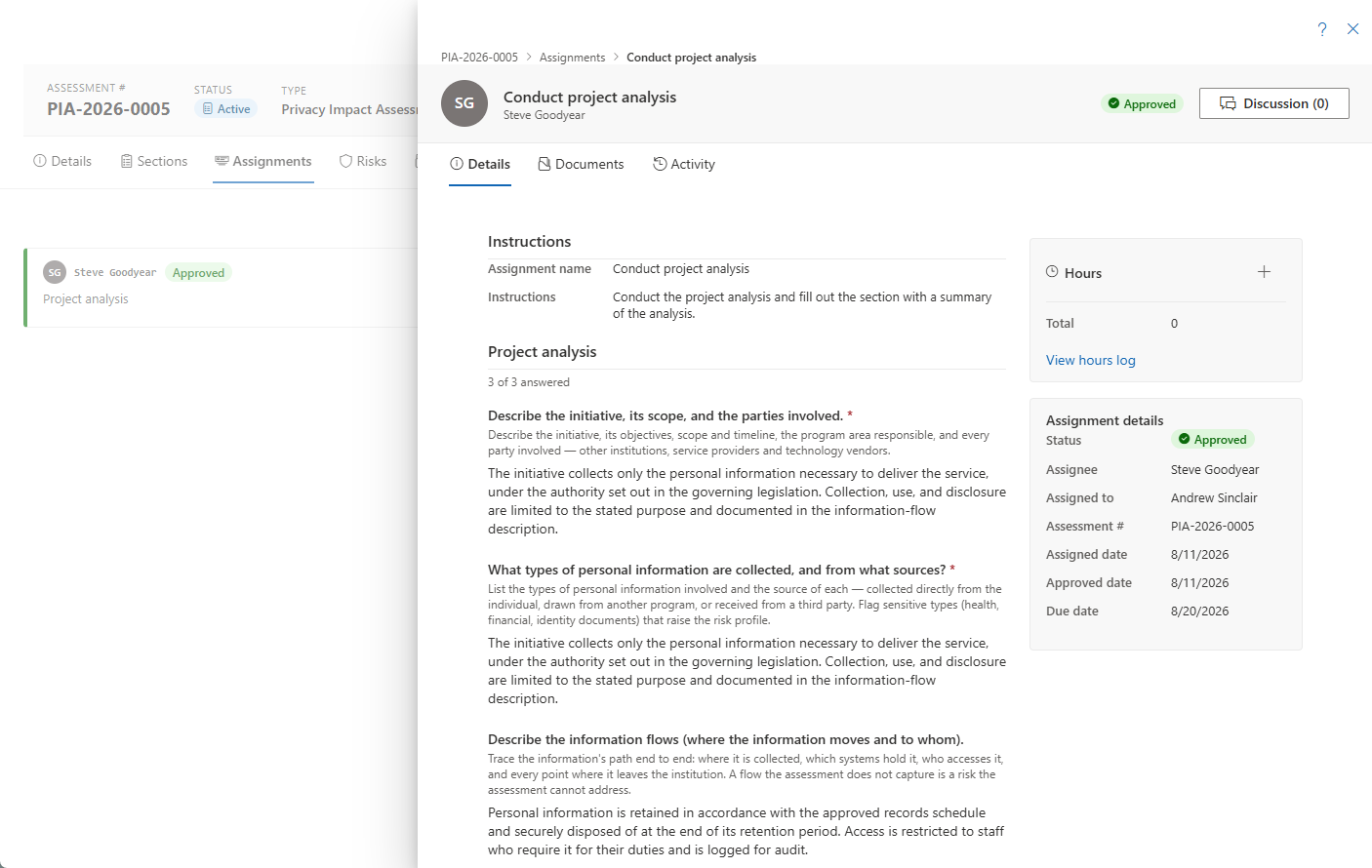
- Approves — merging the answers into the assessment, or
- Requests changes with a note that sends the section back to the assignee.
A returned-count and status chip track the round trips, and a Discussion thread is available on the assignment for back-and-forth.
Privacy by Design
Delegates work only within their assigned section and see no requestor PII.